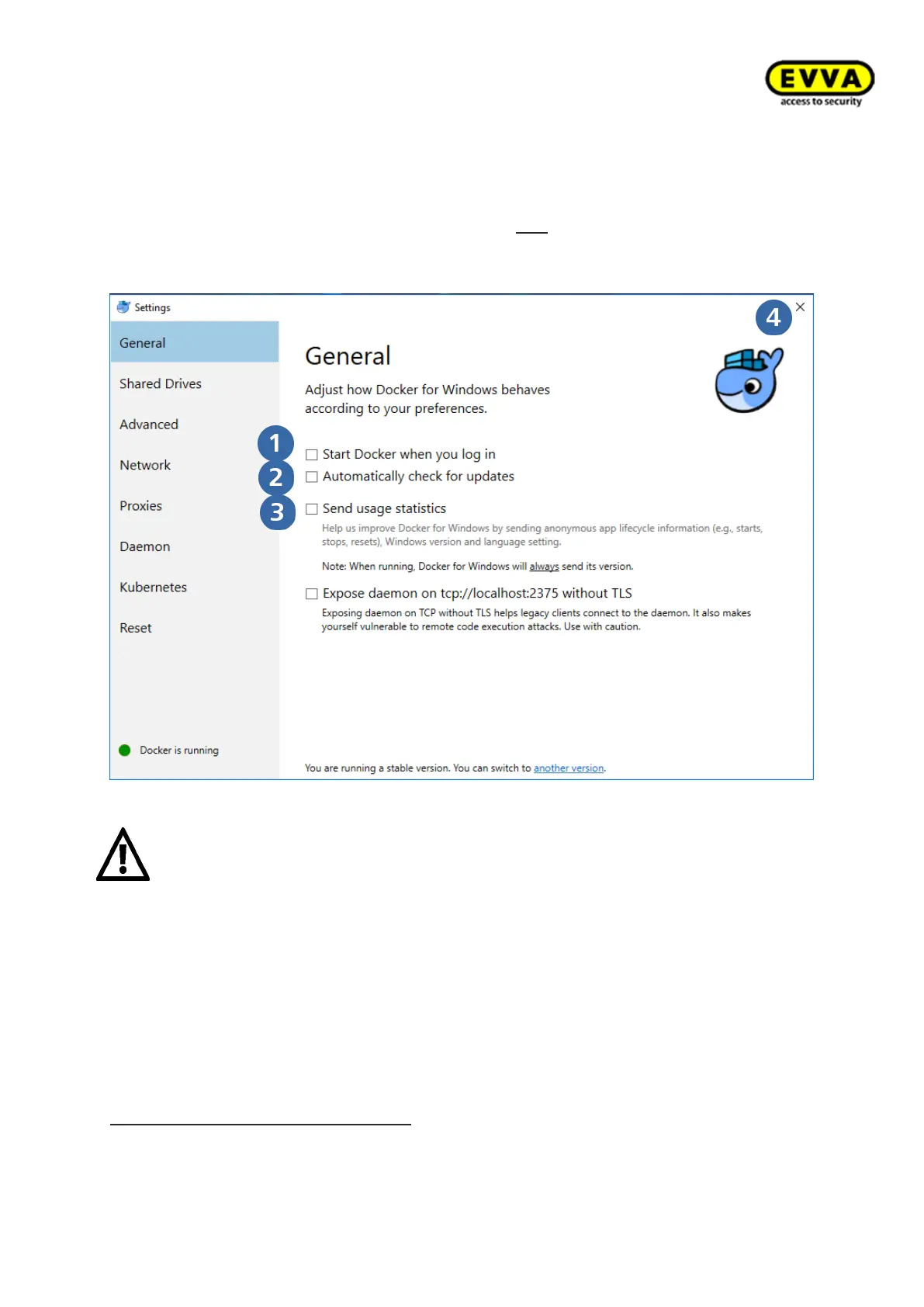
5. Step: Checking the settings
a. Make sure the following items have been activated: "Start Docker when you log
in"
b. "Automatically check for updates"
c. Do not „Send usage statistics“ that are not confirmed
d. You may now close Docker's general settings with "X".
Figure 32 – Docker settings selection
Attention:
The PC must support "Hyper-V Virtualisation" and this feature must have
been activated to use Docker!
The certificates for connections between containers/services are valid for one year. They
expire if a system has not been started for an unusually long period of time (> 1 year)
using the Xesar Installation Manager. In this process, malfunctions and error messages
may appear in the Xesar software. In this case the certificates are renewed upon starting
for the first time. The status automatically regenerates after a few minutes.
Docker has now been installed on your PC! In the next step install the driver for
the coding station!
If Hyper-V has not been activated: enter "Windows Features" in the command line.
Click activate or deactivate Windows features.



 To Next Page