The coding station driver has been installed. Please skip to section: 5 Xesar
3.0 - Programs, to continue the Xesar software installation.
4.2.2.2 Alternative: Manual driver search and HID driver installation
Alternatively you can also manually search for the the driver and download it from the
HID GLOBAL page.
1. Step: Check the model type of your Omnikey coding station on the reverse side
(e.g.: HID OMNIKEY 5422) and connect the coding station to your PC.
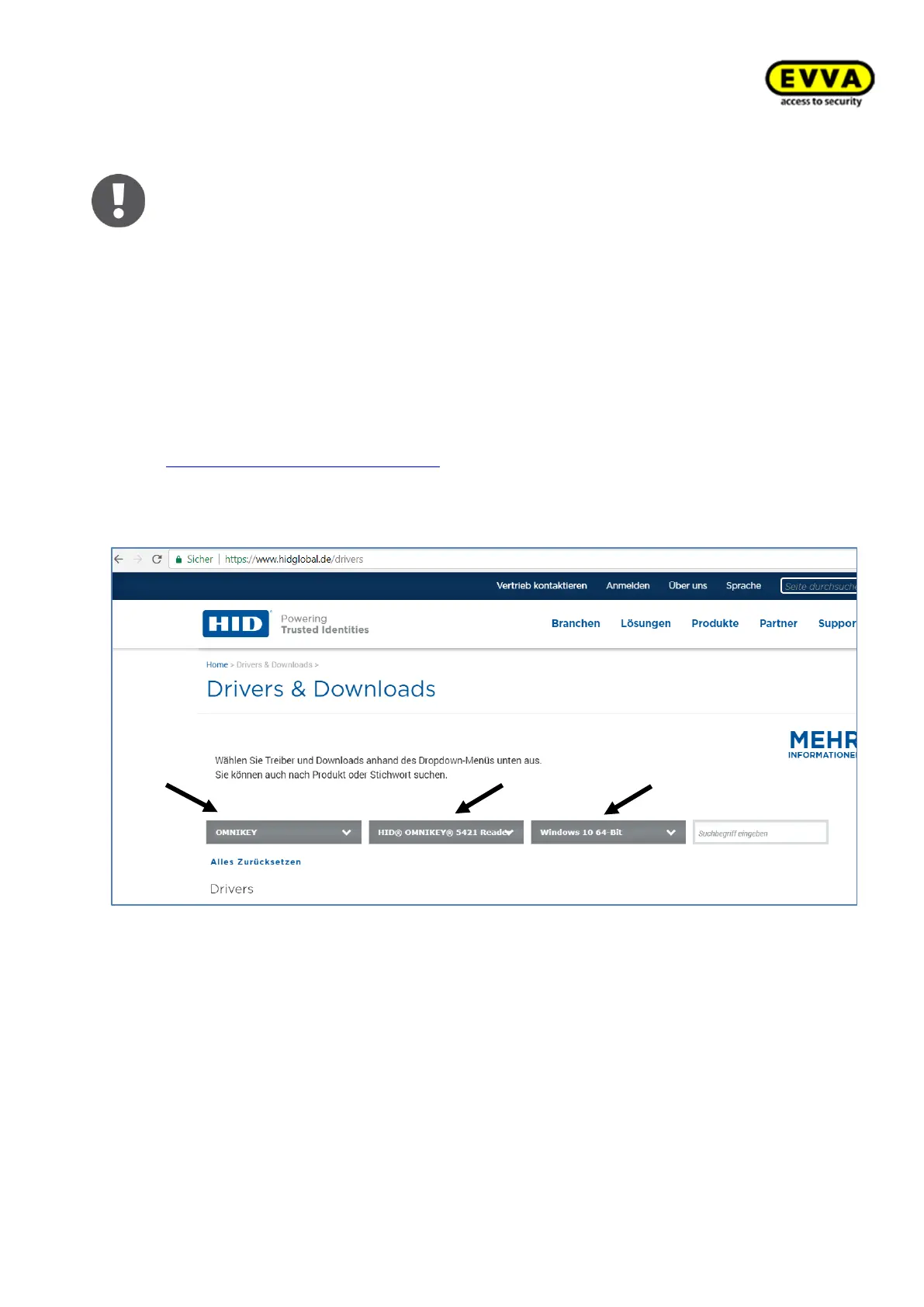
2. Step: On the HID GLOBAL website, go to the Drivers section
https://www.hidglobal.com/drivers or search for „HID Global Drivers“ in Google.
For "Brand" select: "OMNIKEY" and enter the model of your coding station in "All-
Products, e.g. "HID OMNIKEY 5421" and select your operating system in "AllOS":
Windows 10 64 bit
Figure 41 – Coding station download page



 To Next Page