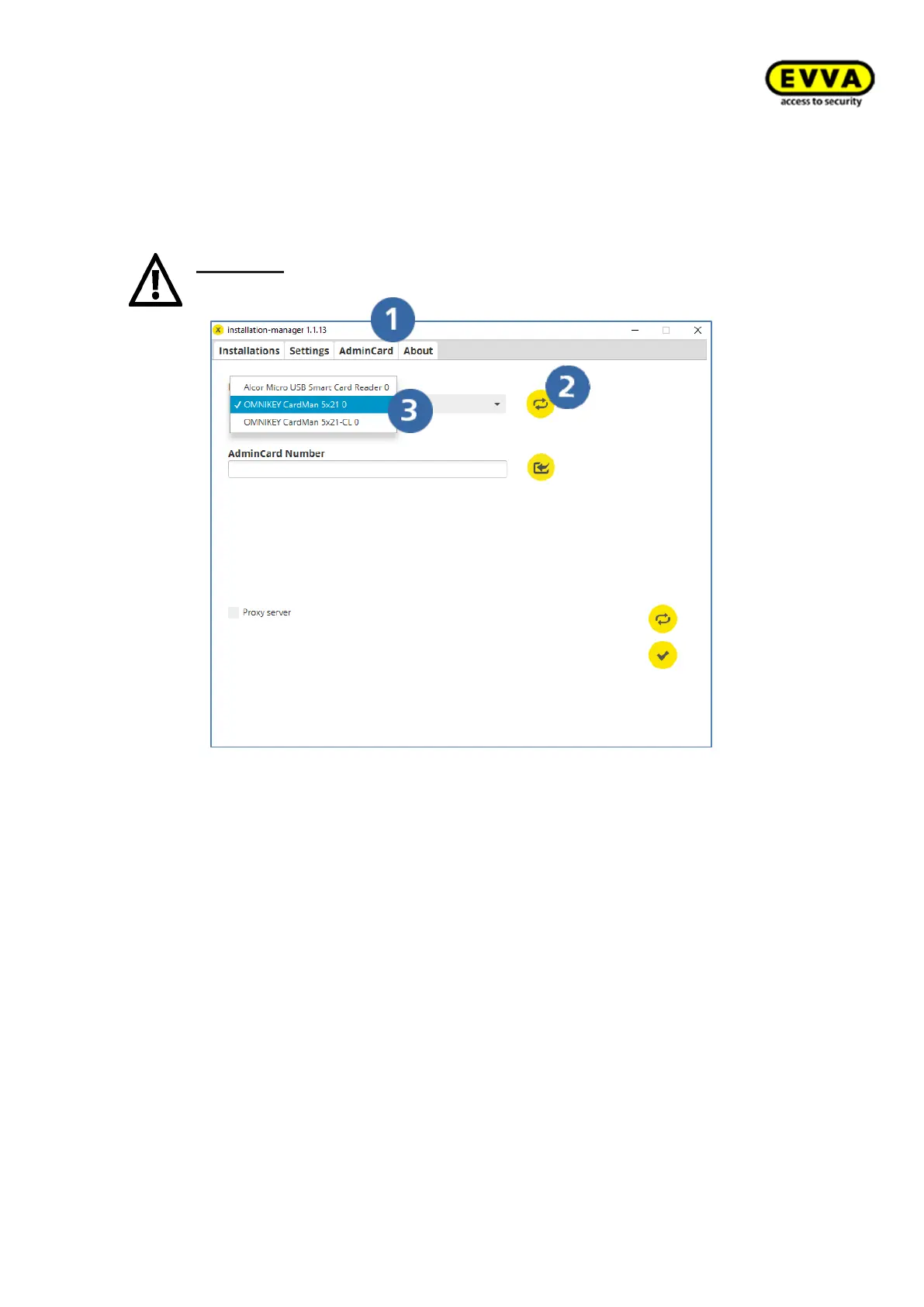
4. Step: Load reading unit in the Installation Manager
a. Click the "Admin Card" tab.
b. The coding station can read and process contact-based media (Admin Card) and
contactless CL (all Xesar identification media) smart cards. The contact-based
reader is only required for the Installation Manager and reading the Admin Card.
Attention: If synchronisation fails, select the contact-based reader (see
following screenshot) via the drop-down menu.
Figure 52 – Installation Manager tab: Admin Card



 To Next Page