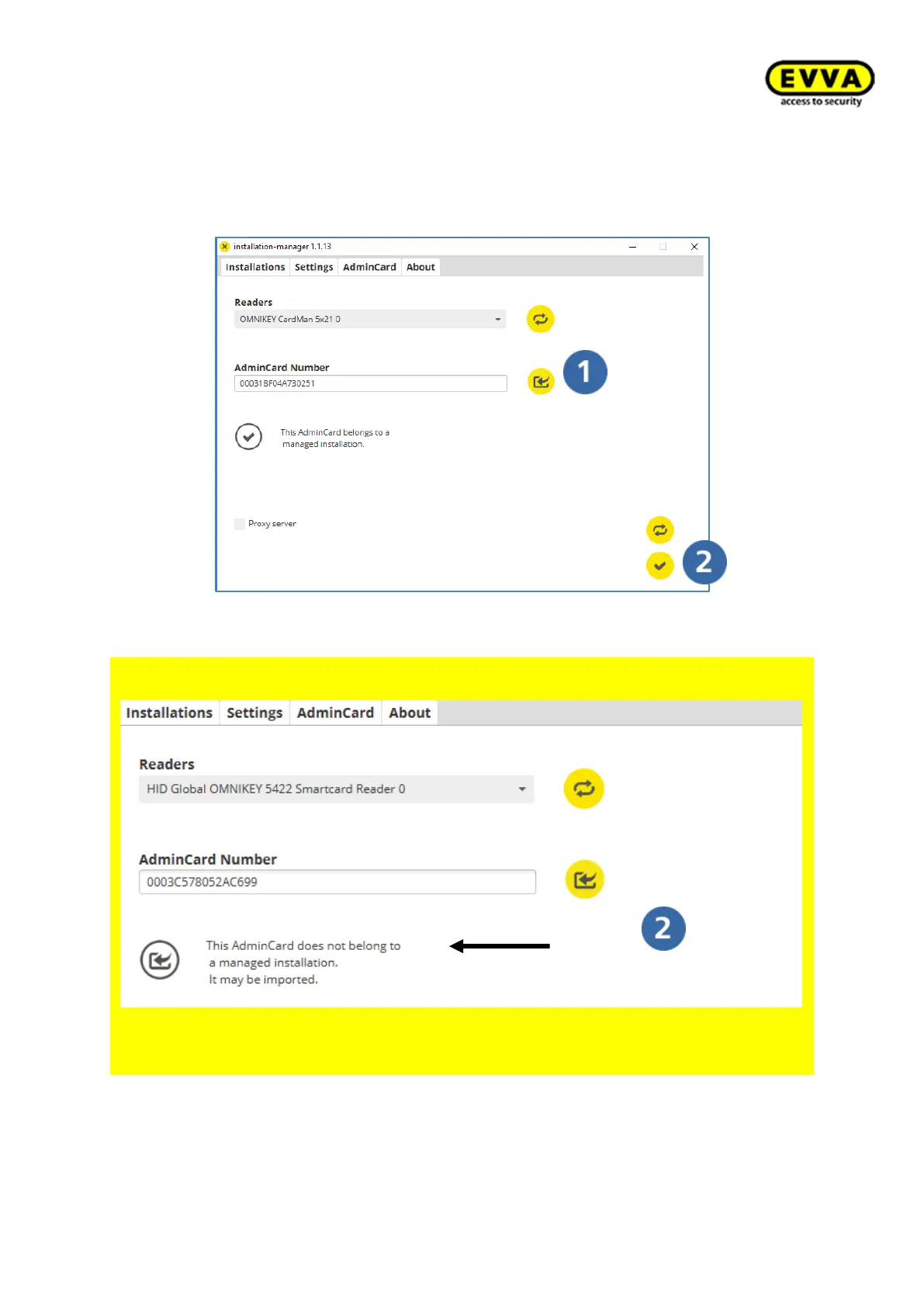
5. Step: Loading the Admin Card
a. Insert the Admin Card into the slot of the coding station and
b. click the "Load" icon.
c. Click the "Save" icon to save.
Figure 53 – Installation manager tab: Admin Card – loading the card
For UPGRADES from Xesar 2.2 to Xesar 3.0 only
• Insert the Admin Card of your Xesar 2.2 system in the coding station
The following is displayed. You can now import Xesar 2.2 data.
Figure 54 – Installation Manager Admin Card import



 To Next Page