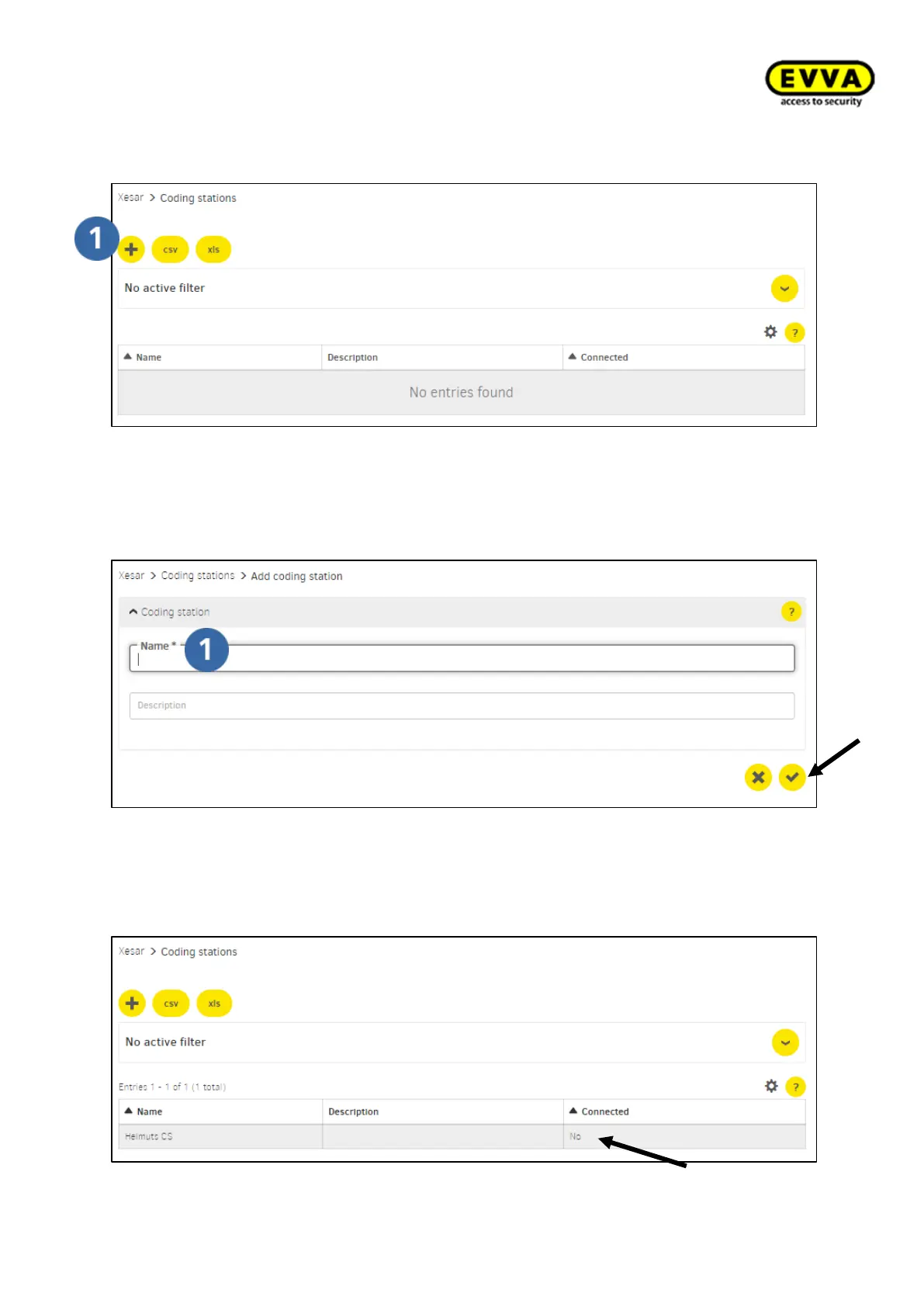
2. Step: Click the "+" icon to add a new coding station.
Figure 85 – Adding a coding station
3. Step: Enter the name and potentially a description and click the "Confirm" icon.
Figure 86 – Coding station, adding names
4. Step: coding station has now been entered in the overview list, but not connected
to the client computer.
Figure 87 – Coding station status



 To Next Page