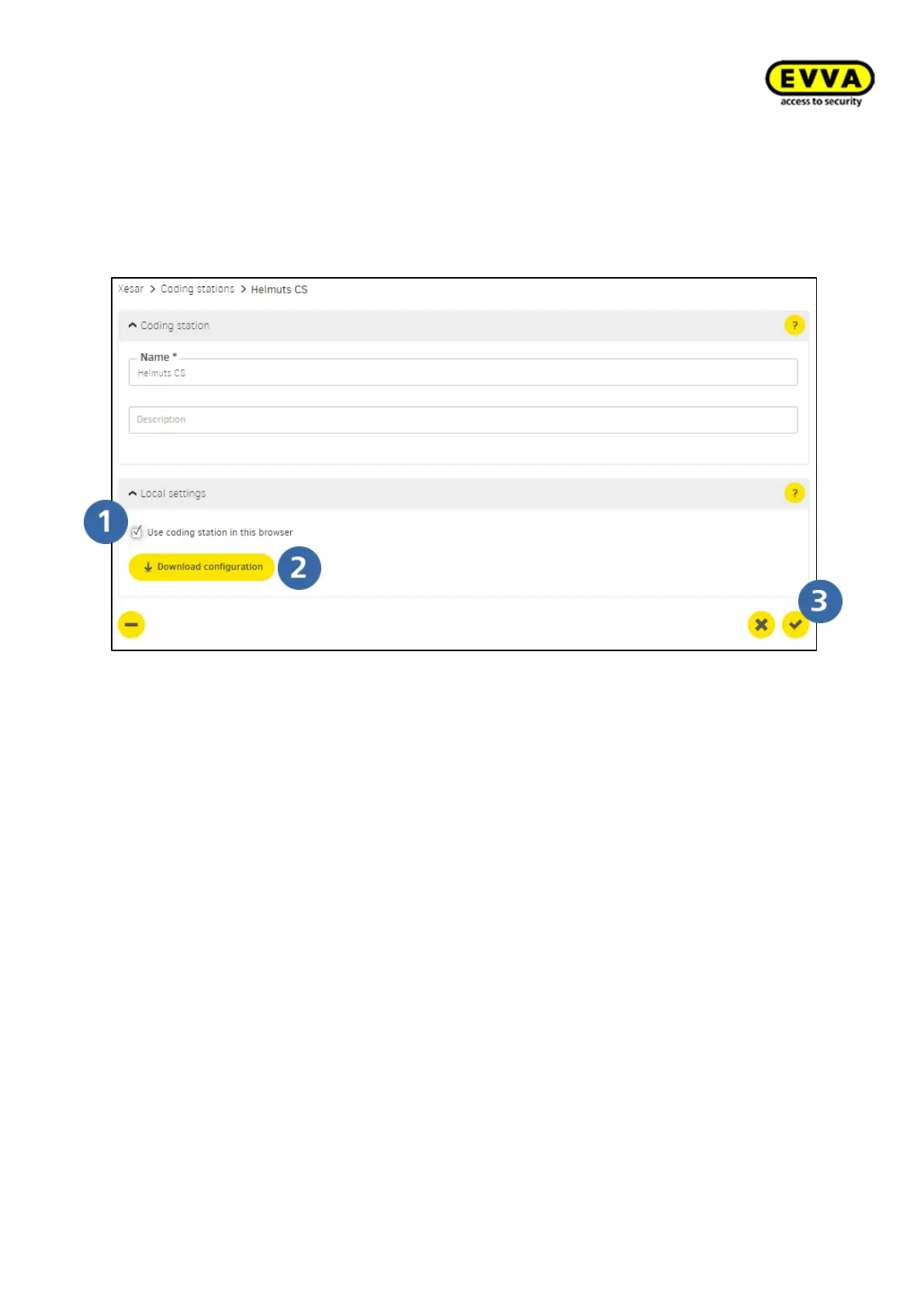
5. Step: Activating the coding station and downloading the configuration file
a. Click the coding station's list entry
b. Select the "Use coding station in this browser" option
c. Click the "Download" icon and download the coding station's configuration file.
d. Click the "Confirm" icon to save your input!
Figure 88 – Download the coding station's configuration file



 To Next Page