RESTRICTED USE ONLY Fargo Electronics, Inc.
DTC300/DTC300M Card Printer/Encoder User Guide (Rev. 2.2)
5-12
Using the Clean Printer Option (Continued)
Step Description
6
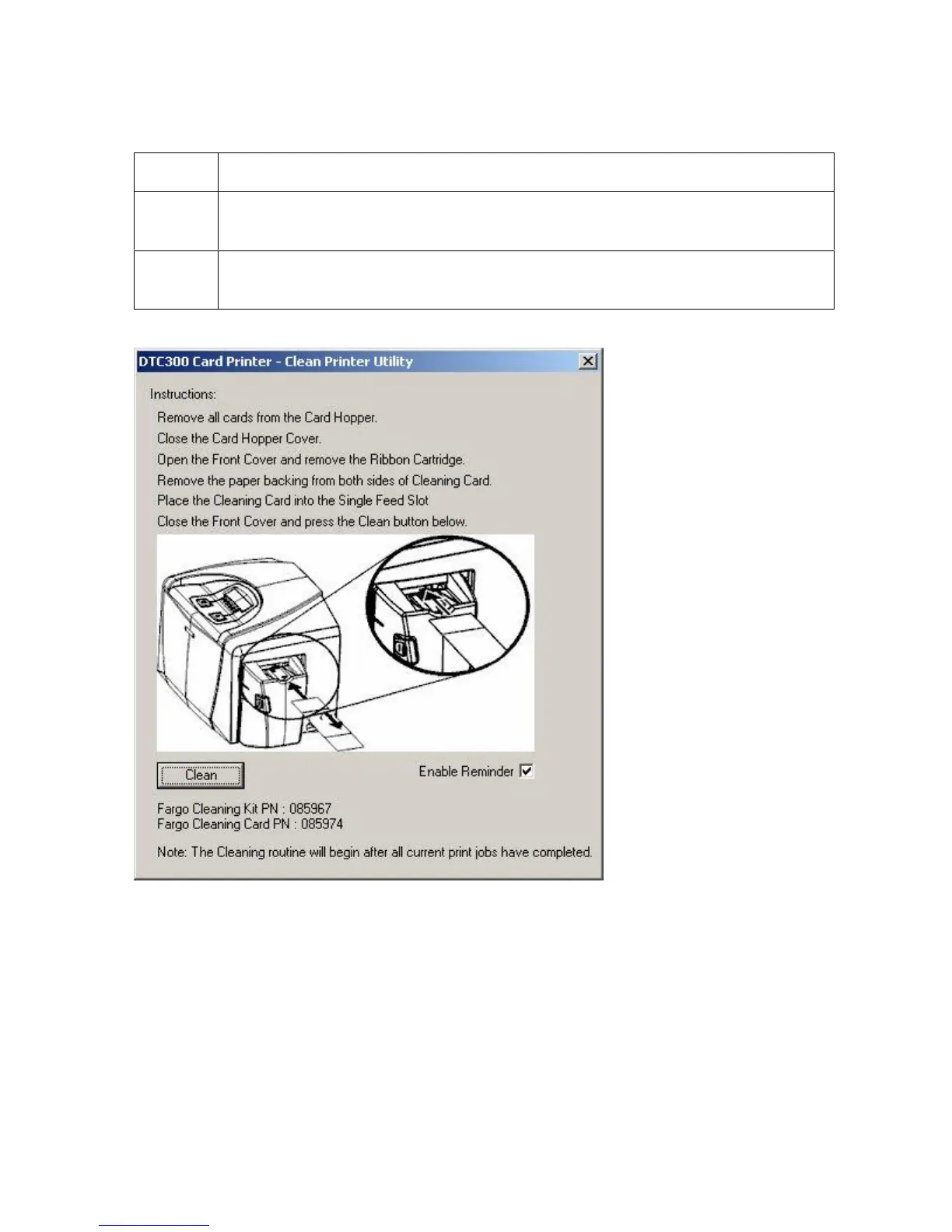
Click on the Clean button at the bottom of the window. (Note: The Printer will
begin to feed the cleaning card through the card path.)
7 Reinsert the print Ribbon and cards after the cleaning procedure has
completed.



 To Next Page