RESTRICTED USE ONLY Fargo Electronics, Inc.
DTC300/DTC300M Card Printer/Encoder User Guide (Rev. 2.2)
3-22
Installing the Printer Driver (continued)
Step Procedure
6
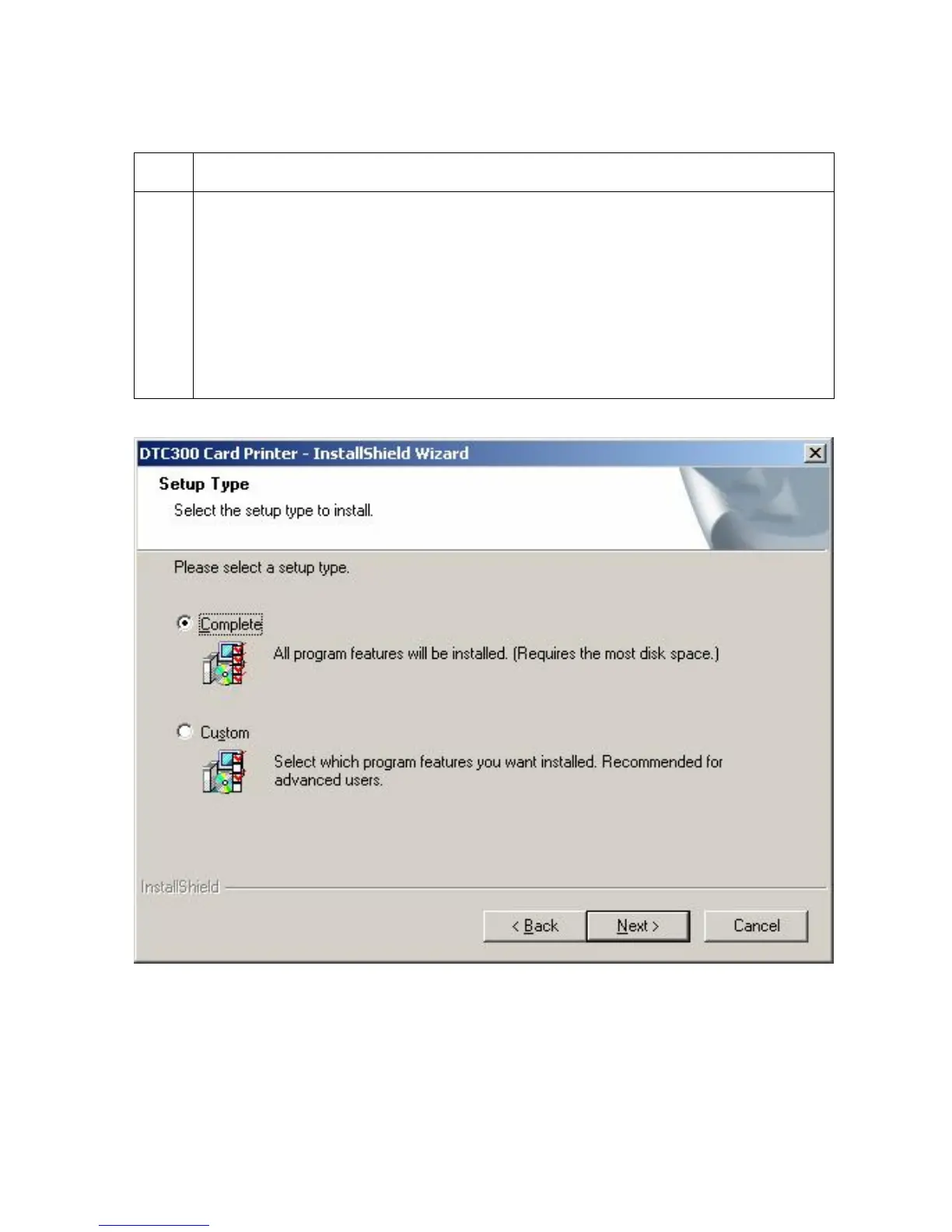
a. Select the Complete option to install the following components:
Printer Driver Software
Printer Driver User’s Guide
Fargo Diagnostics Utility
(Note: Selecting Custom will provide the option to select which components to
install.)
b. Click Next to continue.
Continued on the next page



 To Next Page