RESTRICTED USE ONLY Fargo Electronics, Inc.
DTC300/DTC300M Card Printer/Encoder User Guide (Rev. 2.2)
5-45
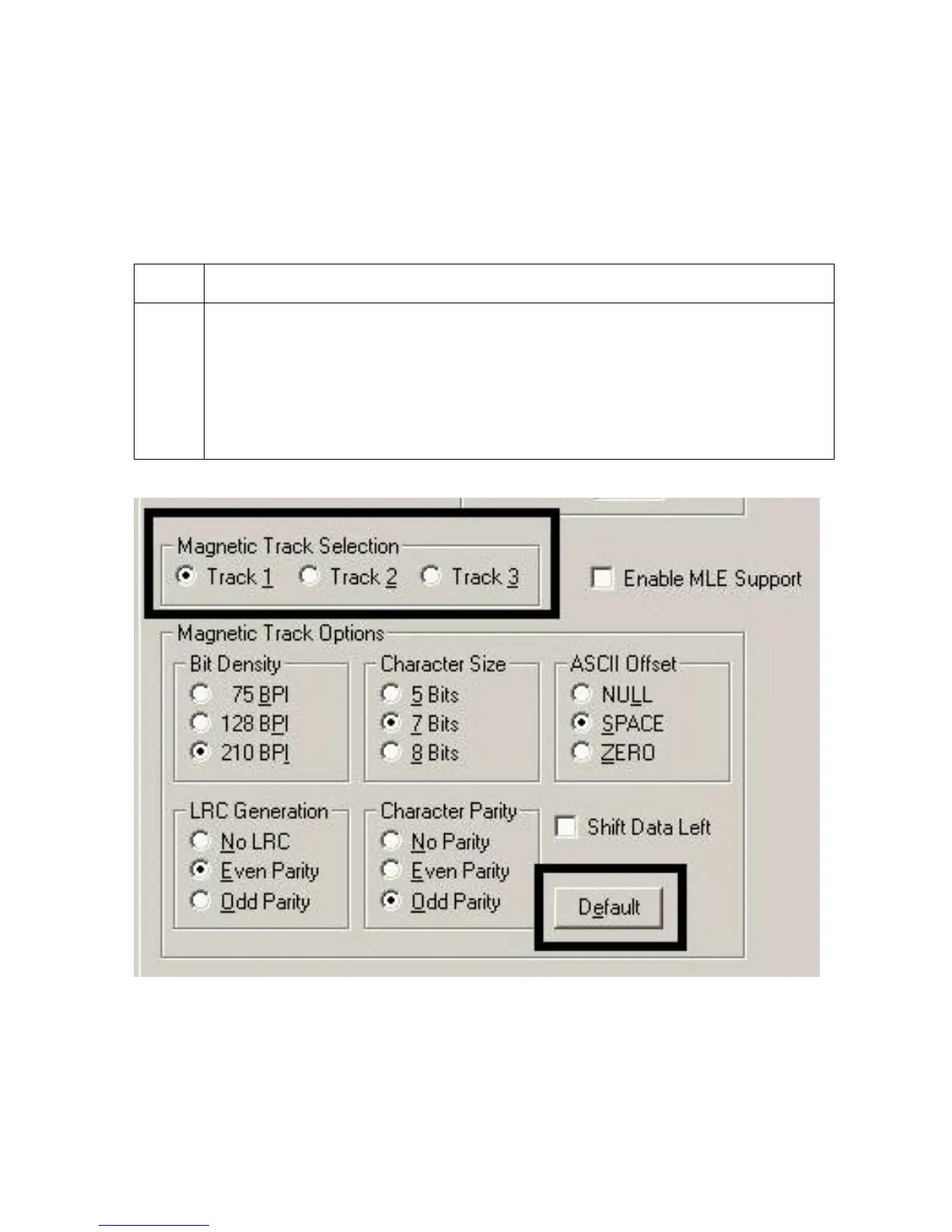
Using the Magnetic Track Selection radio buttons
Use the Magnetic Track Selection option to specify which track to configure through the
Magnetic Track Options if the application requires customization of the standard ISO
encoding process. (Note: Although the default ISO Magnetic Track Options should be
correct for almost all applications, these options can be customized if the application requires
it.)
Step Procedure
1 Select a Track selection to:
a. Change all options separately for each of the three individual tracks.
b. Select the Default button for each of the separate tracks to set these options
back to the ISO Standard settings (once they have been changed).
(Important: Please refer to the following for a description of all Magnetic
Track Options.)
Continued on the next page



 To Next Page