RESTRICTED USE ONLY Fargo Electronics, Inc.
DTC300/DTC300M Card Printer/Encoder User Guide (Rev. 2.2)
5-31
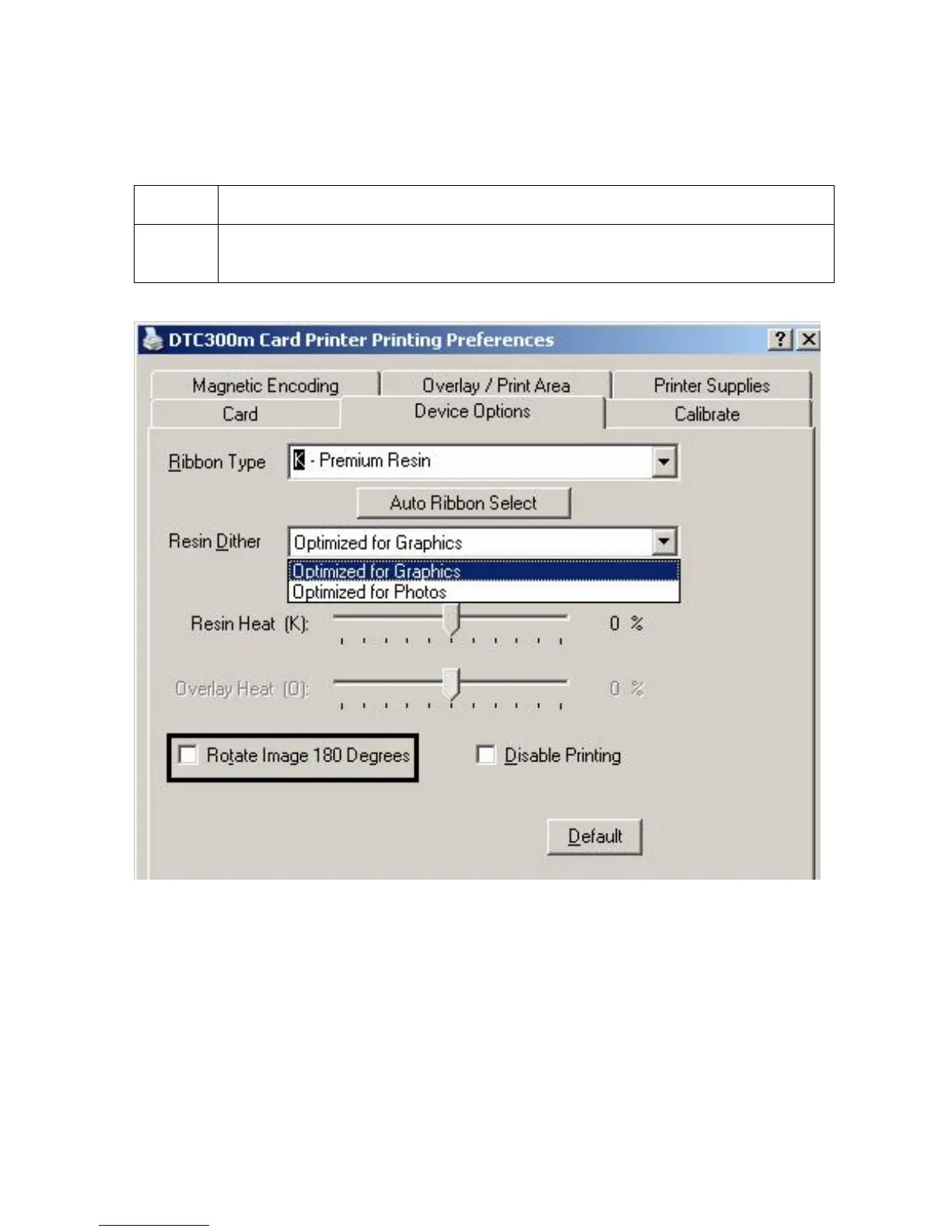
Using the Rotate Image 180 Degrees option
Use this option to rotate the image on the front of the card 180 degrees when printed.
Step Description
1 Select this option to change the position of the printed image in relation to the
set location of a card's Magnetic Stripe or smart chip.



 To Next Page