RESTRICTED USE ONLY Fargo Electronics, Inc.
DTC300/DTC300M Card Printer/Encoder User Guide (Rev. 2.2)
5-44
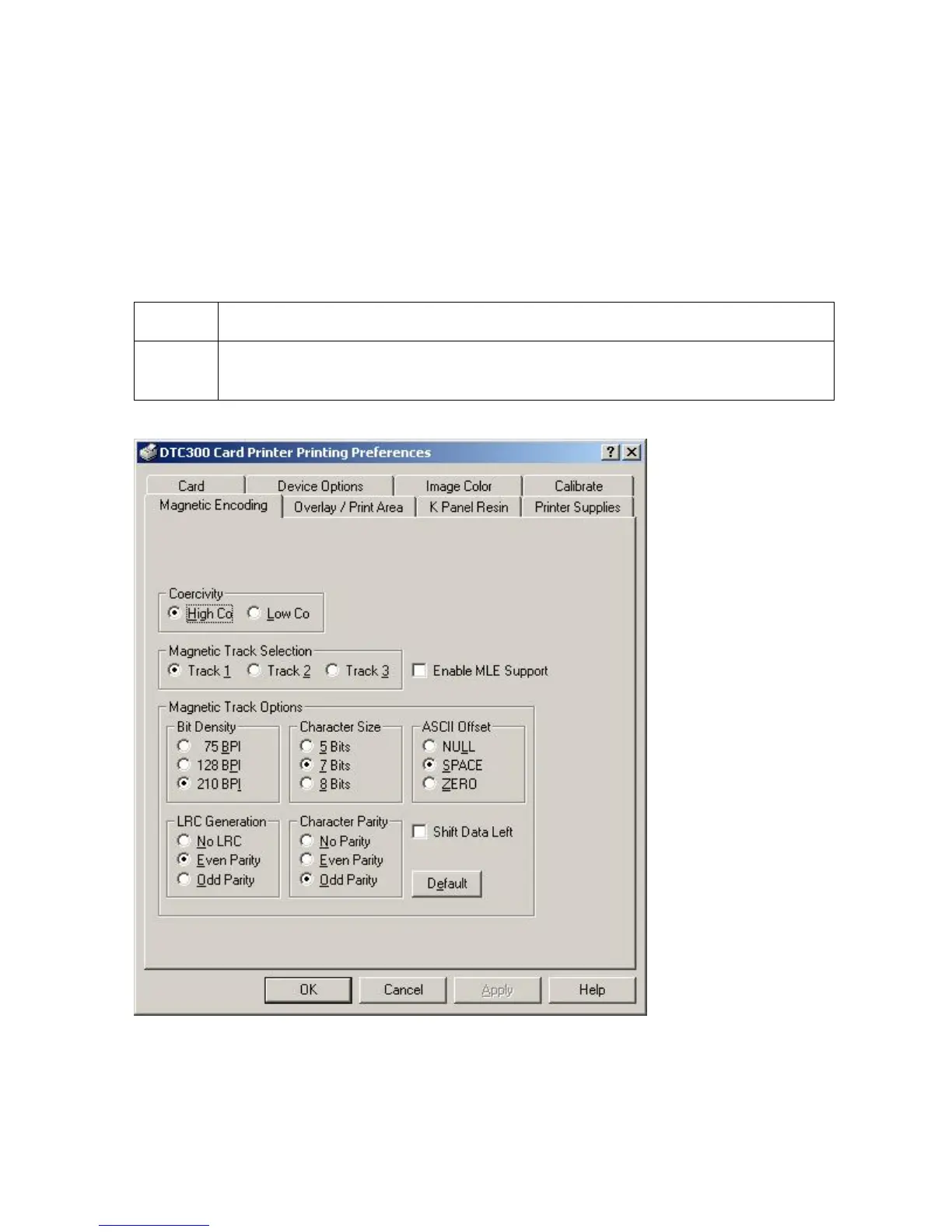
Using the Magnetic Encoding tab
Use this option only if the Printer has an optional Magnetic Stripe Encoding Module installed.
The following describes these options and the Printer's magnetic encoding process.
The Card Printer comes with either a high-coercivity factory-installed Magnetic Stripe
Encoding Module or a low-coercivity module.
The Printer cannot encode both types of Magnetic Stripes interchangeably within the
same Printer.
Step Procedure
1 Select the Magnetic Encoding tab to display options for controlling the
Magnetic Stripe encoding process.



 To Next Page