RESTRICTED USE ONLY Fargo Electronics, Inc.
DTC400 Card Printer/Encoder User Guide (Rev. 2.2)
5-18
Configuring the Network Settings
The procedures needed to configure the network settings are presented in this section.
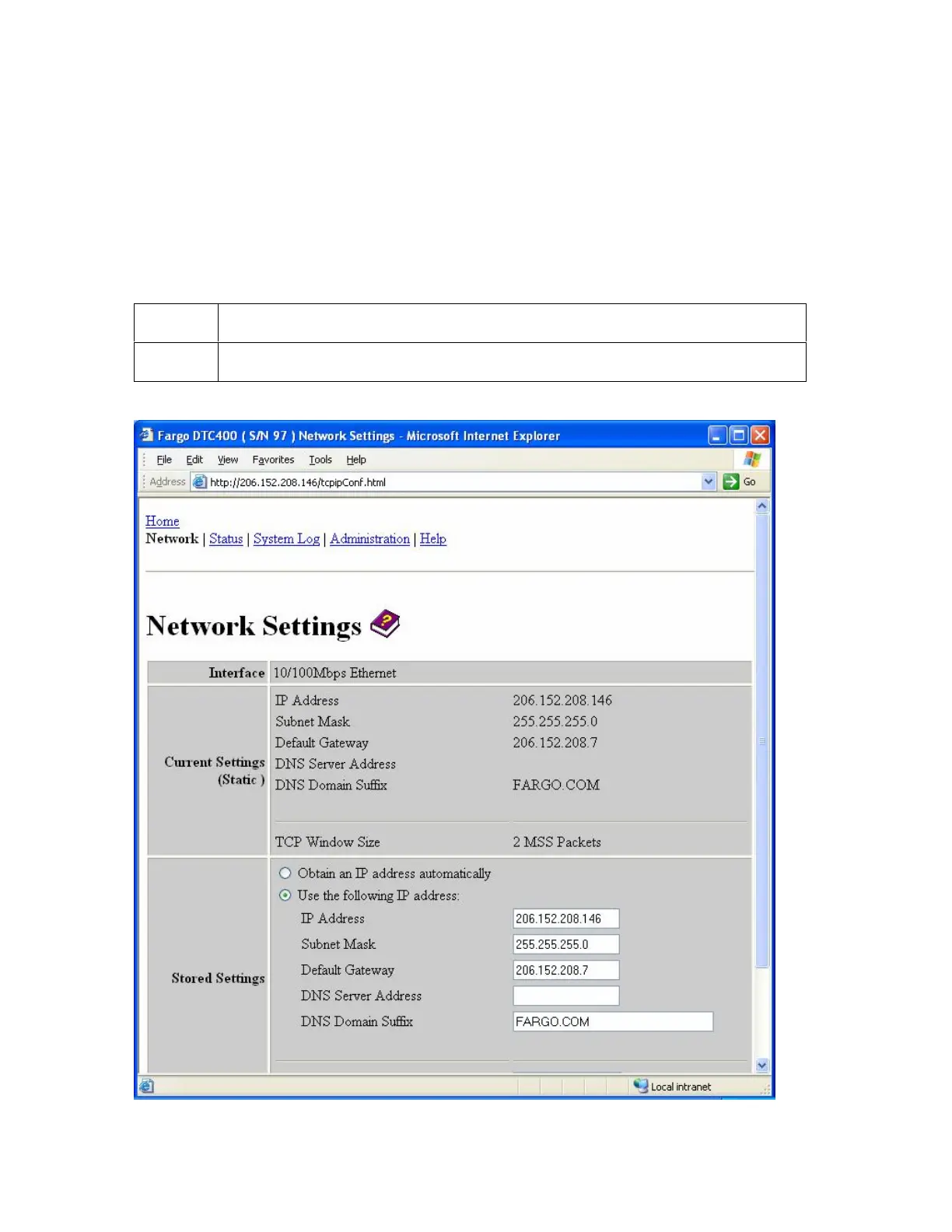
Accessing the Network Settings page
The Network page displays the current network settings and allows the User to change the
settings.
Step Procedure
1
Select the Network link from any web page of the Printer.



 To Next Page