RESTRICTED USE ONLY Fargo Electronics, Inc.
DTC400 Card Printer/Encoder User Guide (Rev. 2.2)
6-52
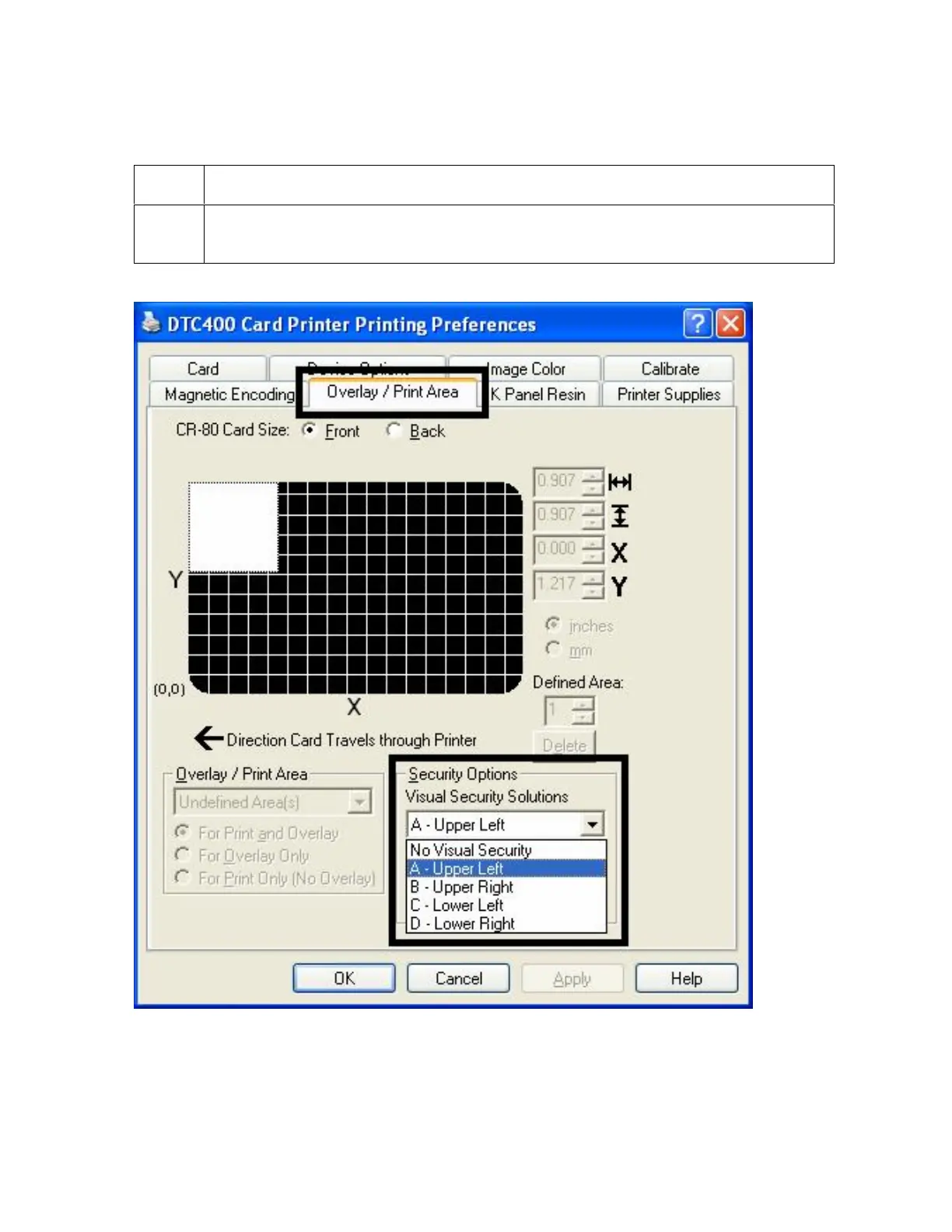
Enabling the Frontside option (Overlay / Print Area)
Step Procedure
1
Select the Front radio button, which enables the Overlay / Print Area and
Security Options functions.



 To Next Page