RESTRICTED USE ONLY Fargo Electronics, Inc.
DTC400 Card Printer/Encoder User Guide (Rev. 2.2)
6-75
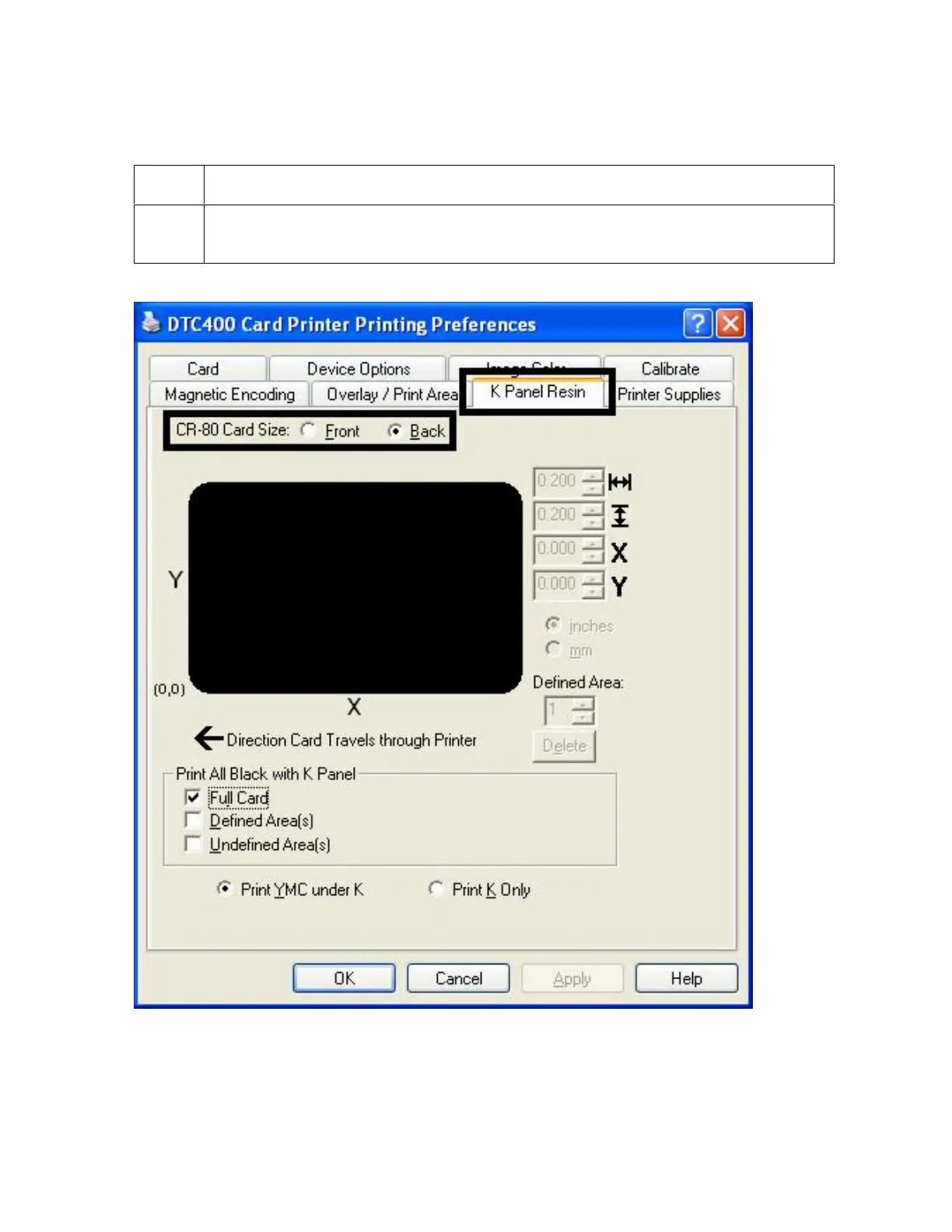
Enabling the Backside option (K Panel Resin)
Step Procedure
1
Select the Back radio button to enable the Backside option. (Note: This enables
all K Panel Resin functions, as shown below.)



 To Next Page