FARO
®
Laser Scanner Manual
63
Chapter 7: Controller Software
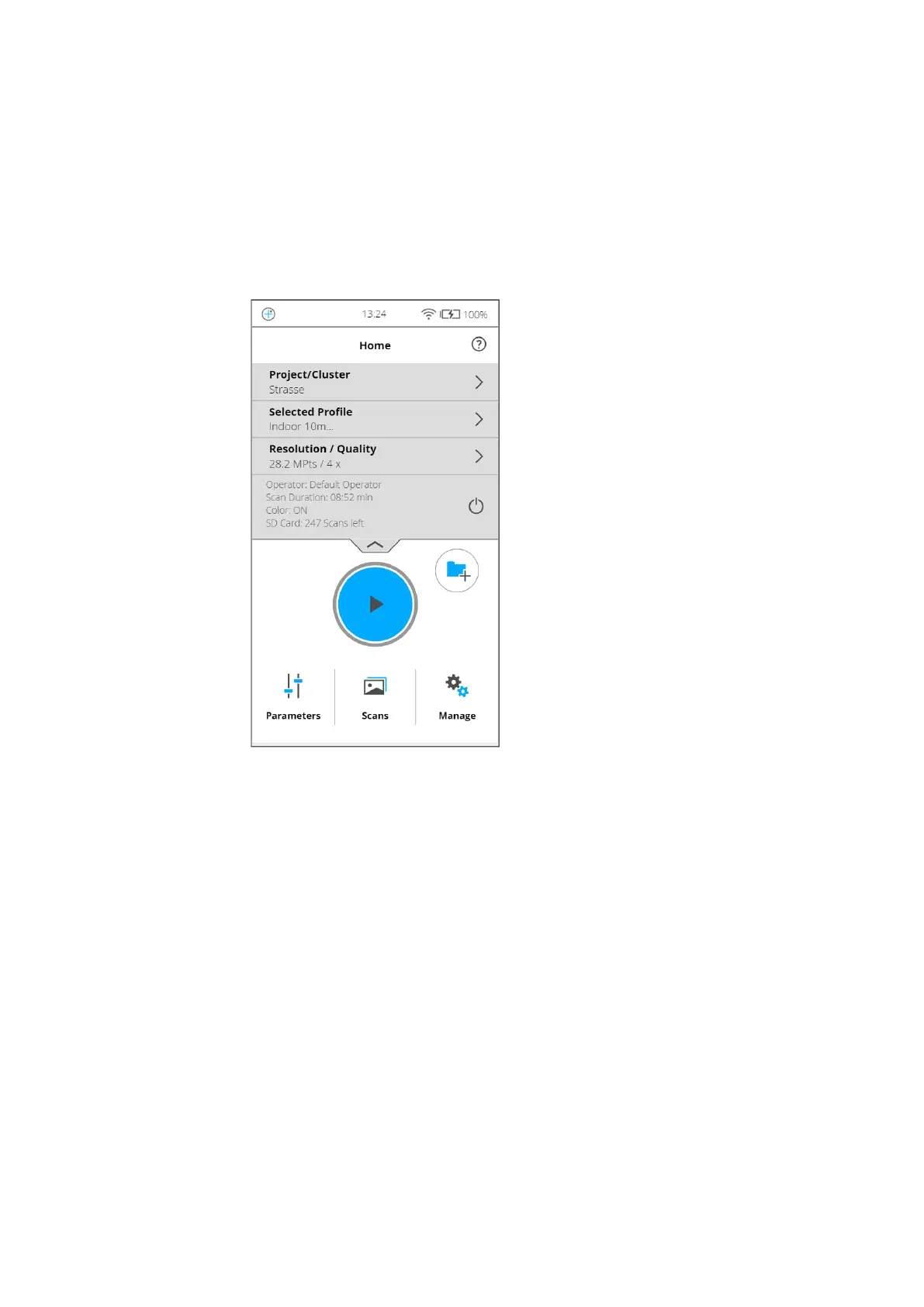
Start Scan button - Starts a scan. See Starting a Scan on page 53.
Parameters button - Opens the dialog to select another scan profile and to
edit the current scanning parameters. For more information, see Setting
the Scanning Parameters on page 44.
Info box - Tap the arrow button underneath HOME to show or hide the info
box. The info box informs about the currently selected operator, project,
and scan profile. It also shows information about the current scanning
parameters resolution in megapoints, quality, scan duration and color.
Figure 7-4: Home Screen with Info Box
Add cluster button - Tap to add a cluster to the currently selected project.
View Scans button - Preview the scans that are stored on the SD card. See
View Scans on page 113.
Manage button - Manage scan profiles, projects, operators, and the
scanner. See Manage on page 72.



 To Next Page