FARO
®
Laser Scanner Manual
37
Chapter 6: Getting Started
must be Class 10 or better and its temperature range should be from -20 °C (-
4 °F) to 85 °C (185 °F).
SDHC cards may also be formatted with Windows. SDXC cards with a
capacity of more than 32 GB cannot be formatted with the Windows format
function as Windows will format those cards in its own file system. The
Windows file system is not supported by the scanner. There exist freeware
tools that allow formatting such cards with Windows as FAT32 but it is
recommended to use the scanner’s format function.
6.5.2 File Structure of the SD Memory Card
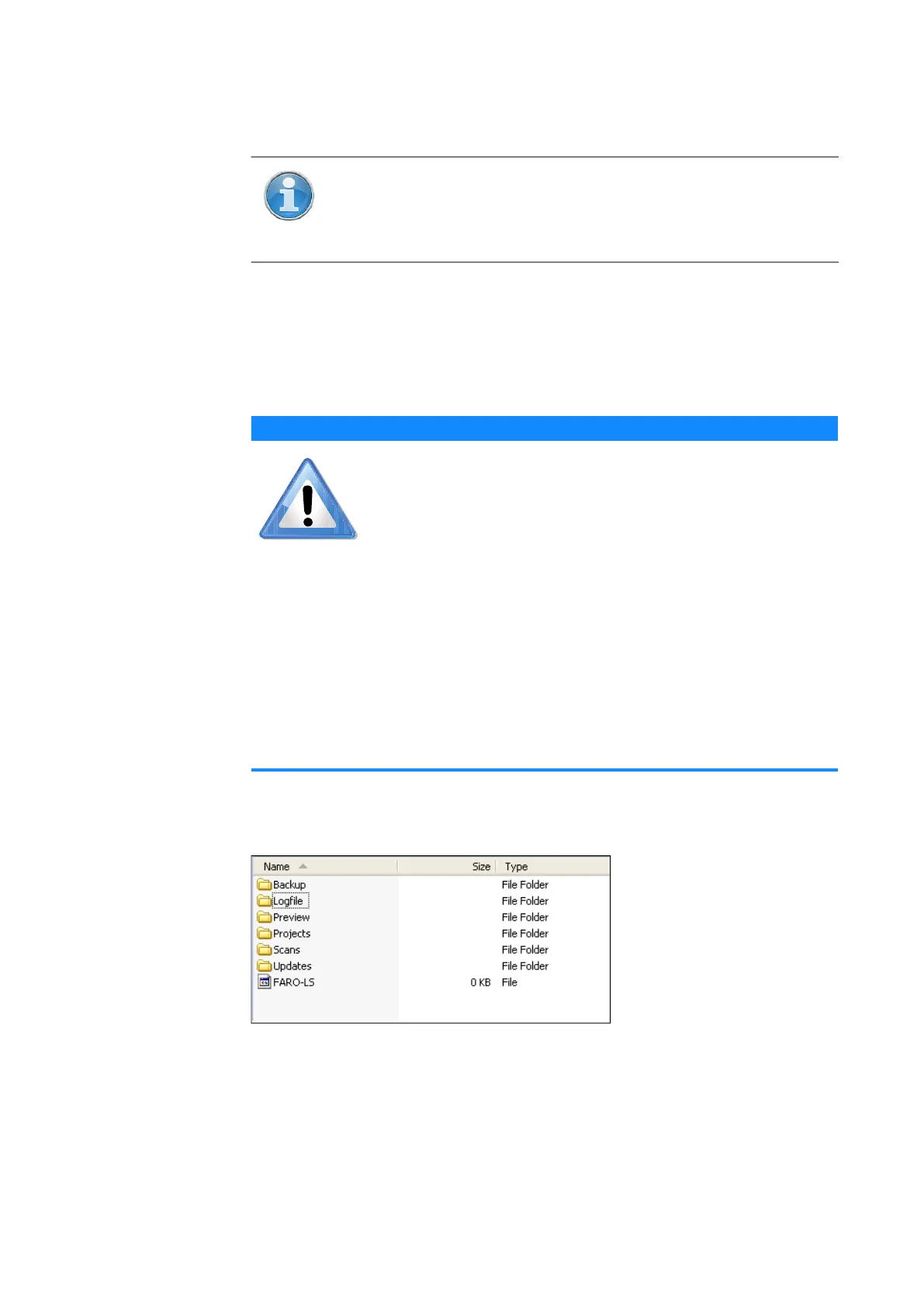
The file structure of the FARO Laser Scanner SD cards is as follows:
Figure 6-7: SD Card File Structure
Backup - Scanner backups will be saved to this folder. The backup folder will
be created automatically as soon as you start a scanner backup. See Backup
on page 108.
NOTE: The SD cards must be formatted in the FAT32 file system.
When using an SD card other than one supplied with the scanner,
format it with the scanner format function first.
For more information,
see Service
on page 106.
NOTICE
Risk of data loss
Do not remove the SD card from the scanner while it is busy,
otherwise you risk corrupting the data on the card. A busy
SD card is indicated by the SD card icon blinking in the
status bar of the controller software.It is safe to remove the
card from the scanner when this icon has disappeared from
the status bar.
When removing a FARO Laser Scanner SD card from your
computer, you should always use the “Safely Remove
Hardware” option from the system tray in Windows,
otherwise you risk corrupting the data on the SD card. To
safely remove hardware in Windows, double-click the Safely
Remove Hardware button in the system tray, then select the
device you want to remove from the list.



 To Next Page