FARO
®
Laser Scanner Manual
22
Chapter 5: Parts and their Functions
Chapter 5: Parts and their Functions
5.1 Scanner Parts
5.1.1 Display Side
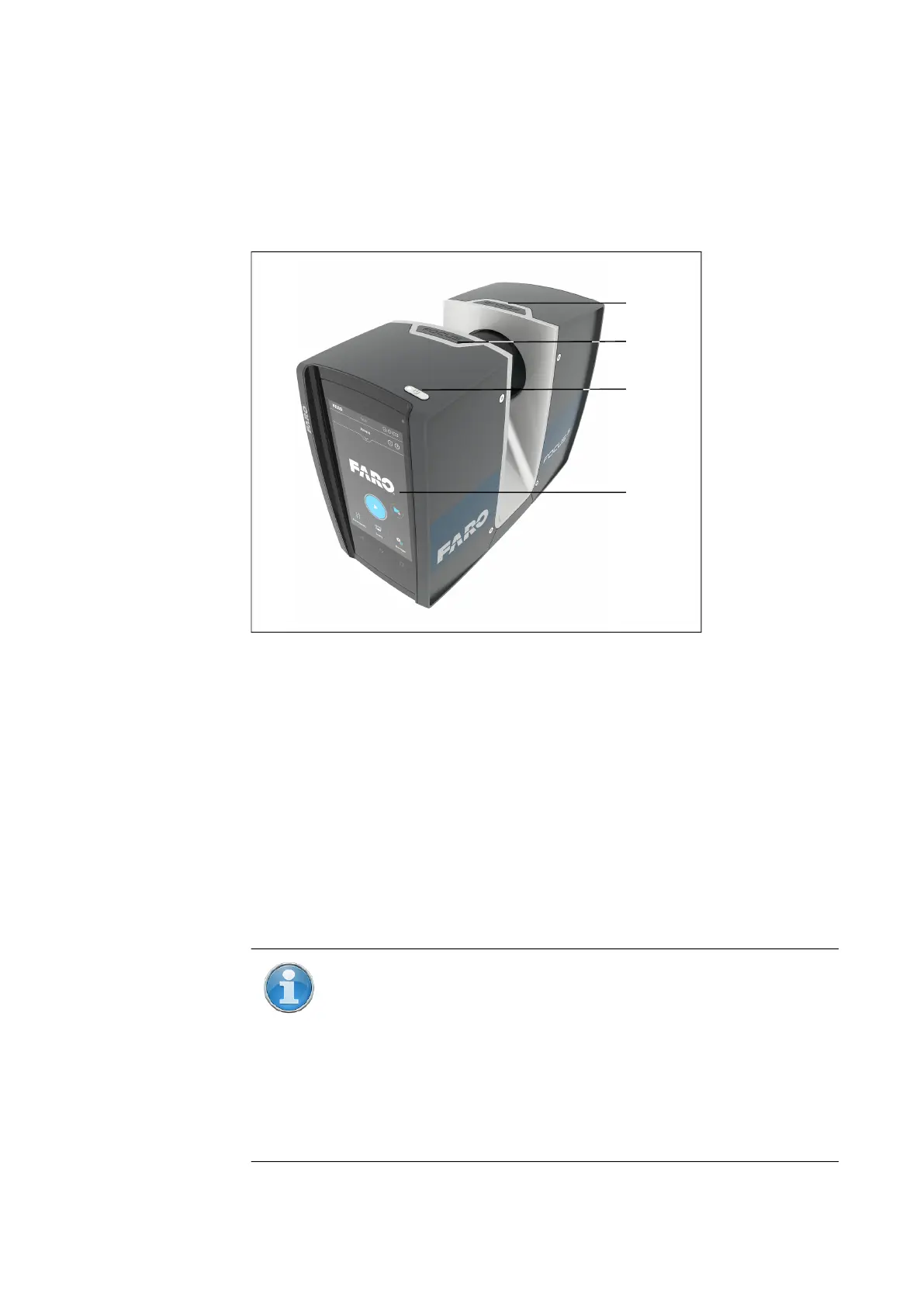
Figure 5-1: Display side of the FARO Laser Scanner
Power On/Off button - Press this button to power on the FARO Laser
Scanner. If the scanner is on and running, press this button to power it
down. Pressing and holding the button more than 3 seconds will switch the
FARO Laser Scanner off without shutting down. Use this option only in
exceptional cases, for example, if the shutdown mechanism does not work
or the FARO Laser Scanner is non-responsive.
Touch-screen display
Accessory bay1
Accessory bay 2
NOTE: Ensure that the contacts in the accessory bay are clean
before using. If not, clean with a cotton swab soaked in isopropyl
alcohol.
The accessory bays are not available on all scanner models. See
Differences between the scanners on page 12.For details about
the electrical interfaces of FARO Laser Scanner Focus
S
70,
Focus
S
(150 and 350) and Focus
S
Plus (150 and 350) check the
related Automation Interface Manual.



 To Next Page