FARO
®
Laser Scanner Manual
25
Chapter 5: Parts and their Functions
Cover of the scanner base interface for automated applications. Remove
to get access to the automation interface of the FARO Laser Scanner. For
more information, read the FARO Laser Scanner automation interface
manual. Cover the automation interface if it is not needed or not in use.
Type label.
Cooling fan openings - Keep these openings uncovered to ensure proper
cooling of the scanner.
Battery compartment cover release mechanism.
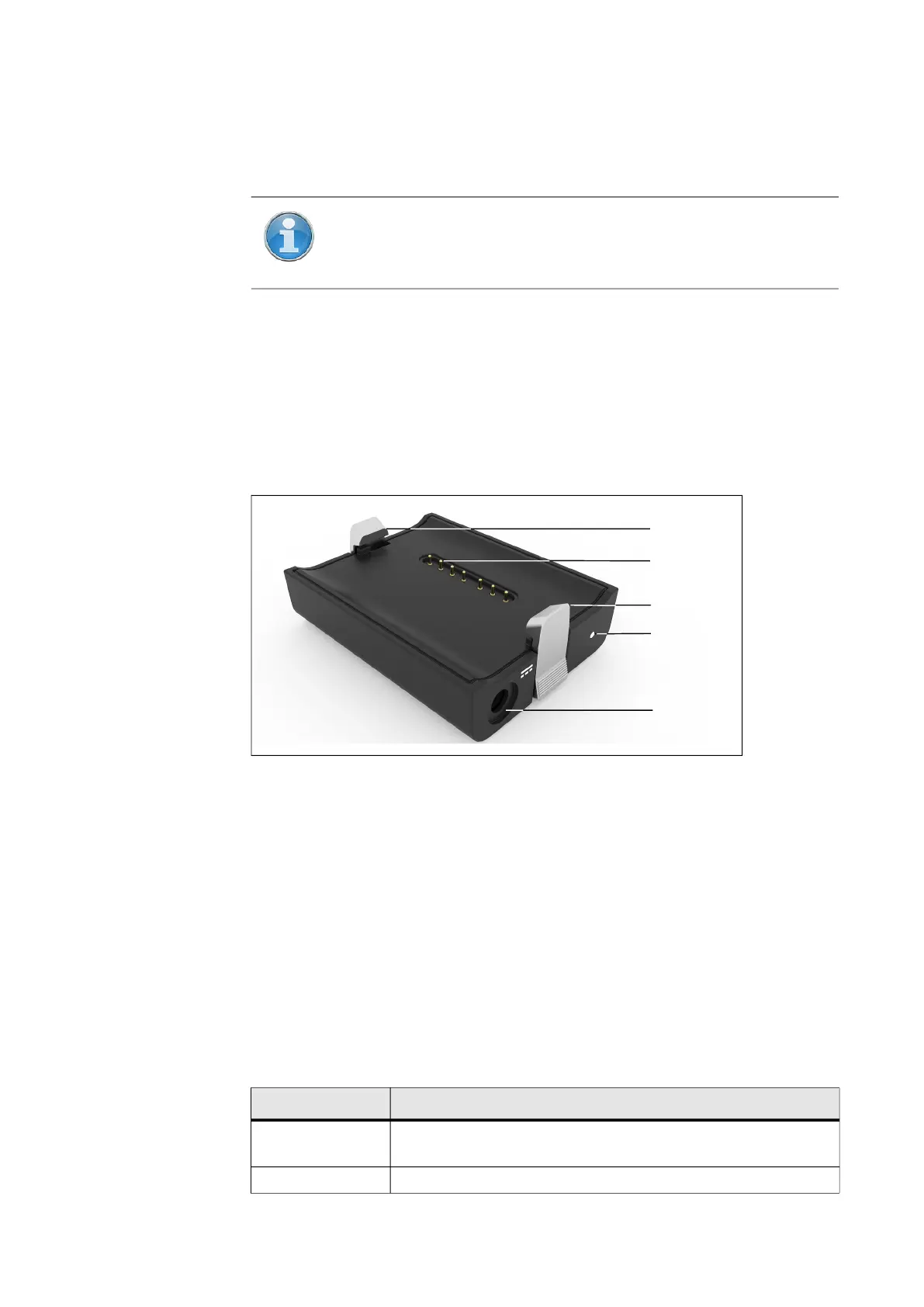
5.2 Power Dock Battery Charger
Figure 5-5: Power Dock Battery Charger
Safety clamps. To insert the battery, drag downwards.
Connectors
Power socket
Power LED - for LED specifications, see the table below.
5.2.1 LED behavior when charging cradle connected to power source
When the charging cradle is connected to the scanner or power source, its
LED displays the same status as the scanner LED.
NOTE: The scanner base interface is not available on all scanner
models. See See Differences between the scanners on page 12.
Color State
Cyan
Battery charging, state of charge is above 90% (charge
done)
Orange Battery charging



 To Next Page