FARO
®
Laser Scanner Manual
85
Chapter 7: Controller Software
be possible but it is recommended to warm or cool down the scanner until the
temperature display is highlighted in green again.
If the temperature is too high or too low, the temperature display will be
highlighted in red. In that case, scanning will not be possible anymore and the
scanner will shut down within the next minutes.
Fan cooling switches the scanner's integrated fan on or off.
If the temperature is above the critical limit, check if the fan is switched on. If
not, switch it on. The temperature should drop within a short period of time.
Inclinometer (Dual Axis Compensator)
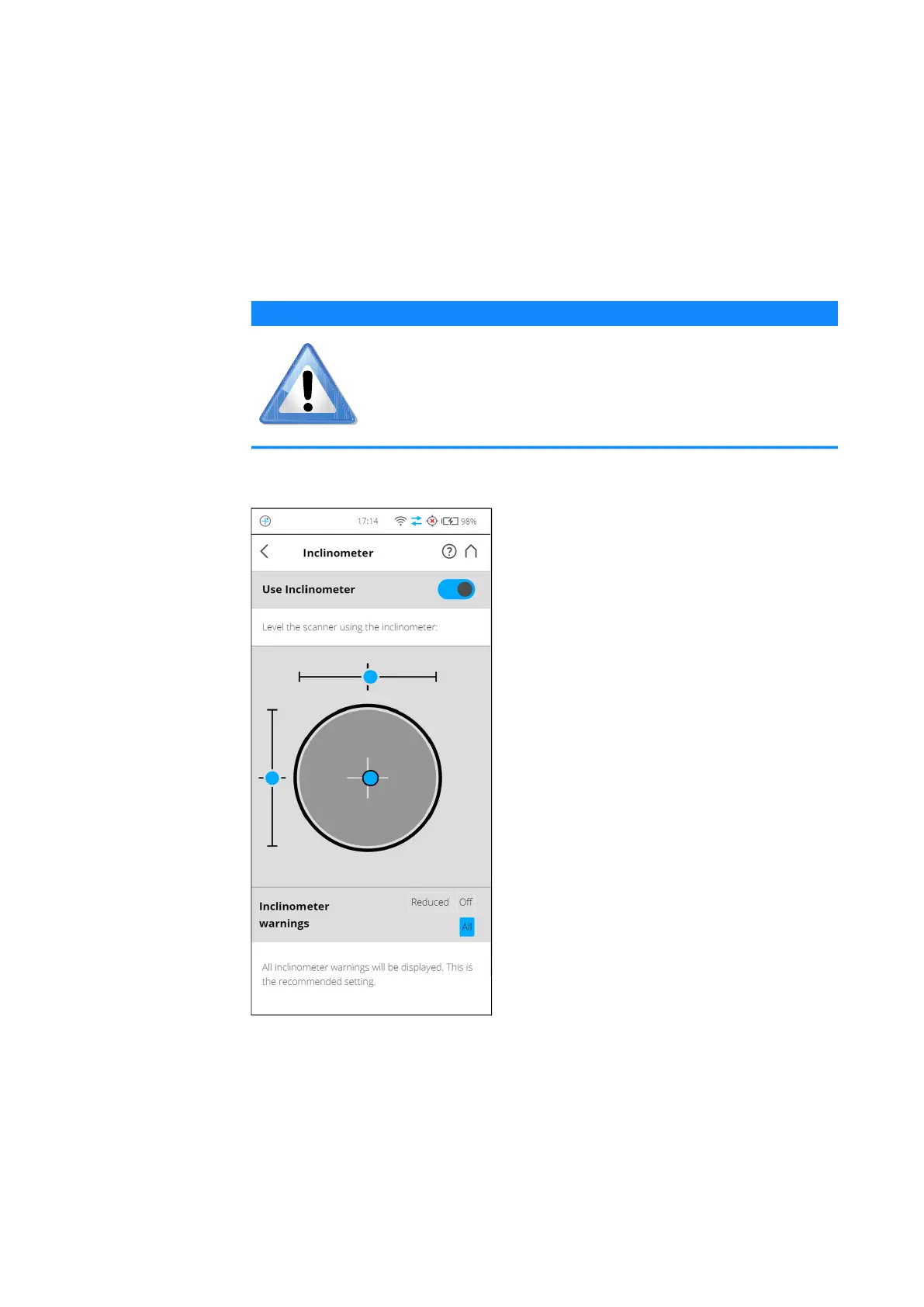
Figure 7-27: Inclinometer
Level the Scanner using Inclinometer
The view displays a bulls eye bubble level inclinometer as it would appear if
mounted on top of the scanner. If the background color is gray, the
inclinometer is leveled within 2 degrees. The background color of the
inclinometer turns yellow, if the scanner is tilted more than 2°. In this case the
accuracy of the inclination measurement is reduced.
NOTICE
Switch the fan off in exceptional cases only!
If the fan is switched off for a long period of time, the scanner
can overheat and abort scanning or be damaged.



 To Next Page