KT5500 5-
1
/
2
” Tong & CLInCHER® BaCKup
SECTIon ConTEnTS
2.18
TECHnICaL ManuaL
SETup & opERaTIon
Tong Leveling Continued:
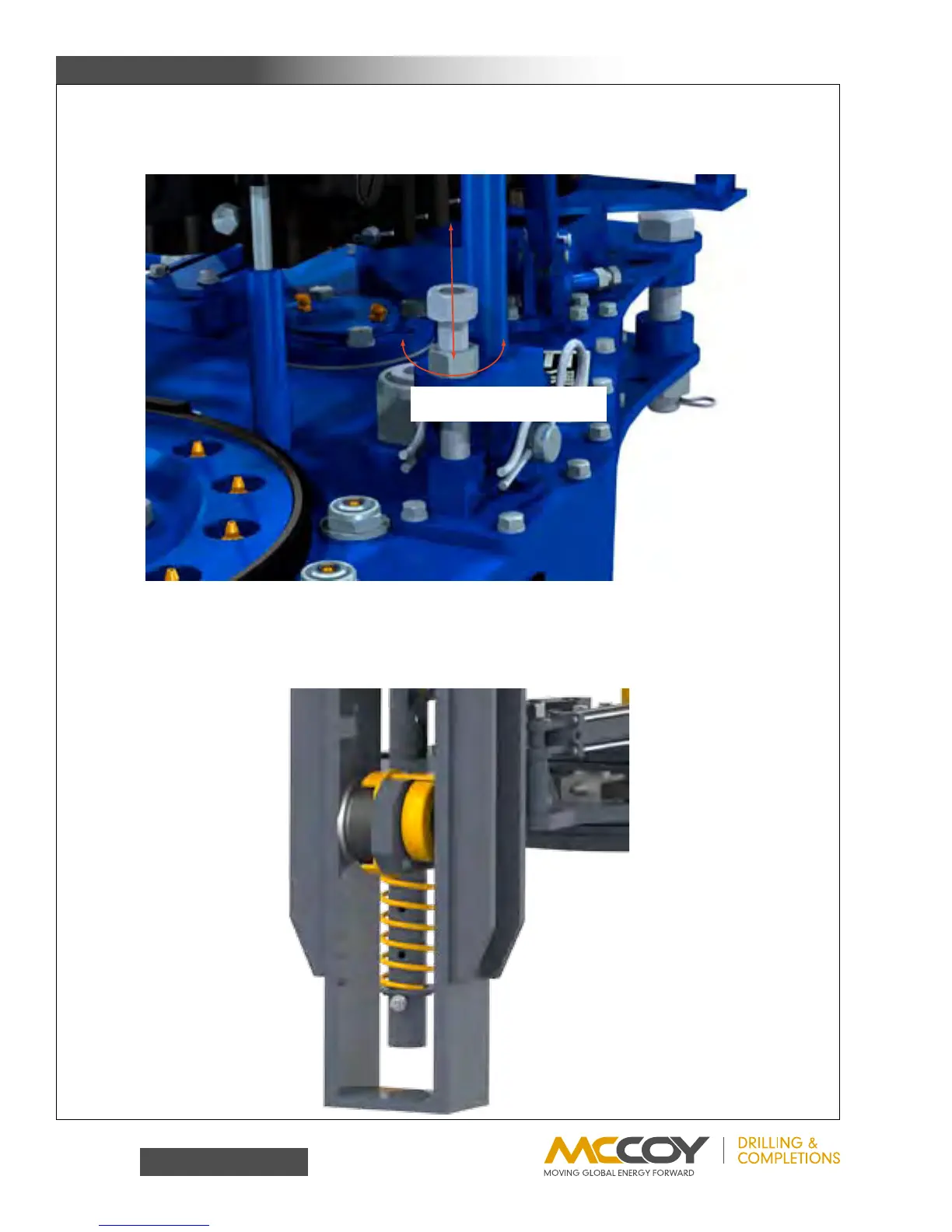
ii. Placealevellengthwise(fronttoback)alongthetong,ensuringthatitisparallelwiththesurfaceofthetong.Loosenthe
3/4”jamnutsontheadjustingboltsonrigidslingbrackets.Completelyloosentheadjustingbolts.Turneachadjusting
boltequallyuntiltonghangslevelfront-to-back.Lockadjustingboltsinplacewiththejamnuts.
3. Compression Load Cell Configuration
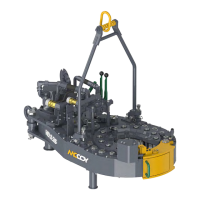
Thebackupisdirectlycoupledtothecompressionloadcellviathebackupbodypaddle.Theloadcellhangerissimplyhung
onthepaddleandsecuredthroughthetopofthe“U”byaboltandwasherset,andinnormaloperationdoesnotneedtobe
adjustedorremoved.Theassemblyinthefirstofthefollowingtwoillustrationshasbeenconfiguredinthe“make-up”configura-
tion;toconverttheassemblytothe“break-out”configurationremovetheboltandwashersetsecuringtheloadcellholdertothe
paddle,andmovetheentireassemblytotheothersideofthepaddle.
Loosen 3/4” hex jam nut be-
fore rotating adjustment bolt
Load cell configured for
make-up operations


 To Next Page