01-ECMSI-NT002.Rev B40
Low Voltage Directive
†
This enclosure is intended to be mounted on a concrete
or other non-combustible surface only.
†
See
§
4.6.2. of standard NF EN 60-950 October 2000 (low voltage directive)
Reminder about cable installation
Particular care will be given to the choice of cable routing and cabling.
→ The sensing and remote control cables will be kept away frommaximum low and high voltage (energy) cables
to minimize electromagnetic interference (see UTEC 15-900 requirements in note 1);
†
The use of junction device should be avoided. If this is not possible, the junction devices and their enclosure
must pass the glow wire test (960°).
Omandatory in the context of an installation that must comply with rule R7 & NF S 61-970.
→ Comply with the lengths and types of cable prescribed in this manual.
Minimal separation of communication cables and power cables
†
UTEC 15-900 - Practical guide "coexistence between communication and energy
networks" (
§
6.7.2.3).
Type of installation Non-metallic support Metal support
Power cable without screen
Communication cable without screen
200mm 50mm
First Power On
†
Powering up is carried out with the wiring fully terminated and checked (no
short-circuit, cut, earthing, etc. of the various links in the installation).
Shares Findings
Switch on the ECS and CMSI
→ Insert the “battery” and “mains” fuses
1
The green ECS indicator light comes on.
"Software" settings
Shares Findings
Connect the DHW/PC link cable
→ Either the USB cable
→ Either the RS232 cable
1 USB: connected "13 interior view" light is on
Start the Baltic PC software
→ See configuration manual
2
Modify/create and upload a new setting
→ See configuration manual
3
4 Disconnect PC
At the end of the download, the system reboots with its new configuration. In its initialization phase, the panel
automatically recognizes all the detection points connected.
This check allows you to check the consistency between wired elements and configured elements.
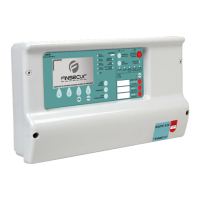
BALTIC 512 TYPE A WALL OR RACK BOX CONTROL AND SIGNALING EQUIPMENT 512 POINTS
70


 To Next Page