01-
ECMSI-NT002.Rev B40
Switching
sound diffusers on/off
The goal :switch off and no longer take into account the
lines of sound
diffusers.
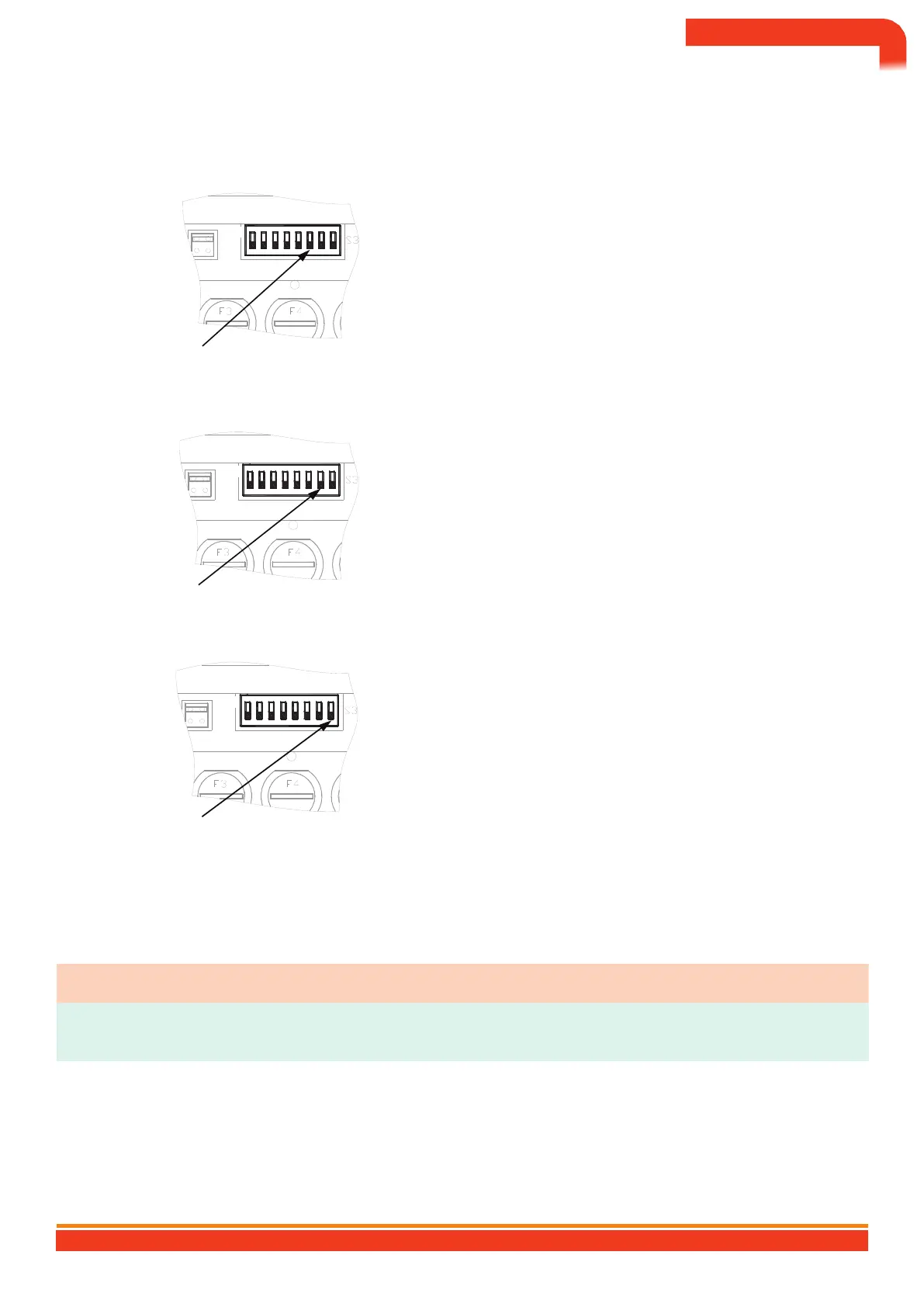
6
WE
To put the diffusers out of service, switch switch no. 6 to
the ON position.
→ The yellow SOUND SYSTEMS OUT OF SERVICE indicator light
comes on steady.
Selection switches
Activation/
deactivation of UGA contacts
The goal :activate or deactivate the auxiliary contacts.
Default
setting: auxiliary contacts on.
7
WE
To put the auxiliary contacts out of service, switch switch
no. 7 to the ON position.
→ The
yellow AUXILIARY CONTACTS OUT OF SERVICE
light comes on steady.
Selection
switches
Shutdown
of the UGA
The
goal :disable the UGA function.
In the
“off” position, the UGA cannot receive information
or send commands.
8
WE
To switch off the UGA function, flip switch no. 8 to the
ON
position.
→ No
signage.
†
The re-activation of the UGA is only possible with the
presence of the main power supply of the UGA/CMSI.
Selection switches
UGA
Restricted Standby
Aim :
do not trigger the sounders on a fire alarm coming from the ECS. All other UGA features remain active.
Shares Findings
1
Press the "restricted
standby" button Level 2 is claimed on the LCD.
Enter
level 2 code
Ö
BBBB by default
The
“restricted standby” indicator light comes on.
2
†
In "restricted standby" mode, the UGA's general evacuation
manual control remains active.
BALTIC 512 TYPE A WALL OR RACK BOX CONTROL AND SIGNALING EQUIPMENT 512 POINTS
74


 To Next Page