01-ECMSI-NT002.Rev B40
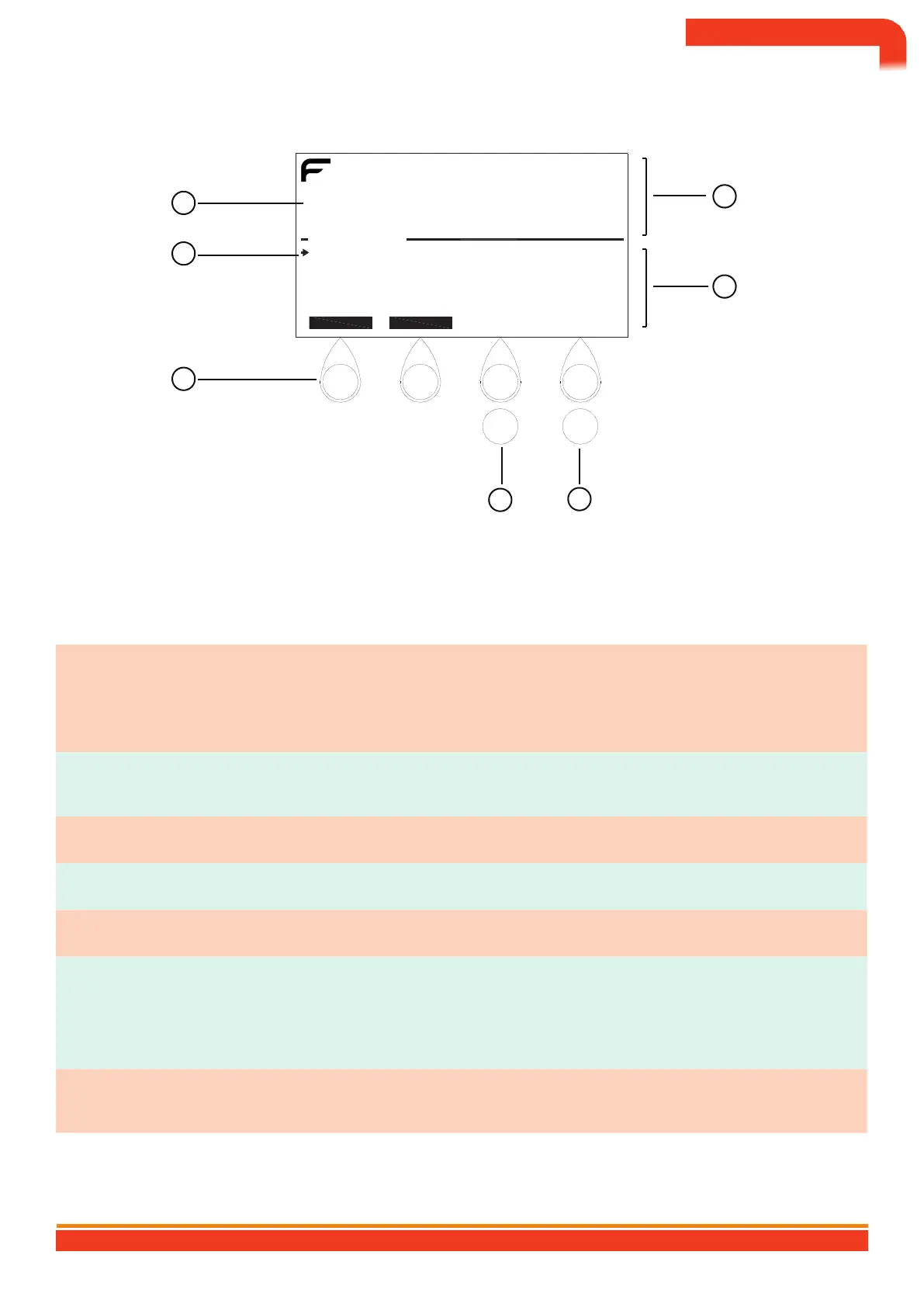
ECS keypad and display
Mon 10/05/04 14:55:30
2
JULES GESDE SCHOOL
BALTIC 512
SYSTEM IN STANDBY
6
IN/OUT OF ORDER
1.2.1 - LIST OF OUT OF SERVICE
1.2.2 - SWITCHING ON/OFF POINTS
1.2.3 - ARMING/DISARMING ZONES
1.2.4 - QUIT
5
7
PREV NEXT
1
AT B VS D
OK
Esc
3
4
Description of the ECS keypad & display
No. Designation Explanation
Used in association with the display of the contextual keys ([PREV] and
[NEXT] in the example) to select the menus of the table.
4 contextual access keys (A,
B, C and D)
1
†
VSConsult the list of menus in appendix A.
Allows the display of information relating to the SDI (fault, alarm,
configuration, shutdown, etc.).
2 LCD display (16 x 40 characters)
3 Validation Validates new data or selected menus.
4 Menu exit Allows you to exit (or go up) the menus.
5 Cursor Points to the selected menu.
Event display area (alarms and faults).
6 Upper field
†
Eexclusively reserved for display
of the first and last zone in alarm.
Display area reserved for operation (display of contextual keys, menu,
input, help, etc.).
7 Lower field
BALTIC 512 TYPE A WALL OR RACK BOX CONTROL AND SIGNALING EQUIPMENT 512 POINTS
72


 To Next Page