01-ECMSI-NT002.Rev B40
Configuring the power source for CMSI functions
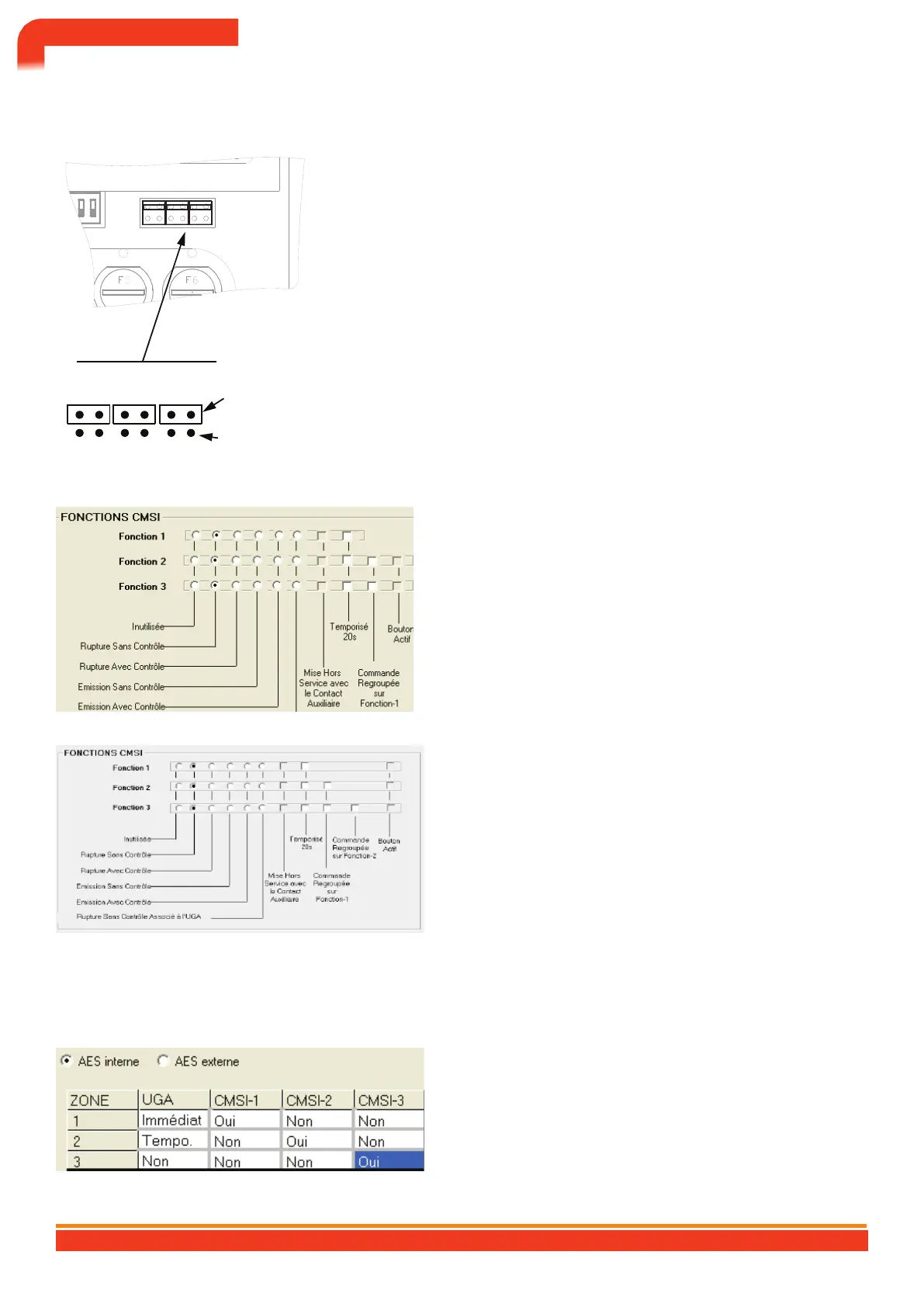
The electrical power needed to remote control the DAS can
only be supplied by one of the two external power supplies.
→ AES for shunt functions.
→ Standard power supply for power failure functions.
The choice of power source is made for each CMSI function
using the selection jumpers.
Fct n°1 Fct n°2 Fct n°3 AES / EAES
external
PSU Standard
external
Configuration of f CMSI anointings
Configuration via configuration softwareBaltic PC
How functions work
→ Break without position control (default)
→ break with control
→ emission without control
→ emission with control
→ rupture without control associated with the UGA
→ Unused
CMSI functions option
→ Decommissioning with the auxiliary contact: only in break mode
without control associated with the UGA;
→ 20 s time delay: delayed triggering of 20 s.
→ command grouped on function-1: the associated functions
are triggered on the activation of function-1;
→ command grouped on function-2: The associated
functions are triggered on activation of Function-2,
Pressing the command for function-2 triggers function-3
by checking the command Grouped on Function-2 box;
→ active button: in grouped control mode, enables the
function to be activated individually.
Configuring the trigger mode of CMSI functions
Configuration via configuration softwareBaltic PC
Trigger mode
→ Yes (by default): the security functions will be activated
as soon as the associated zone goes into alarm;
→ no: the safety functions will not be activated.
CONTROL AND SIGNALING EQUIPMENT 512 POINTS BALTIC 512 TYPE A WALL OR RACK BOX
45


 To Next Page