01-
ECMSI-NT002.Rev B40
Changing Access Codes
Aim :
setting used to modify the access codes for levels 2 and 3. Default
setting:
→ level
2 access code: BBBB;
→ level
3 access code: CCCC.
No.
Screen Keyboard manipulation
Mon 10/05/04
14:55:30
JULES GESDE SCHOOL
BALTIC
512
SYSTEM
IN STANDBY
1.Select and validate the menu;
2.3
- ACCESS CODE(opposite);
1
ACCESS
CODE
2.3.1 - LEVEL 2 ACCESS CODE
2.3.2 - LEVEL 3 ACCESS CODE
2.3.3 - QUIT
2.Select and validate the menu;
2.3.2
- LEVEL 2 ACCESS CODEOr2.3.2 - LEVEL 3 ACCESS CODE
3.0 when prompted, enter
the corresponding access code.
PREV NEXT
Mon
10/05/04 14:55:30
JULES GESDE SCHOOL
BALTIC
512
SYSTEM IN STANDBY
1.Enter the new access code using the contextual keys A,
B, C
and D;
2
ACCESS
CODE
2.confirm the new
access code using the contextual keys;
NEW
LEVEL 2 CODE ----------> # # # # CONFIRM
CODE
--------> # # # #
NEW
CODE ACCEPTED
3.type OK to validate the modification
AT B
VS D
sleep state
State Signaling
The
switchboard is operational, the building is under surveillance
→ Green “undervoltage” light on;
→ No
ringtone
“Fire”
alarm state
State Signaling
A
fire alarm transmitted by automatic detectors or
manual call points is signaled on the LCD screen.
→ DHW red “fire” light
on;
→ Discontinuous ringtone
What
to do ?
In
the event of a real alarm, apply the evacuation and alert instructions specific to the
establishment.
Table reset
1.
Press the reset key > the panel returns to standby;
2.
enter the level 2 access code (by default: BBBB).
Fault state
State Signaling
→ Yellow “general fault” light on;
→ one
or more yellow LEDs (linked to the type of fault) lit;
A
malfunction is present in the system
(panel, connections, detector, etc.)
→ nature
of the defect indicated in clear text on the screen;
→ discontinuous ringing.
What
to do ?
1.
Stop the buzzer by pressing "stop sound signals".
2.
Contact maintenance.
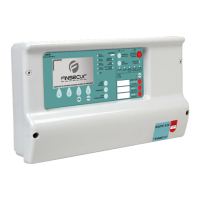
CONTROL AND SIGNALING EQUIPMENT 512 POINTS BALTIC 512 TYPE A WALL OR RACK BOX
71


 To Next Page