01-
ECMSI-NT002.Rev B40
ECS
CONTEXT MENU
MAIN
MENU
1. Operation 2. Setup
1.1.
Fault in progress
1.2.
On/off
level
1
2.1. Identifying points
2.2. Identification of areas
2.3. Access code
level
1
level
1 level 1
1.2.1. List of out of service
level
1 level 1
1.2.1.1.
List of out of service zones level 1
2.3.1. Level 2 access code
2.3.2. Level 3
access code
2.3.3. Quit
level
2
1.2.1.2.
List of out of service points level 1 level 3
1.2.1.3.
Quit level 1 level 1
1.2.2.
Switching on/off points
1.2.3. Arming/disarming zones
1.2.4.
Quit
level
1
2.4. Serial Ports
level 1
level
1
2.4.1. serial port
2.4.2. Serial slave address
2.4.3. Quit
level
3
level
1 level 3
1.3. Setting the time
1.4.
Historical
level
2 level 1
level
1
2.5. Quit
level 1
1.4.1.
History of any type of event
level 1
3. Maintenance
1.4.2.
History by type of event
level 1
3.1. Test position
level 3
1.4.2.1.
Points alarm history level 1
3.1.1. Zone test position
3.1.2. Full DHW
test position
3.1.3. Cancel trial position
3.1.4. Quit
level
3
1.4.2.2.
Zone alarm history level 1 level 3
1.4.2.3.
Fault history level 1 level 3
1.4.2.4.
Miscellaneous history level 1 level 3
1.4.2.5.
Quit level 1
3.2. History clearing
3.3. Sound signal inhibition
3.4. Remote maintenance
level 3
1.4.3. historical impression
1.4.4.
Quit
level
1 level 3
level
1 level 3
1.5.
Quit
level 1
3.4.1. Call Center
3.4.2. To hang up
3.4.3. SMS
mode initialization
3.4.4. Stop SMS mode
3.4.5. Quit
level
3
level
3
level
3
level
3
level
3
3.5. Quit
4. Exit
level
3
CONTROL
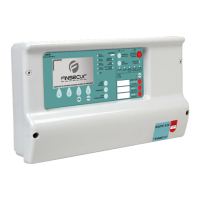
AND SIGNALING EQUIPMENT 512 POINTS BALTIC 512 TYPE A WALL OR RACK BOX
79


 To Next Page