FISCHER Mess- und Regeltechnik GmbH Operation | 5
BA_EN_FT90 73/108
5.5.1.5.2 Colour-change C1 type: red/yellow/green
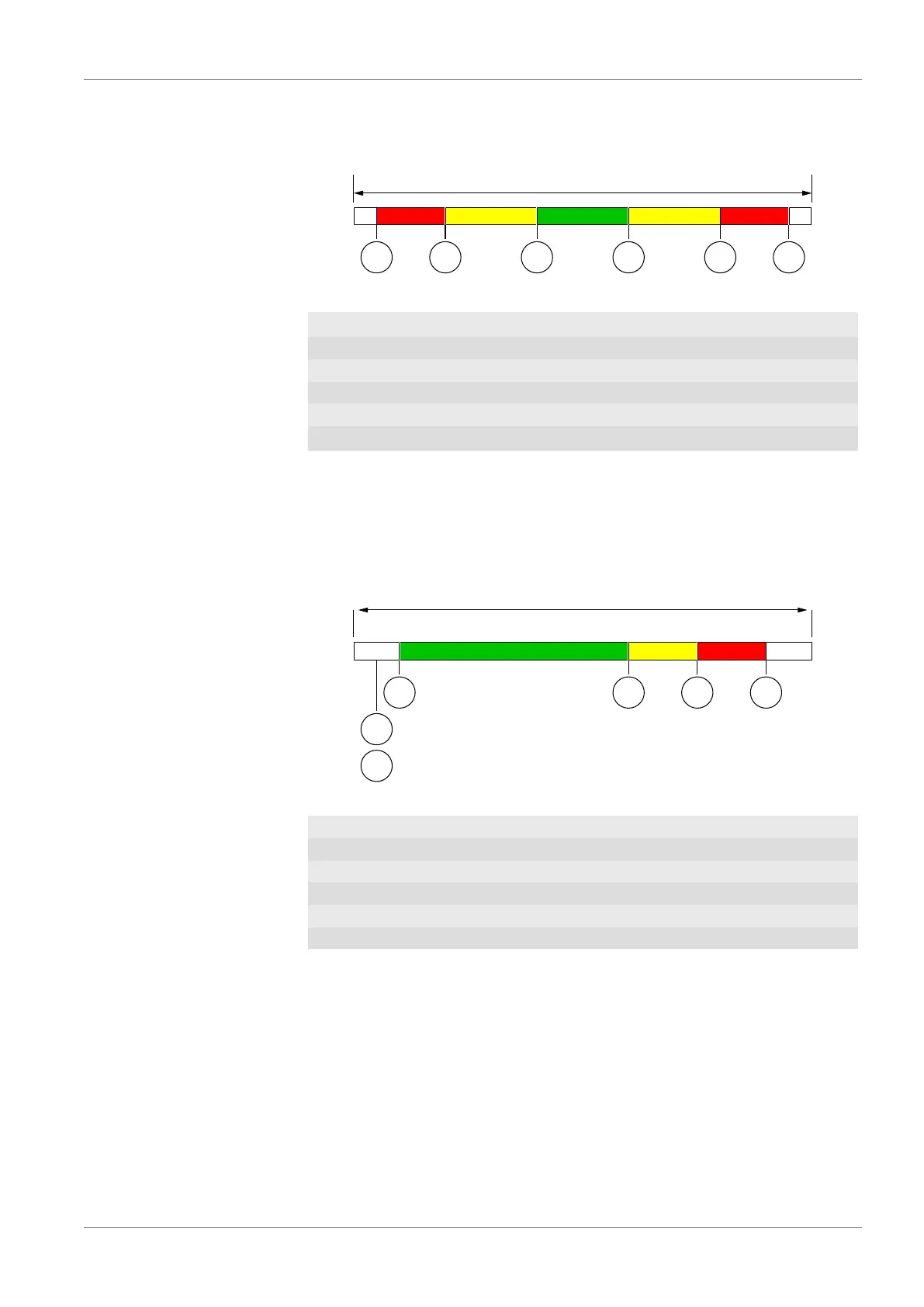
The following switching thresholds are relevant for this colour change:
Basic measuring range
MS MES1 S2 S3 S4
RED YELLOW GREEN YELLOW RED
Fig.104: Colour change red/yellow/green
MS Meas.range C1 start
See menu Measurement C1 : [}56]
S1 Col.ch. C1 red-ylw
S2 Col.ch. C1 ylw-grn
S3 Col.ch. C1 grn/ylw
S4 Col.ch. C1 ylw/red
ME Meass.range C1 end
See menu Measurement C1 : [}56]
For example:
Channel 1: Basic measuring range: 0 … 100 Pa
The measuring range is defined as 10 … 90 Pa. The green range should be 0
… 60 Pa. Then the critical range (yellow) up to 70 Pa starts. This is where the
red range that ranges up to the measuring range end at 90 Pa starts. The lower
colour changes red-yellow and yellow-green are switched off.
Basic measuring range
MES3 S4MS
S1
S2
REDYELLOWGREEN
0
100 Pa
10 60 70 905
Fig.105: Example colour-change red/yellow/green
MS Meas.range C1 start 10 Pa
S1 Col.ch. C1 red-ylw 5 Pa < MS
S2 Col.ch. C1 ylw-grn 5 Pa < MS
S3 Col.ch. C1 grn/ylw 60 Pa
S4 Col.ch. C1 ylw/red 70 Pa
ME Ms.range C1 end 90 Pa
The lower colour changes S1 and S2 are 'switched off' by placing thresholds
outside the measuring range. If the threshold values were to be laid precisely at
the start of the measuring range, the display would shine red in the zero-point,
Red > Yellow > Green The cause for this lies in the priority of the colours. The red colour has priority
over the yellow colour and this has priority over the green colour.













 To Next Page