Limitorque MX Maintenance and Spare Parts FCD LMENIM2314-00 – 07/08
100
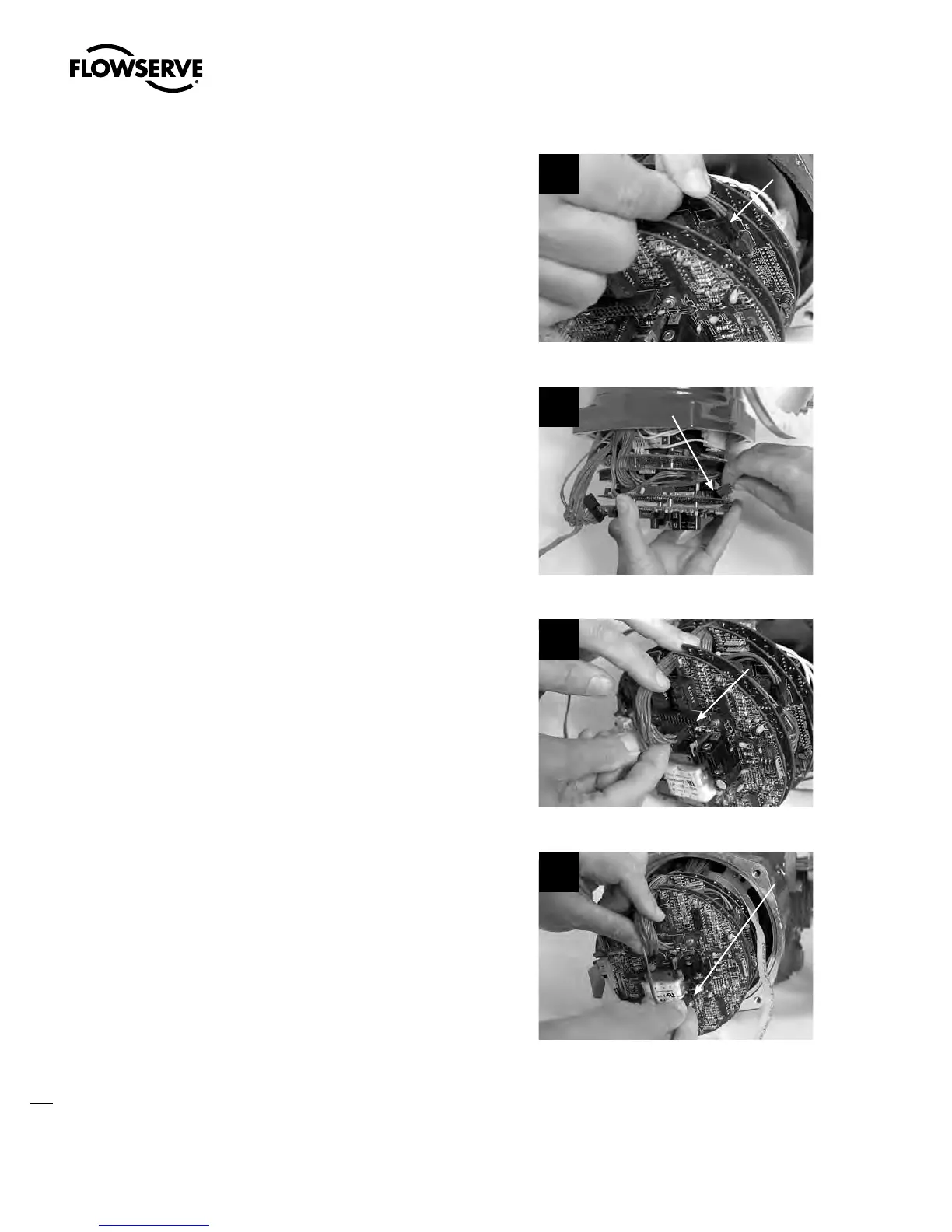
STEP 15
Connect the 4-pin Molex
®
harness to plug P4
on the main processor board.
15
P4
STEP 16
If DDC board is installed, connect 10-pin
Molex
®
harness to plug P2 on DDC board
(network processor board).
16
P2
STEP 17
If I/O option board is installed, connect 24-pin
Molex
®
harness to plug P3 ...
17
P3
STEP 18
... and connect 2-pin Molex
®
harness to plug
P4 on I/O option board.
If control module assembly return was required
for repair/replacement, remount the CP board
back inside the CP cover as follows:
18
P4
Swanson Flo | 800-288-7926 | www.swansonflo.com









 To Next Page