Vital Signs Simulator
Connect a PC to the Product
9
Connect a PC to the Product
You can use a PC to store presets, auto sequences, and test results from the
Product. You must use the ProSim Mini Plug-In on the PC to communicate with
the Product.
Note
You must have Ansur Test Executive version 2.9.6 on your PC to
communicate with the Product.
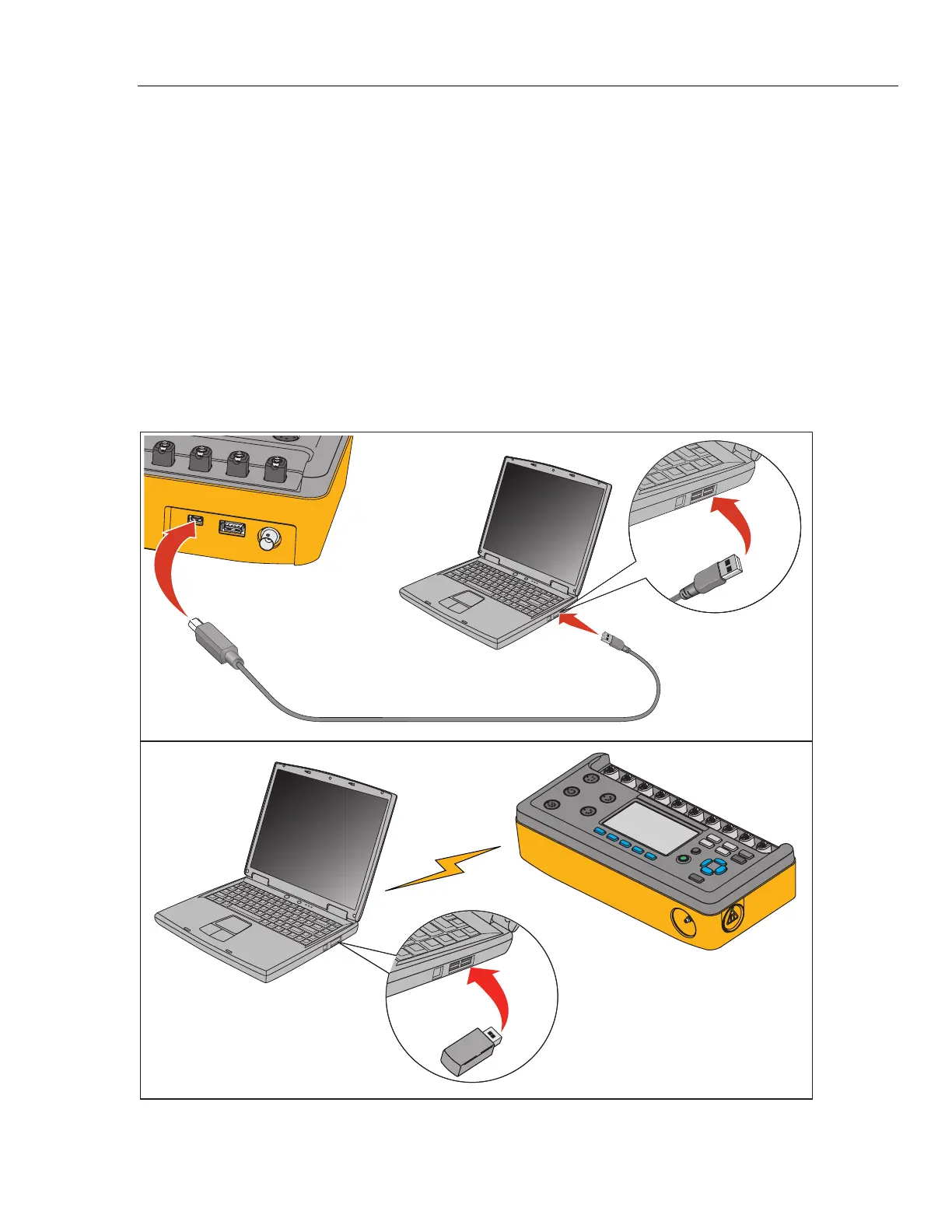
To connect the Product to a PC:
Connect a USB port on your PC or laptop to the Mini B USB device port of
the Simulator.
Or
Plug in an XStick USB dongle to your PC USB port. See Figure 3.
gjp070.eps
Figure 3. Laptop to PC Connection



 To Next Page