ProSim 8
Users Manual
70
The autosequence screen shows all the simulation parameters which are
updated as the Product steps through the sequence. The right part of the screen
shows which step the sequence is on and how much time is left to complete the
step. The length of time left to complete all steps of the autosequence also
shows on the display.
Push the Next softkey to abort the step and move to the subsequent step. When
the autosequence has moved to step two, a Previous softkey shows on the
display. Push the Pause softkey to pause the step. A Continue softkey shows
on the display when the auto sequence is paused. Push the Continue softkey to
continue the step for the time left when the step was paused.
To abort the autosequence, push the Stop softkey and go back to the
Autosequence screen.
You cannot change a pre-defined autosequence or rename it. But, you can use
the Ansur functionality to copy an autosequence, make changes, and then put it
into the Product as a new custom autosequence. You can change each step of
the new autosequence and add more steps as necessary.
Save and View Test Results
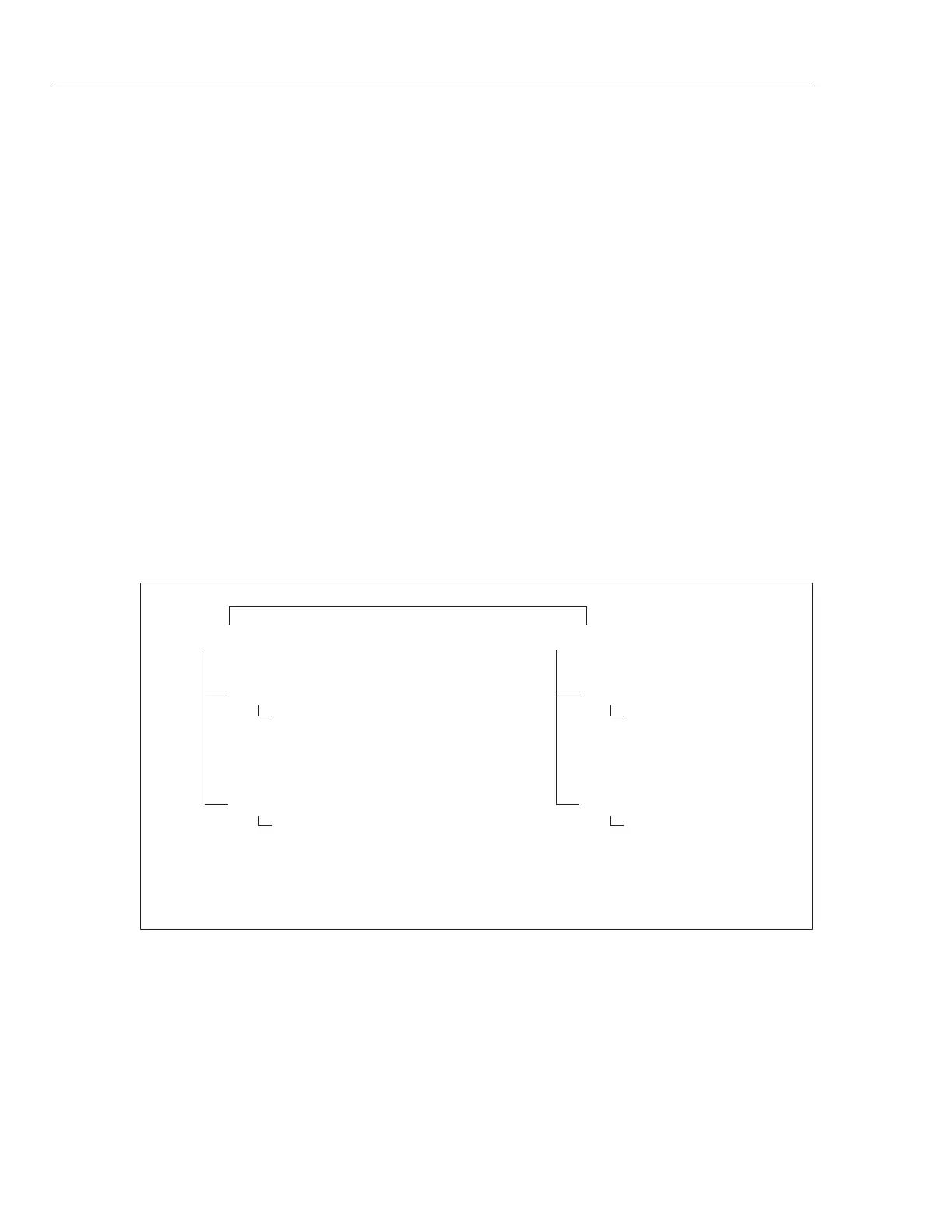
You can save the data of test results to and recall them from the Product. Test
results are organized in memory first by operator ID, then by a test record ID, and
then individual test results. Figure 50 shows the memory organization of test
results data.
Operator: John Doe
Test Record ID: ABC123 1/20/2011
Test Results 001
Test Results 002
Test Results 003
•
•
•
Test Record ID: XYZ987 1/31/2011
Test Results 001
Test Results 002
Test Results 003
•
•
•
Operator: Jane Doe
Test Record ID: ABC123 1/15/2011
Test Results 001
Test Results 002
Test Results 003
•
•
•
Test Record ID: DEF456 1/15/2011
Test Results 001
Test Results 002
Test Results 003
•
•
•
glh044.eps
Figure 50. Memory Organization of Test Results



 To Next Page