ProSim 8
Users Manual
40
Simulate Respiration
Respiration variables are set through the special functions. To set respiration:
1. Push .
2. Push , , , or to highlight Respiration.
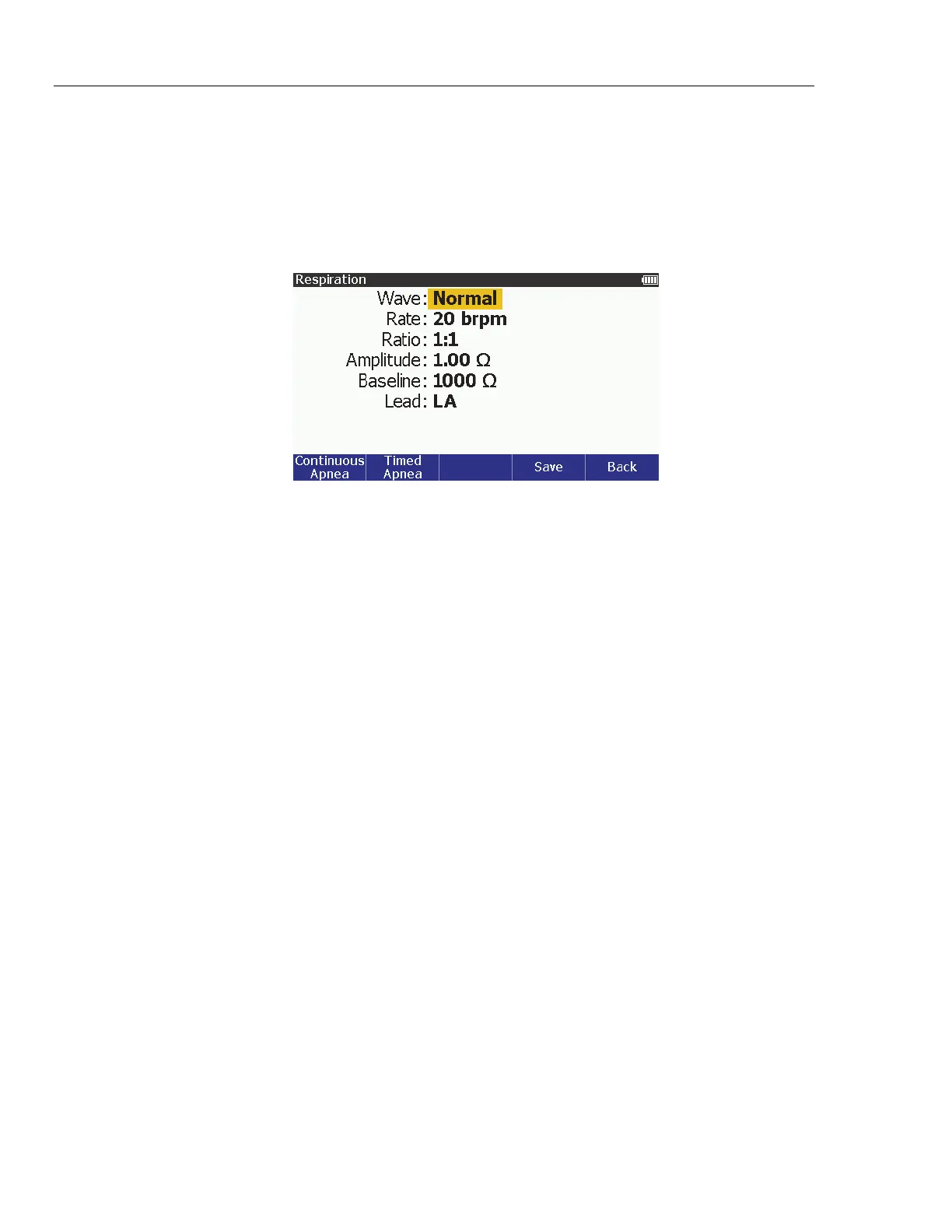
3. Push . The Respiration screen in Figure 25, shows on the display.
glh013.bmp
Figure 25. Respiration Screen
You can choose between a normal or ventilated respiration waveform and
change the respiration rate. You can set the respiration signal to the left arm (LA)
or left leg (LL) ECG lead. The baseline impedance between the leads and the
amplitude of impedance variation (respiration amplitude) are set though the front
panel as well. To set respiration between normal and ventilated:
1. Push or to highlight the Wave value.
2. Push .
3. Push or to highlight Normal or Ventilated.
4. Push to set the wave and go back to the Respiration screen.
To set the respiration rate:
1. Push or to highlight the Rate value.
2. Push .
3. Push or to increase or decrease the rate of respiration in 1 brpm steps
between 10 and 150 brpm.
4. Push to set the respiration rate and go back to the Respiration screen.
To set the respiration ratio:
1. Push or to highlight the Ratio value.
2. Push .
3. Push or to highlight 1:1, 1:2, 1:3, 1:4, or 1:5.
4. Push to set the respiration ratio and go back to the Respiration screen.



 To Next Page