ProSim 8
Users Manual
56
Do a Pressure Source Test
The pressure source test is used to pressurize a pneumatic system while it
measures the pressure. You can use the pressure source test for static
calibration of non-invasive blood pressure measurement systems,
sphygmomanometer checks, and other devices that measure pressure.
To do a pressure source test:
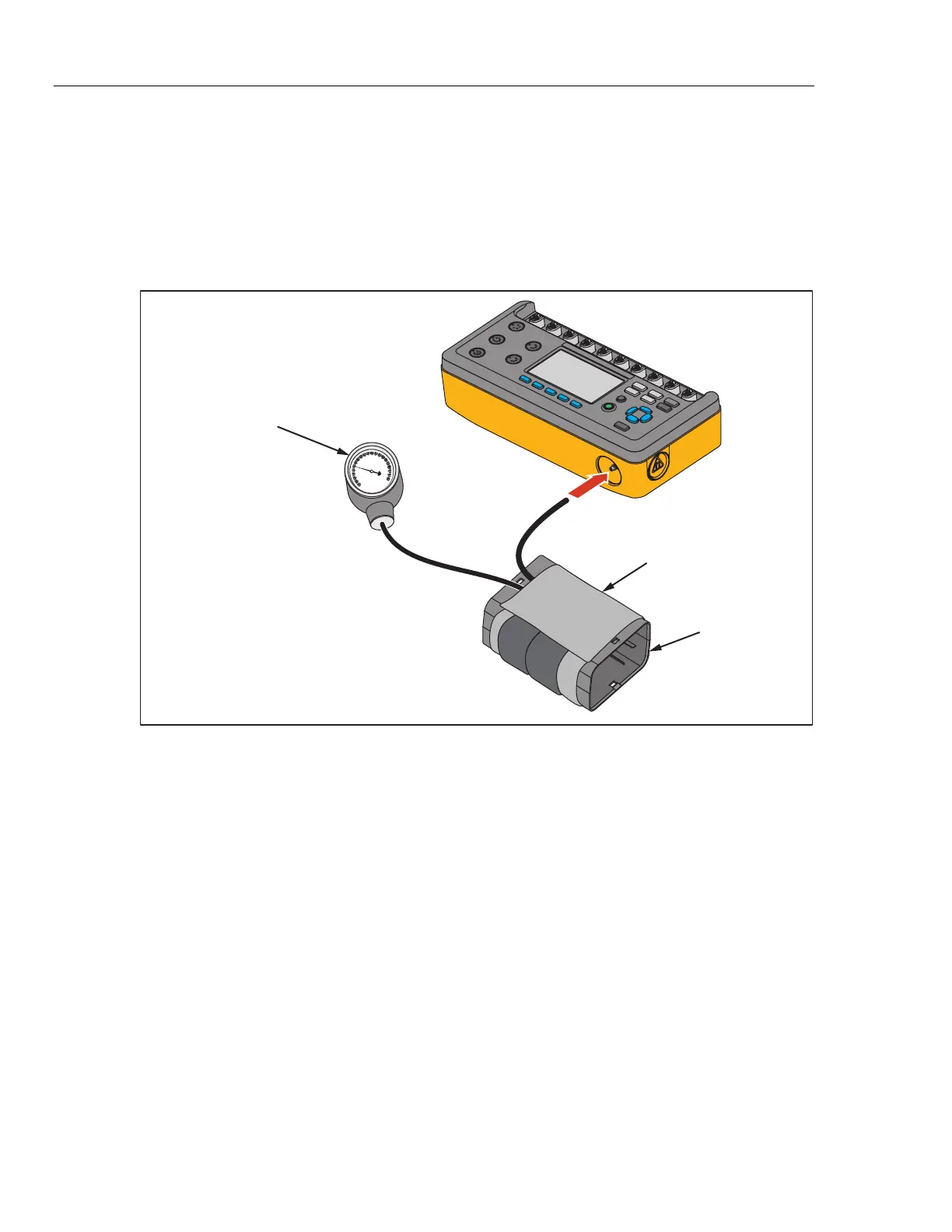
1. Connect the pressure port to pressure system as shown in Figure 40.
ProSim 8
Mandrel
Blood Pressure Cuff
Wraps around mandrel.
Blood Pressure
Gauge
glh051.eps
Figure 40. Pressure Source Connection
2. From the NIBP screen, push the Tests softkey.
3. Push or to highlight Pressure Source.
4. Push .
5. Push or to increase or decrease the target pressure between 20 mmHg
and 400 mmHg in 1 mmHg steps.
Note
When you hold down the direction key, the step size changes to
10 mmHg until the key is released.
6. Push the Start softkey to begin the test.



 To Next Page