ProSim 8
Users Manual
8
Turn On the Product
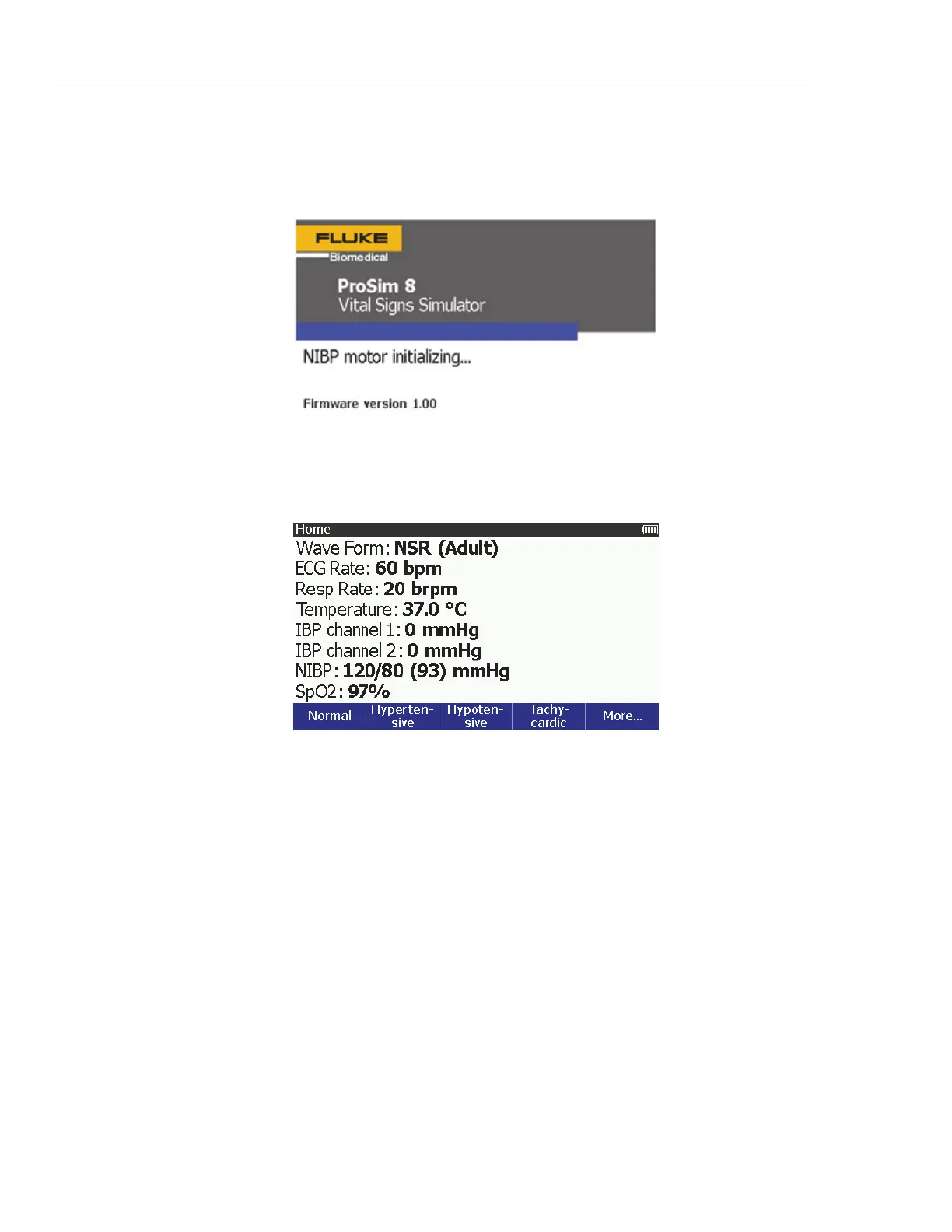
Push on the front panel to turn on the Product. The screen shown in Figure 1
shows the Power-Up screen.
glh002.bmp
Figure 1. Power-Up Screen
When the self test is complete and no errors are sensed, the Home screen in
Figure 2 shows on the display.
glh001.bmp
Figure 2. Home Screen
From the Home screen, you can use a number of pre-defined patient simulations
to set all the simulation functions at one time. See Pre-Defined Simulations to
learn more on how to use simulations. Waveform and ECG rate parameters are
set through the ECG function. See ECG Function to learn more on how to set
these variables. The respiration rate (Resp Rate), temperature parameter,
cardiac output, and fetal simulation are set through the special functions menu.
The two Invasive Blood Pressure (IBP) channels are set through the IBP
function. The Non-Invasive Blood Pressure variables are set through the NIBP
function. See Invasive Blood Pressure Simulation and Tests and Non-Invasive
Blood Pressure Simulation and Tests to learn more on how to set IBP and NIBP
variables. The SpO
2
variable is set through the SpO
2
function. See Oximeter
SpO2 Optical Emitter and Detector to learn more on how to set this variable.



 To Next Page