ProSim 8
Users Manual
62
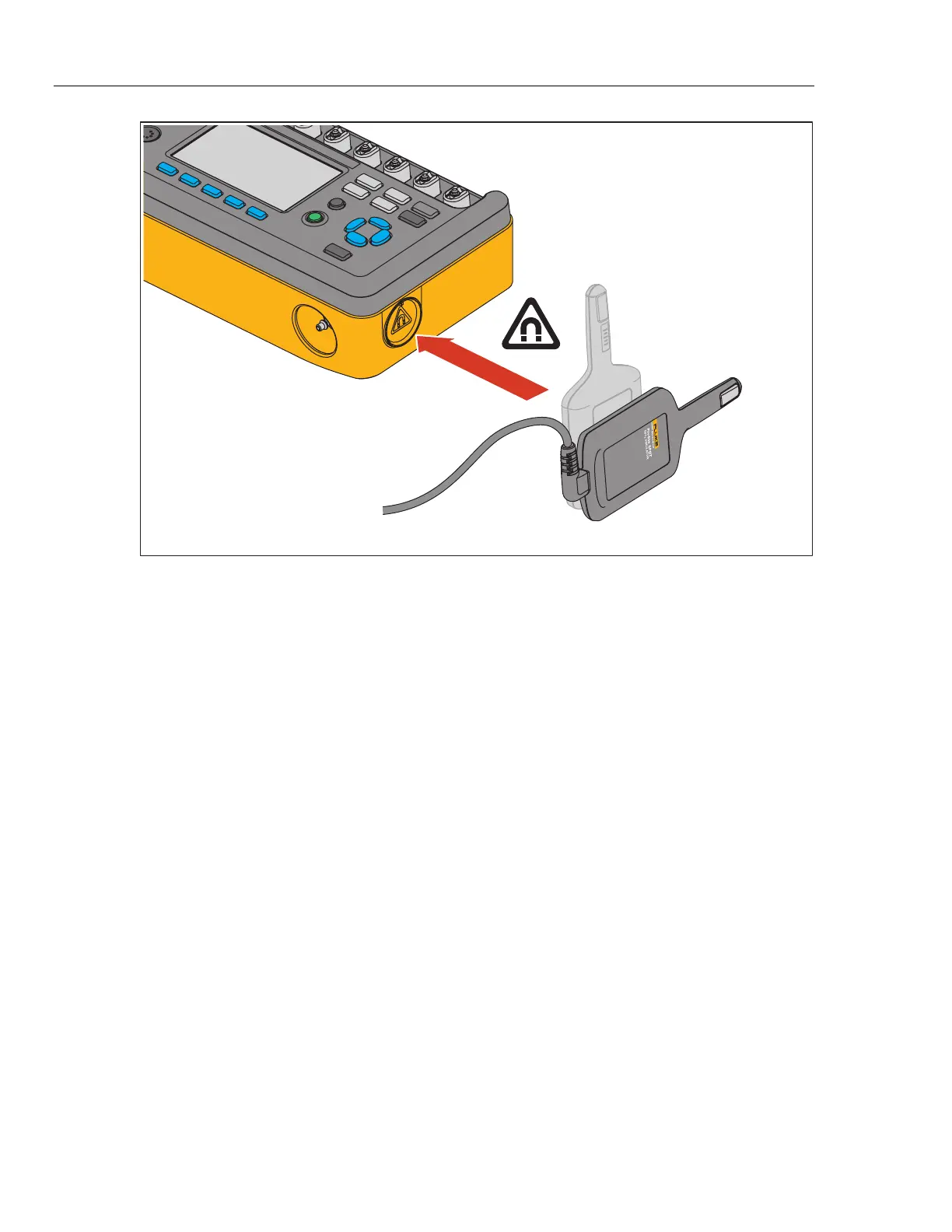
ProSim 8
SpO
2
Finger Module
glh045.eps
Figure 47. Magnetic Holder for SpO
2
Artificial Finger
Set the SpO
2
Parameters
You can raise or lower the degree of oxygen saturation. To change the SpO
2
value:
1. Push or to highlight the SpO
2
value.
2. Push .
3. Push or to increase or decrease the SpO
2
value in 1 % steps between
30 % and 100 %.
4. Push to set that SpO
2
value and go back to the SpO2 screen.
To change the pulse amplitude value:
1. Push or to highlight the Pulse Amplitude value.
2. Push .
3. Push or to change the pulse amplitude value between 0 % and 20 %.
Each push of a key changes the value 0.01 % between 0 % and 1 % in the
direction of the key pushed. The value changes 0.1 % between 1 % and
10 %. The value changes 1 % between 10 % and 20 %.
4. Push to set the pulse amplitude value and go back to the SpO2 screen.



 To Next Page