ProSim 8
Users Manual
54
The pump stops when the measured pressure is the same as the target
pressure. The Product waits for a time to let the pressure to become stable.
Then the Product starts to measure and monitor the pressure for the test
period.
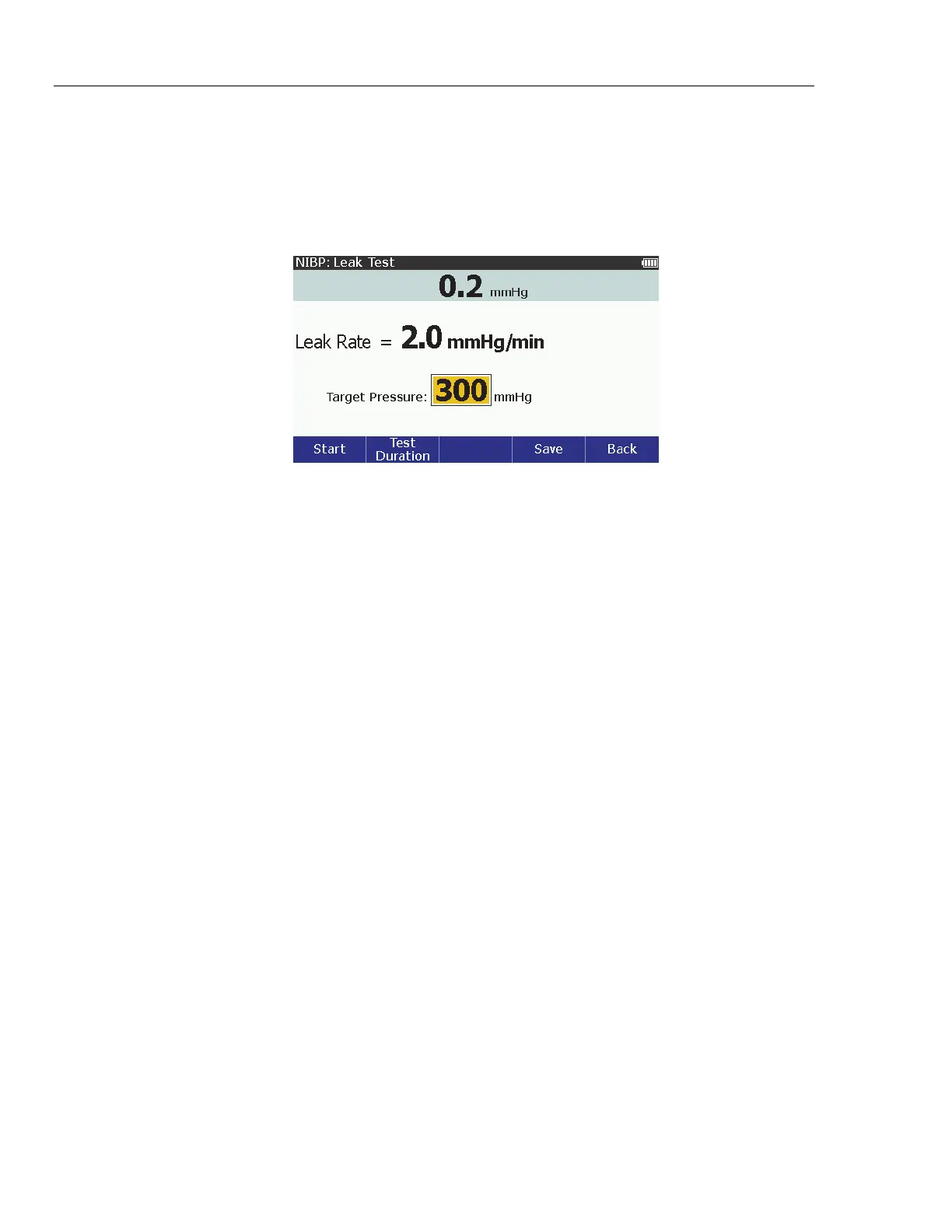
When the test is done, the test results show on the display. An example
pressure test result is shown in Figure 38.
glh007.bmp
Figure 38. Example Leak Test Result Screen
To set how long to run the test:
1. Push the Test Duration softkey.
2. Push or to adjust the time between 30 seconds and 5 minutes in
30 second steps. The default time is 1 minute.
3. Push to set the test duration and go back to the NIBP: Leak Test
screen.
Do a Pressure Relief Test
The pressure relief test pressurizes a pneumatic system until the Product senses
a drop in pressure, as occurs when the relief valve opens. Or the test stops if the
pressure gets to the target pressure and no relief is sensed.
Note
Put the NIBP monitor in “calibrate” or “service” mode to close the
vent valve, so the Product can inflate the pneumatic system. Refer to
the service manual for the NIBP monitor.
To test the relief valve:
1. From the NIBP screen, push the Tests softkey.
2. Push or to highlight Pressure Relief Test.
3. Push .
4. Push or to increase or decrease the target pressure between
100 mmHg and 400 mmHg in 1 mmHg steps.
Note
When you hold down the direction key, the step size changes to
10 mmHg until the key is released.
5. Push the Start softkey to begin the test.



 To Next Page