ProSim 8
Users Manual
46
Non-Invasive Blood Pressure Simulation and Tests
The Product simulates blood pressure for Non-Invasive blood pressure monitors.
You can set each blood pressure variable through the front-panel controls. The
Product also does leak, pressure source, and pressure relief tests. The
manometer function sets the Product to measure static pressure and shows the
pressure on the display.
Set the Non-Invasive Blood Pressure Variables
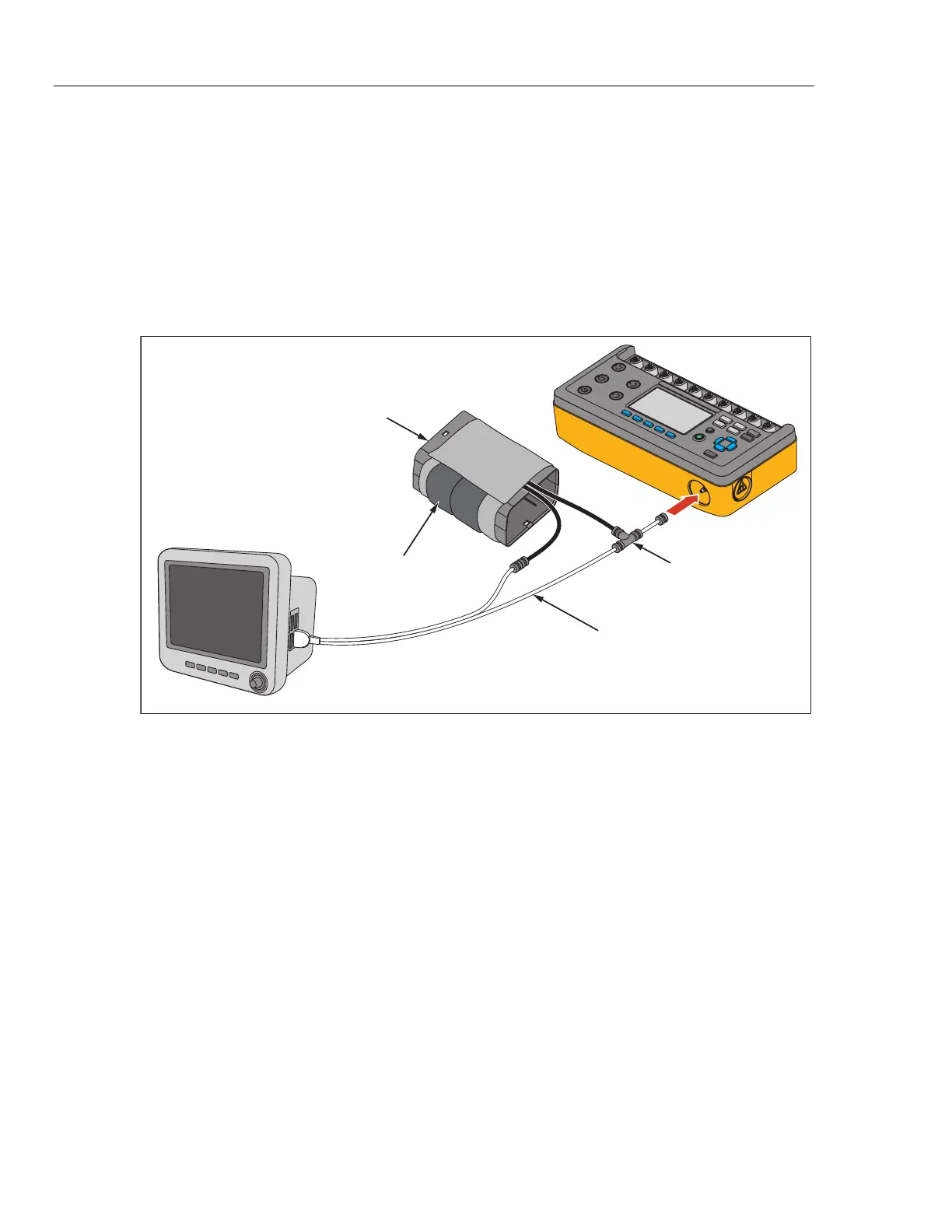
For non-invasive blood pressure tests, connect the Product to the BP cuff and
monitor as shown in Figure 29.
Mandrel
Blood Pressure Cuff
Wraps around mandrel.
ProSim 8
Patient
Monitor
Dual hose system: connect Cuff Adapter to
hose marked “Sense”. If both hoses are
unmarked, connect Cuff Adapter to either
hose.
Must be connected closer
to the cuff than monitor.
glh031.eps
Figure 29. Non-Invasive Blood Pressure Test Connections



 To Next Page