ProSim 8
Users Manual
12
ECG Function
The Product simulates normal heart signals (ECG) as well as heart signals for a
variety of arrhythmias. Heart rate (beats per minute), signal amplitude, and ST
segment elevation are all controlled by the Product through the user interface.
Artifacts can also be simulated.
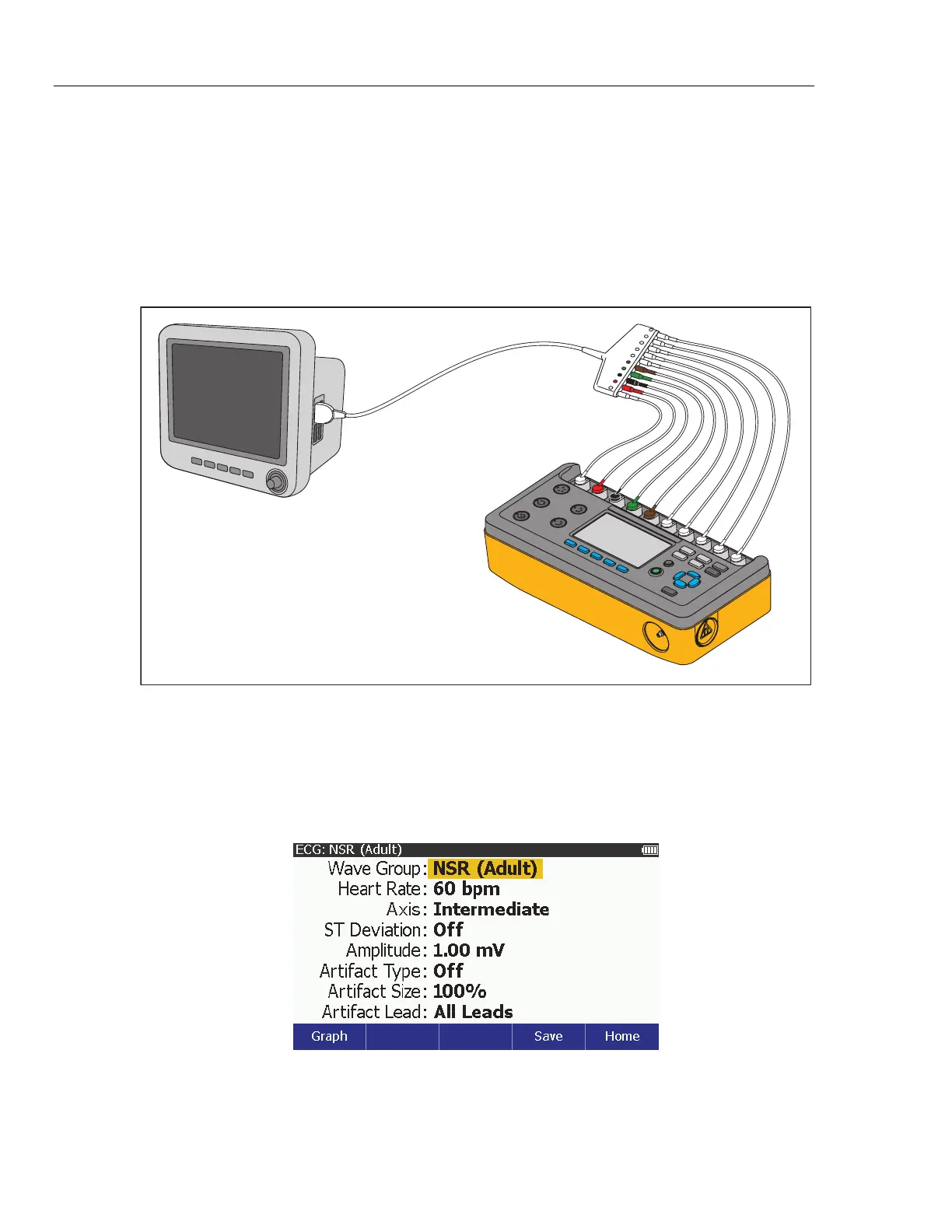
To measure the ECG performance of a monitor, connect the Product to the
monitor as shown in Figure 4. You can connect a maximum of ten ECG leads to
the Product.
ProSim 8
Patient
Monitor
ECG
Cable
glh030.eps
Figure 4. ECG Connections
Set the ECG Parameters
Whenever the Product is turned on, the display shows the defaults for heart rate
(60 BPM) with a patient type of Adult. Although not shown on the initial display,
the signal amplitude is 1 mV. To set any of the ECG parameters, push . The
ECG screen shown in Figure 5 shows on the display.
glh004.bmp
Figure 5. ECG Screen



 To Next Page