Vital Signs Simulator
Autosequences
69
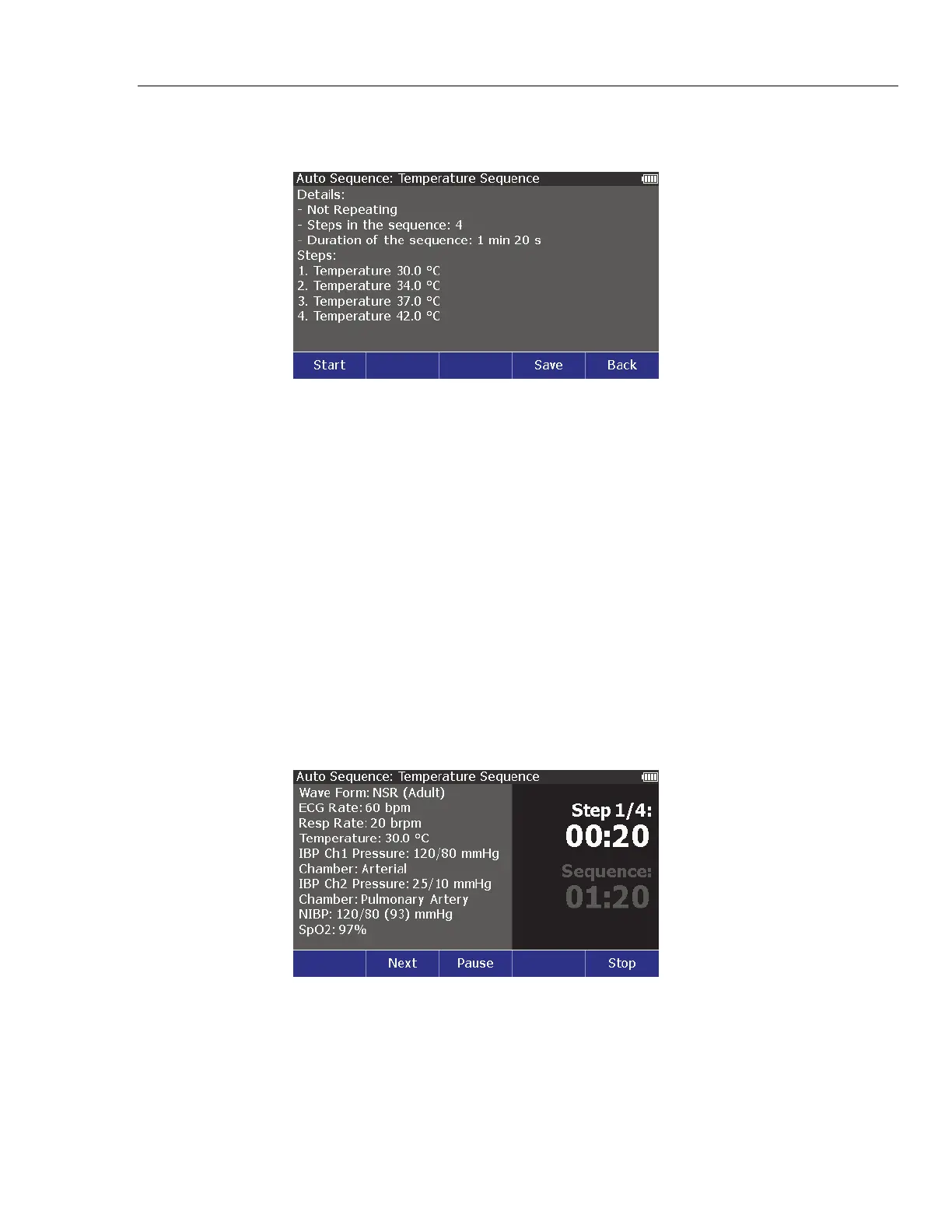
The screen shown in Figure 48 is the Temperature Sequence in the
autosequence list.
glh032.eps
Figure 48. Autosequence Start Screen
The details of the autosequence show the sequence does each of the four steps
and stops. Although this example does not repeat, some autosequences do. The
screen also shows the four-step sequence takes 1 minute and 20 seconds to
complete.
Each sequence step shows on the display. When there are more steps than can
show in one display screen, push or to go to the next or previous screen.
Do an Autosequence
To do an autosequence:
1. Push .
2. Push , , , or to highlight Autosquences.
3. Push .
4. Push or to highlight an autosequence in the list.
5. Push the Start softkey. The autosequence screen in Figure 49 shows on the
display.
glh033.bmp
Figure 49. Autosequence Step Screen



 To Next Page