Vital Signs Simulator
Non-Invasive Blood Pressure Simulation and Tests
51
Do an NIBP Monitor Test
To do an accuracy test on an NIBP monitor:
1. Connect the NIBP monitor to the Product as shown in Figure 35.
2. Start an NIBP pressure cycle on the monitor. Refer to the monitor manual as
necessary. After you start the blood pressure measurement cycle:
• The blood pressure cuff inflates around the mandrel.
• The Product starts the peripheral pulse simulation and shows the blood
pressure measurement graph on the display.
Note
The graph shows on the display automatically only when the blood
pressure measurement cycle starts when the NIBP screen shows on
the display.
• The Product starts blood pressure simulation when the pressure is
10 mmHg. Heart beat simulation starts when the pressure equals the
diastolic pressure set into the Product.
• The Product stops the simulation when the pressure is 2 mmHg or below.
• The NIBP monitor interprets and shows the measured blood pressure
values and heart rate when the test stops.
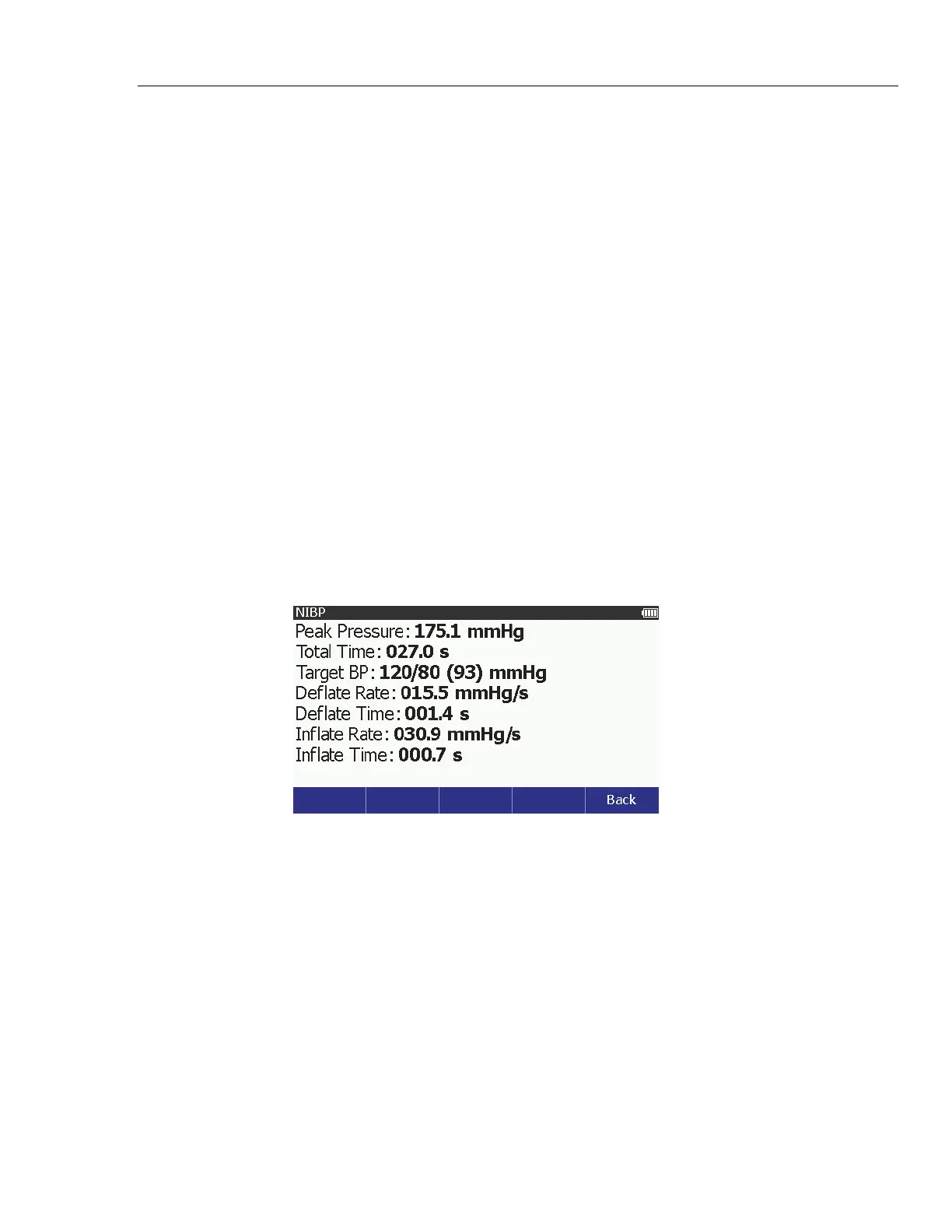
3. Push the Summary softkey to show the blood pressure measurements in
Figure 34 on the display.
glh053.bmp
Figure 34. NIBP Summary Screen
4. Compare the NIBP monitor values with the target values shown in the
Product display.



 To Next Page