ProSim 8
Users Manual
50
Adjust NIBP Pulse Envelope
To modify the shift of the blood pressure envelope in the Product with
firmware 2.00:
1. Push to show the NIBP screen.
2. Push or to highlight Envelope Shift.
3. Push .
4. Push to shift the blood pressure envelope to the right, or push to shift
the blood pressure envelope to the left.
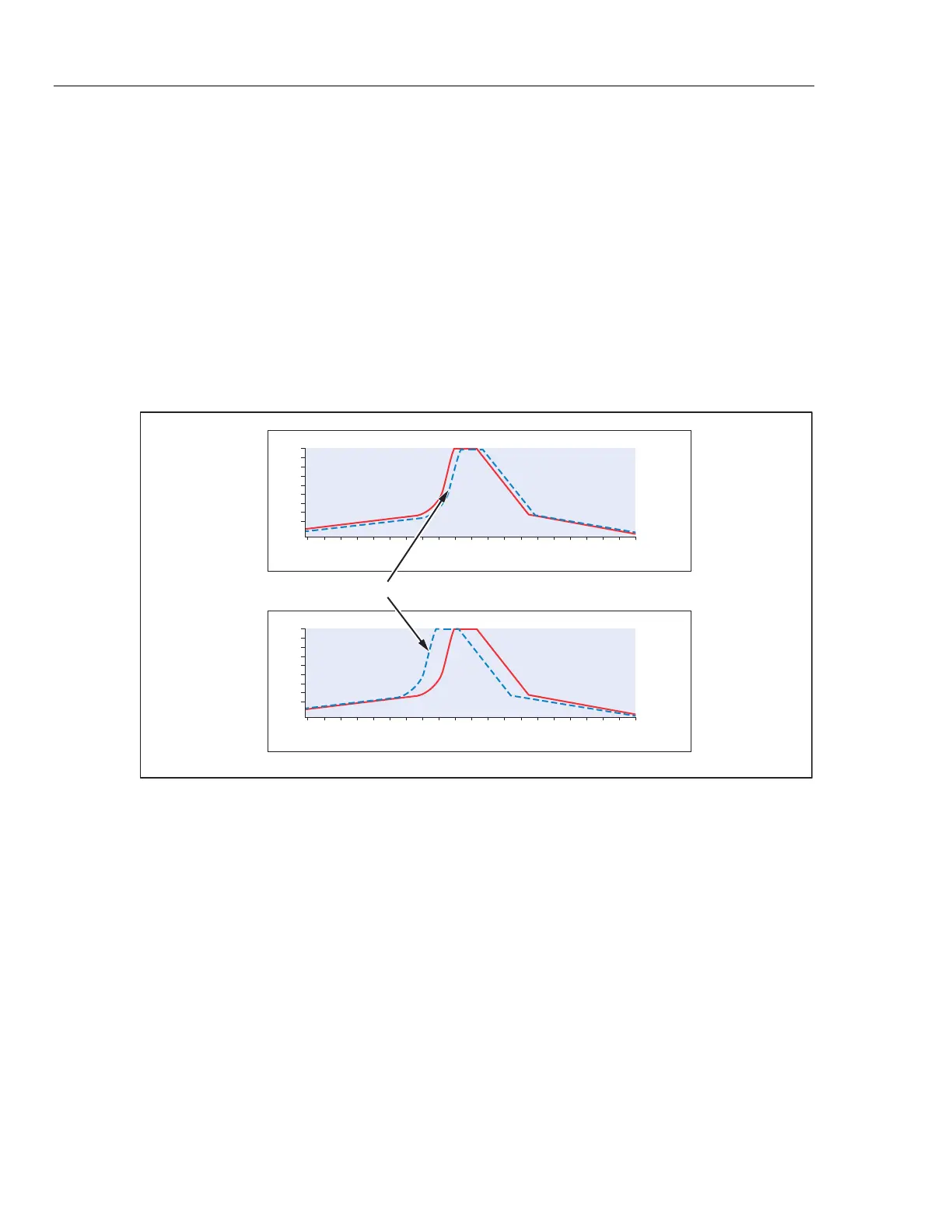
The default value for a shift is zero, and the range is from -10 % to +10 %. In
Figure 33, the top graph shows a blood pressure envelope with a negative
shift, and the bottom graph shows a blood pressure envelope with a positive
shift.
Negative Shift
1.0
0.8
0.6
0.4
0.2
0 40 80 120 160 260
mmHg
Amplitude
Positive Shift
120/80/Envelope
1.0
0.8
0.6
0.4
0.2
0 40 80 120 160 260
mmHg
Amplitude
glh059.eps
Figure 33. NIBP Blood Pressure Envelope Shifts
5. Push to go to the NIBP screen.



 To Next Page