Vital Signs Simulator
ECG Function
15
View the ECG Waveform
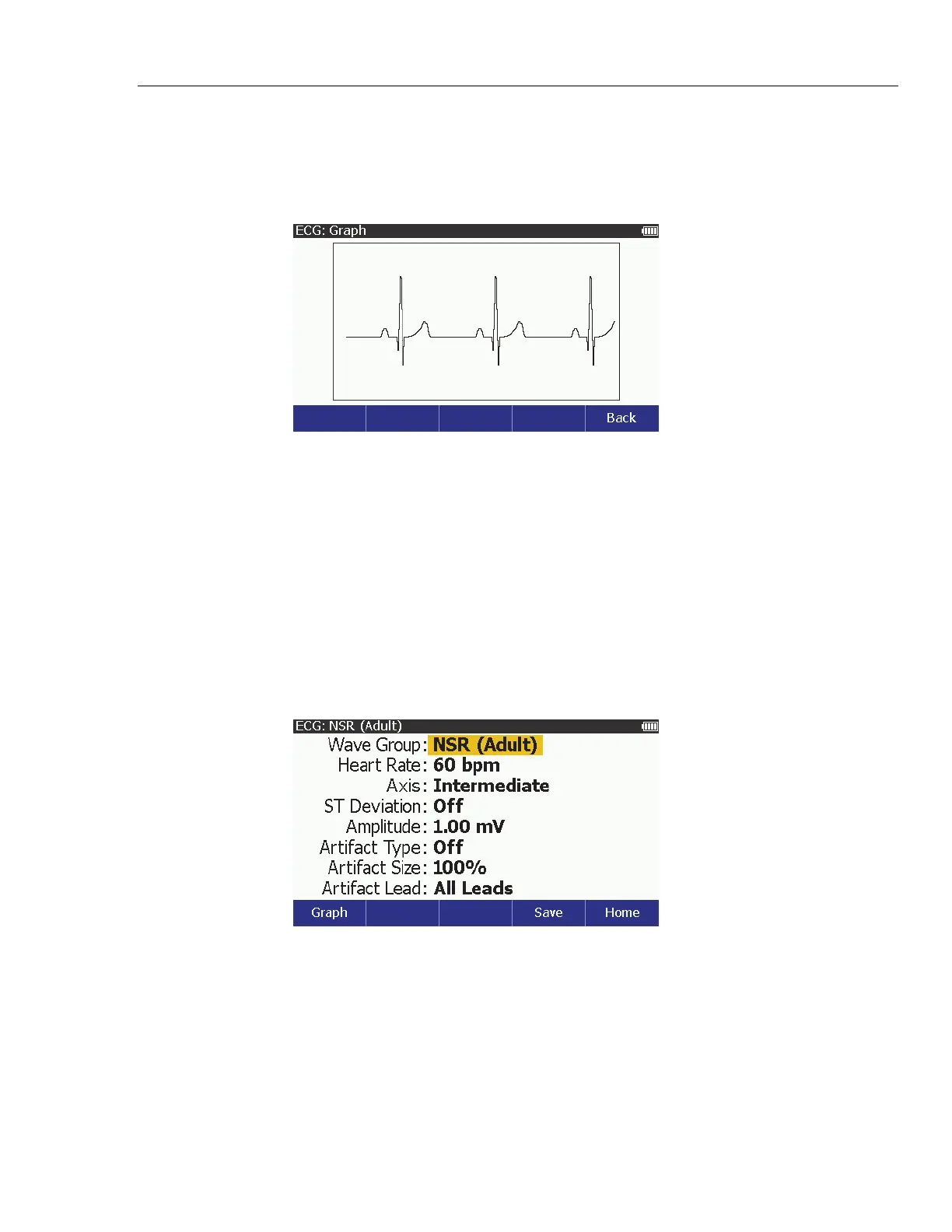
As you adjust the ECG signal, you can see the signal on the display. To see the
ECG signal, from the ECG screen, push the Graph softkey. The ECG: Graph
screen in Figure 6 shows on the display.
glh023.bmp
Figure 6. ECG Graph Screen
The ECG signal shows on the display in real time.
Push the Back softkey to go back to the ECG screen.
Simulate an ECG Artifact
The Product simulates a number of different ECG artifacts that can change the
accuracy of an ECG indication. You can add several ECG artifact simulations to
an ECG wave: line-frequency artifacts of 60 Hz (U.S. lines) and 50 Hz (European
lines), as well as artifacts for muscle movement, wandering baseline, and
respiration.
You can add an artifact to all simulated ECG signals. To add an artifact:
1. Push to show the ECG screen in Figure 7 on the display.
glh004.bmp
Figure 7. ECG NSR Adult Screen
2. Push or to highlight the Artifact Type value.
3. Push or to highlight 50 Hz, 60 Hz, Muscular, Baseline Wander, or
Respiration.
4. Push to enable the artifact and go back to the ECG screen.



 To Next Page