Vital Signs Simulator
ECG Function
23
glh019.bmp
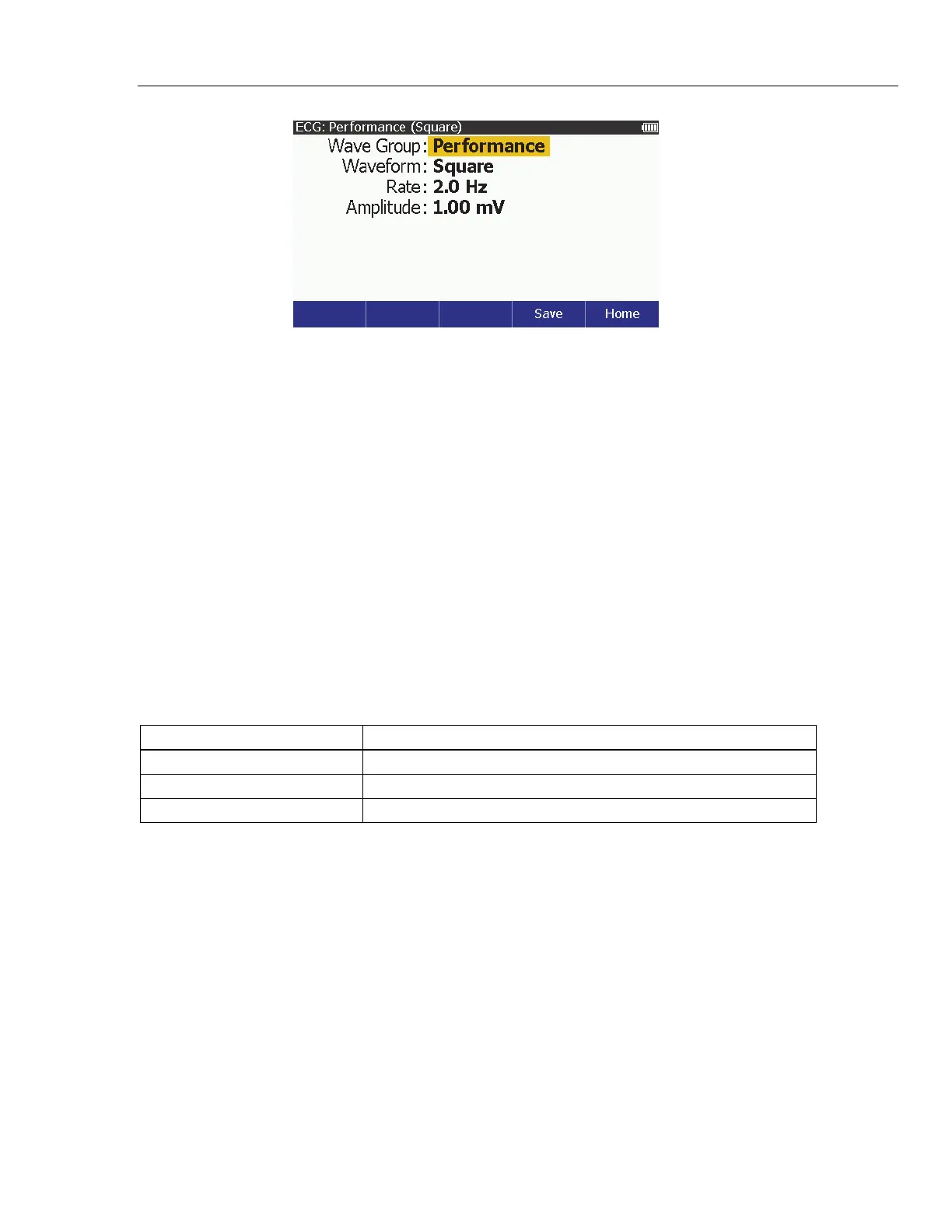
Figure 8. Performance Wave Screen
To change the waveform:
1. Push or to highlight the Waveform value.
2. Push .
3. Push or to highlight Square, Sine, Triangle, or Pulse in the list.
4. Push to set the performance waveform and go back to the ECG:
Performance screen.
All waveforms have the same two variables: Rate and Amplitude.
To change the rate:
1. Push or to highlight the Rate value.
2. Push .
3. Push or to highlight a value in the rate list. Table 12 lists the rates for
each type of wave.
Table 12. Performance Wave Rates
Performance Wave Rates
Square and Triangle 0.125, 2.0, and 2.5 Hz
Sine 0.05, 0.5, 1, 2, 5, 10, 25, 30, 40, 50, 60, 100, and 150 Hz
Pulse 30 and 60 BPM
4. Push to set the rate and go back to the ECG: Performance screen.
To change the amplitude:
1. Push or to highlight the Amplitude value.
2. Push .
3. Push or to adjust the amplitude. Each push of a key increases or
decreases the amplitude 0.05 mV between 0.05 mV and 1.00 mV and
0.25 mV above 1 mV to 5.00 mV in the direction of the key pushed.
4. Push to set the rate and go back to the ECG: Performance screen.



 To Next Page