used. The pitot sensor can be turned off in Menu>Pilot settings>Speed>Pitot correction by setting use sensor to
off.
3.4.2 Stall Alarm
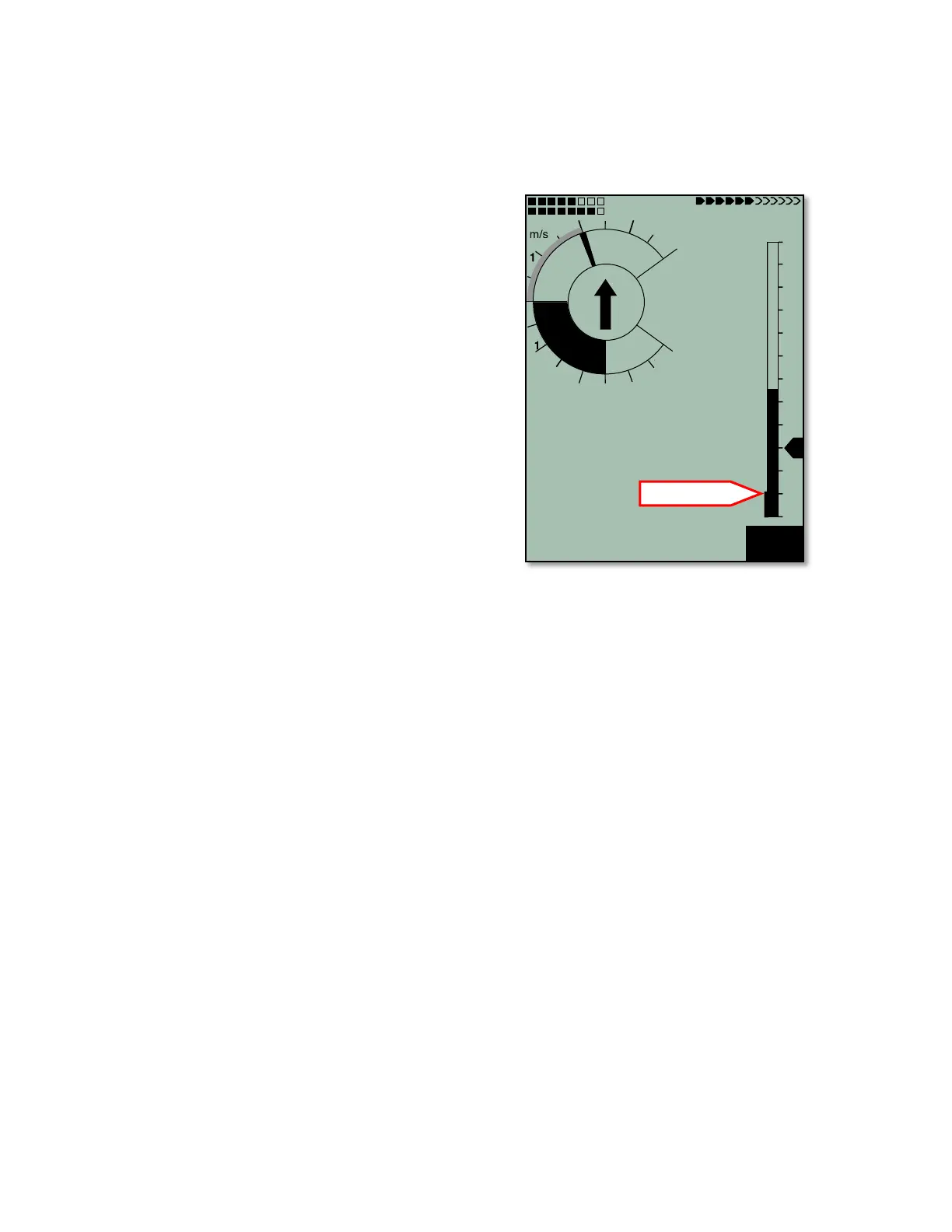
It is possible to enter the stall speed of your glider into the
6030, in which case, the altitude-adjusted stall speed will
appear on the left edge of the analog speed scale (shown in
figure left 36km/h). If the measured air speed falls below that
threshold an alarm will be given. Since the 6030 cannot directly
determine if a glider is about to stall, it is important to correctly
enter the glider’s stall speed (or preferably a speed just a little
bit faster). The stall alarm threshold can be entered in
Menu>Pilot settings>Speed>Stall speed. To prevent the stall
alarm from sounding during slow flight (thermaling), an altitude
threshold above which the stall alarm feature will be inactive
can also be set using this same menu. To disable the stall
alarm, set the stall speed value to 0. The trigger point for the
stall alarm is always linked to the indicated air speed. Therefore
the alarm will sound at a faster flying speed at higher altitudes
than at sea level. For information, refer to Section 12.1 Stall
Alarm.
3.4.3 Ground Speed
The GPS receiver determines its position once each second.
Ground speed is derived from the distance between these
positions and can be displayed in the user-field Gnd speed.
Only from the difference between air speed and ground speed
can one make conclusions about the wind’s influence. If the pitot sensor is turned off in Menu>Pilot
settings>Speed>Pitot correction and there is no vane wheel sensor plugged in, the 6030 automatically shows
the GPS-derived ground speed in the analog speed scale and in the digital speed field.
3.4.4 Wind Direction and Speed
The wind speed can be displayed in the user-field Wind Spd. Wind direction appears in the compass rose as a
small windsock. It is necessary to fly at least two complete 360s as steadily as possible before the 6030 can
register and display wind speed and direction. During the final landing approach, this symbol should always be
at the top of the compass rose (to the extent the landing field will allow).
3.4.5 Total Energy Compensation (TEC)
It is evident that a cyclist who coasts up a small hill without pedaling has gained the elevation from his own
momentum. Similarly, a hang glider can gain altitude by pushing out the control bar while flying at speeds above
minimum sink. It would be a mistake for that pilot to interpret this altitude gain as lift. Total Energy
Compensation (TEC) is an attempt to eliminate a climb indication (audible and visual) caused by trading air
speed for altitude. This is an indispensable feature for sailplanes because of their performance. However, if an
obvious gain in altitude can be achieved by speed reduction when hang gliding and paragliding, then the use of
TEC makes sense for them as well. The 6030 can suppress these vario swings caused by speed changes, and
will indicate climb or sink caused by the surrounding air, and not by the conversion of speed to altitude. When
you are flying according to McCready speed to fly, where speed adjustments are continuously necessary, the
TEC is also of great help. TEC also steadies the vario, and its related audio, when you are centering in a
turbulent thermal. The effect of the TEC can be adjusted in Menu>Pilot settings>Speed>TEC. The factory
compensation setting is 65%, and it is recommended that the compensation be kept between 60% and 80%. A
TEC setting of 100% has not proved useful because then even horizontal wind turbulences can influence the
TEC and make the vario a bit jumpy.



 To Next Page