of the map. The default orientation of the map is north up but can be changed to course up in Menu>Pilot
settings> Map orientation. When course up is selected the orientation of the map is accurate to 1º at the
moment the map is refreshed. The map will be refreshed every 30 seconds, when your position is about to run
off the map or when zoom in/out is invoked. A refresh of the map can be forced at any time with a press of the
$key.
4.4 Relocating Thermals
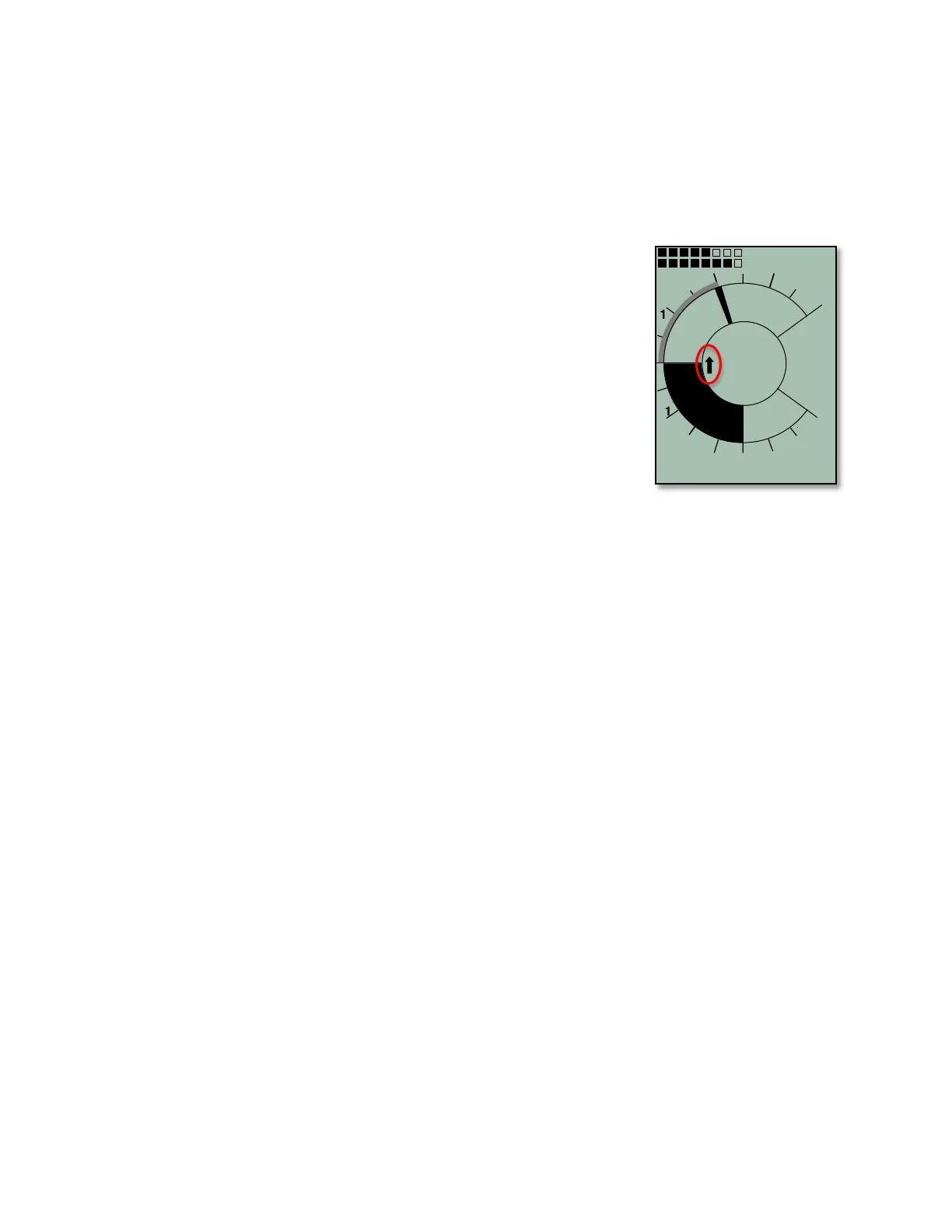
A small up-arrow in the compass rose shows the direction to the last thermal
with a climb rate greater than the preset threshold. If this arrow appears at the
top in the ring, then you are flying towards the thermal. Conversely, if the arrow
is in the bottom of the compass rose you are going away from the thermal. In
the example, the last thermal is NW of your current position. The default
threshold for the last thermal indicator is 197 ft/min, and it can be set between
100–600 ft/min in Menu>Pilot settings>Vario>Last Thermal threshold. If you
want to take full advantage of this function, Dist Therm should be set as a user-
field so that you can also see the distance to the last thermal.
4.5 Waypoints and Coordinates
A waypoint is any single point on the earth’s surface to which you would like to
go. The 6030 can save up to 200 different waypoints. Each waypoint can
include a user-assigned name up to seventeen characters, the waypoint’s
coordinates and waypoint altitude.
The 6030 GPS utilizes the World Geodetic System 1984 (WGS84). This reference system assumes that
latitude is measured from the equator (0 degrees) to the North Pole (90 degrees north) and to the South Pole
(90 degrees south). Longitude is measured from the Greenwich meridian (London, 0 degrees). East is positive
(up to 180 degrees), and west is negative (up to -180 degrees).
In addition to the international Geodetic System WGS84, many countries use their own map references wherein
the coordinates for the same point may differ slightly. Since the FAI Sporting Code General Section 2006
(7.3.1.1) states that the only valid GPS system for calculating distances is WGS84, the 6030 does not allow
different geodetic systems.
The following position formats (for input and display) can be selected in Menu>Device settings>Coordinate
format:
Degrees, Minutes, Decimal places of minutes: dd°mm.mmm
Degrees, Minutes, Seconds: dd°mm'ss″
Degrees, Decimal places of degrees: dd.ddddd
UTM (a grid with a 1 km raster in both E/W and N/S directions)
Swiss grid
To achieve the greatest position accuracy the format dd°mm.mmm (factory default) should be used because
this is the format used by GPS receivers. With the other formats, rounding errors could add up to 15 meters in
the worst case.
The 6030 can also understand waypoints entered according to the convention of using the first three letters of
the waypoint name followed by three numbers for the altitude in tens of meters. For example: LAB167 indicates
a waypoint with the name LABxxx and an altitude of 1670 meters MSL. This altitude is stored in the waypoint’s
altitude field.
4.5.1 Current Coordinate Display
Provided the 6030 is receiving a GPS signal, the actual position can be displayed in the Information Field by
pressing the information key %. After twenty seconds, the current position will be replaced by the information
previously displayed in the Information Field. This function is useful after landing to relay your location to a
person coming to retrieve you.



 To Next Page