To switch the 6030 off, press and hold the On/Off key for 3 seconds. To
prevent unintentional switch-off, the display will show “really switch off??
Press OK to confirm.” Confirm by pressing the OK key. If the instrument has
not registered a flight, the display will show the Shutdown screen. The
remaining battery status will be shown, as well as the comment “Wait 10
seconds before next power on.” Important: failure to observe this
instruction can cause malfunction.
Alternatively, if a flight recording has occurred, the display will show the Flight
Analysis Page where the particulars of the recorded flight are shown. A short
press of the OK key or the On/Off key will complete the shutdown process.
The 6030 has an automatic shut-off function that will power down the unit
after 30 minutes without GPS reception or 30 minutes after it determines a
flight has concluded.
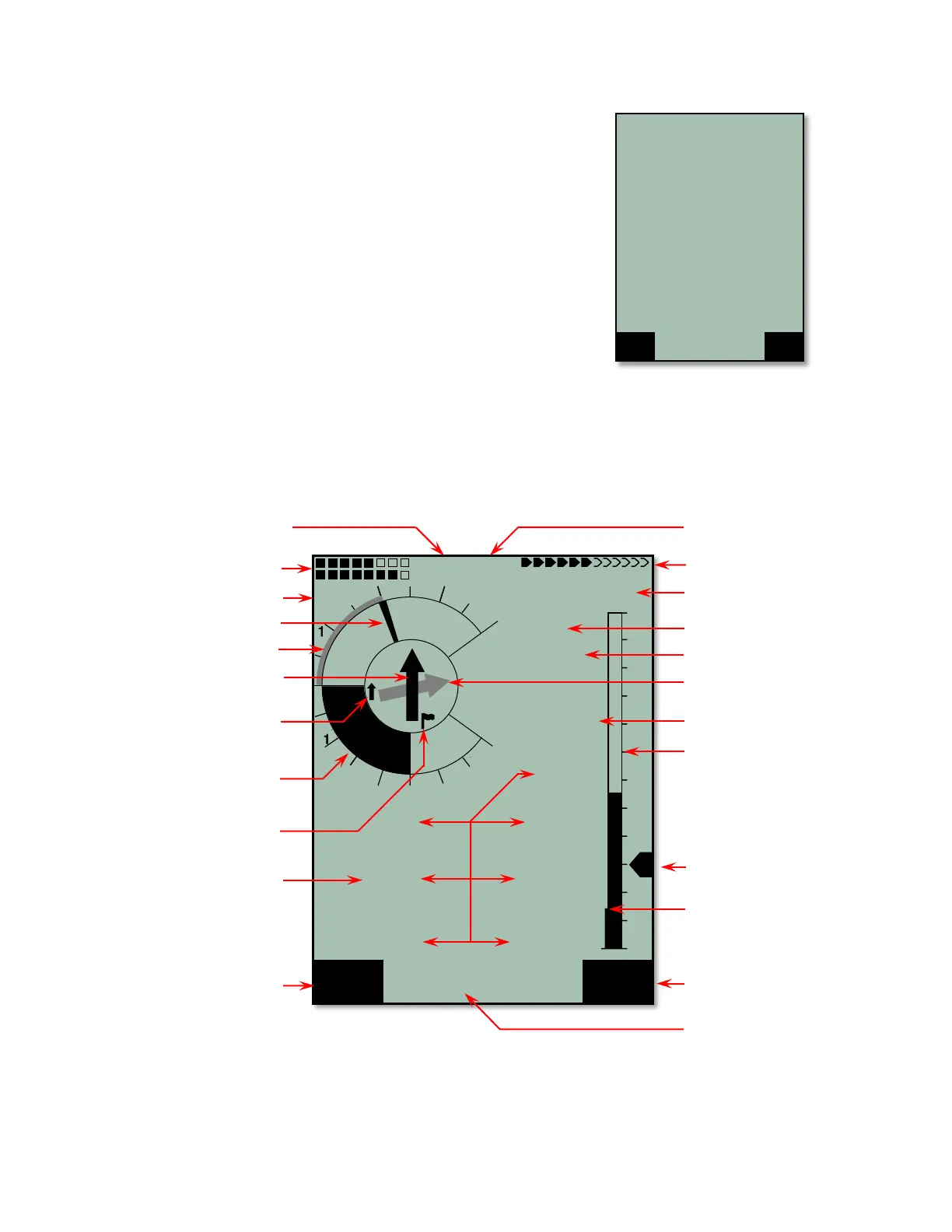
2.2 Main Display Page
Each time the 6030 is turned on, the display defaults to the main display page. The upper portion of the display
provides altitude, vertical speed (vario), air speed (ground speed if pitot sensor is turned off), directional
information, as well as battery and GPS status. The lower half of the main display has seven data fields that
show relevant flight data. The information shown in each of these fields can be selected from a list by the user.
Consequently, they are referred to as user-fields. The 6030 has three independent pages of user-fields that
can be scrolled through with the ! key. The assignment of user-fields is discussed in Section 2.7
The Information Field is the region between the two function key identifiers in the lower portion of the normal
operation pages that can show up to two lines of situation dependent text. For example, when you first turn on
the instrument the Information Field will show “Mod Alt1
!"
” to prompt you to set altimeter with the !" keys
before you fly. The Information Field is used when the 6030 needs to convey text information when the
instrument is in normal run-mod



 To Next Page