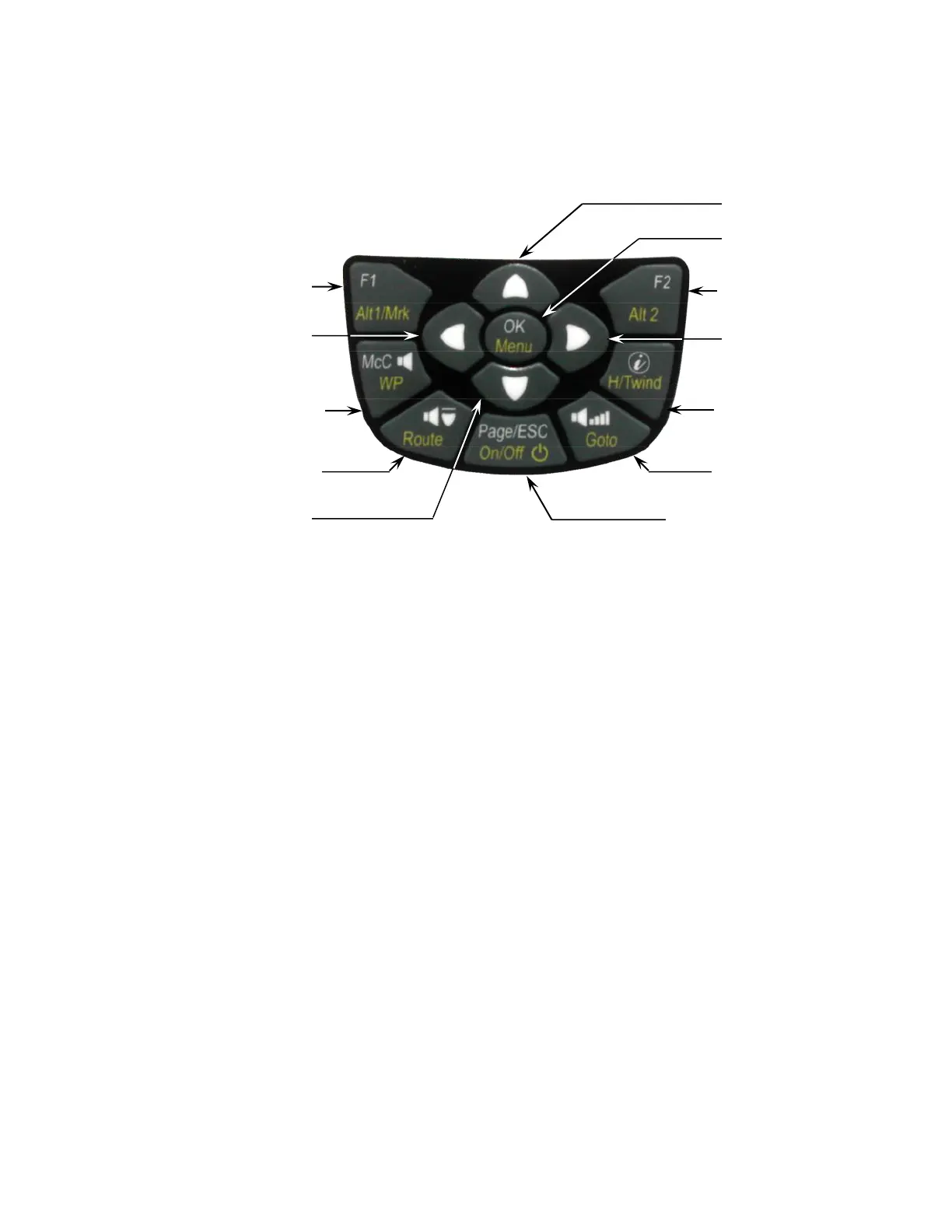
2.3 Keypad
White lettering on the keypad indicates actions/functions executed with a short-press of that key. Yellow
lettering indicates actions/functions executed with a long press (3 seconds) of the key and are associated with
making a selection or adjusting a setting.
2.3.1 Function Keys F1 and F2
The 6030 has two Function Keys (F1 and F2), and their functions are context-dependent. For example, when
operating in Route mode, F1 means “previous waypoint” and F2 “next waypoint.” However, when creating a
route, F1 stands for “Insert WP” and F2 “Delete WP.” In each case the meaning of the keys appears in the dark
shaded fields just above the respective keys.
2.3.2 Entering Text
While it is considerably easier to enter alphanumeric data such as pilot name, glider type or waypoint name
using FlyChart (as discussed in section 8.3, this can also be accomplished with the 6030 keypad even though
it does not have letter/number keys. To serve as an example, the following is the process for entering the pilot’s
name into the 6030:
Long-press the Menu key, scroll down to Pilot settings with the " key and press OK, then scroll down to Pilot
name with the " key and press OK. Note that there is a blinking cursor in the Pilot Name field (“not set” is there
as a place holder). Use the ! and " keys to scroll through the available upper case letters and symbols, or
short-press the F1 key to cause the ! and " keys to scroll through lower case letters and numbers. Press OK
to accept the selection and advance to the next character. Continue this process through all the characters of
your name. The cursor can be moved with the #and$ keys, and characters can be deleted with a short press
of the F2 key. Important: the characters $ * ! \ ^ ~ are not available since they are reserved for use in the .igc
file.
2.4 Units for Numerical Values
The numerical values shown on the 6030 display can be set to display in either U.S. Standard units or metric
units. Altitude values can be in feet or meters; vertical speed (rate of ascent/descent) in ft/min or m/sec;
distance in miles or kilometers; speed in mph, km/h or knots; and temperature in ºF or ºC. Each measurement
type can be individually set. For example, altitude can be shown in meters, vertical speed in ft/min and speed in
knots. To set the measurement units, highlight the Units sub-menu in Menu>Device settings and press OK; the
cursor will start blinking on the first unit to be set. Select the desired unit by choosing 0 for metric or 1 for US
standard units (2 is used to select knots for speed) with the !" keys, and then press OK to accept the setting
and advance to the next field. Proceed in the same way with all five measurement unit selections.



 To Next Page