forward to the next character. Once the Airspace name has been edited (or left as is), confirm the name by
pressing the OK key.
The cursor will now blink on the first character of the airspace Remark line. Edit the comment (if desired) in the
manner described above, and then press the OK key to acknowledge the comment and advance the cursor to
the Warning Distance field. Change the Warning Distance (if desired) in the same manner. Press the OK key to
acknowledge the value and bring up the airspace element list. To select an element, scroll through the element
types using the !" keys and press the OK key when the desired element is shown. The details of the element
will appear in the lower half of the display and can be edited in the usual manner.
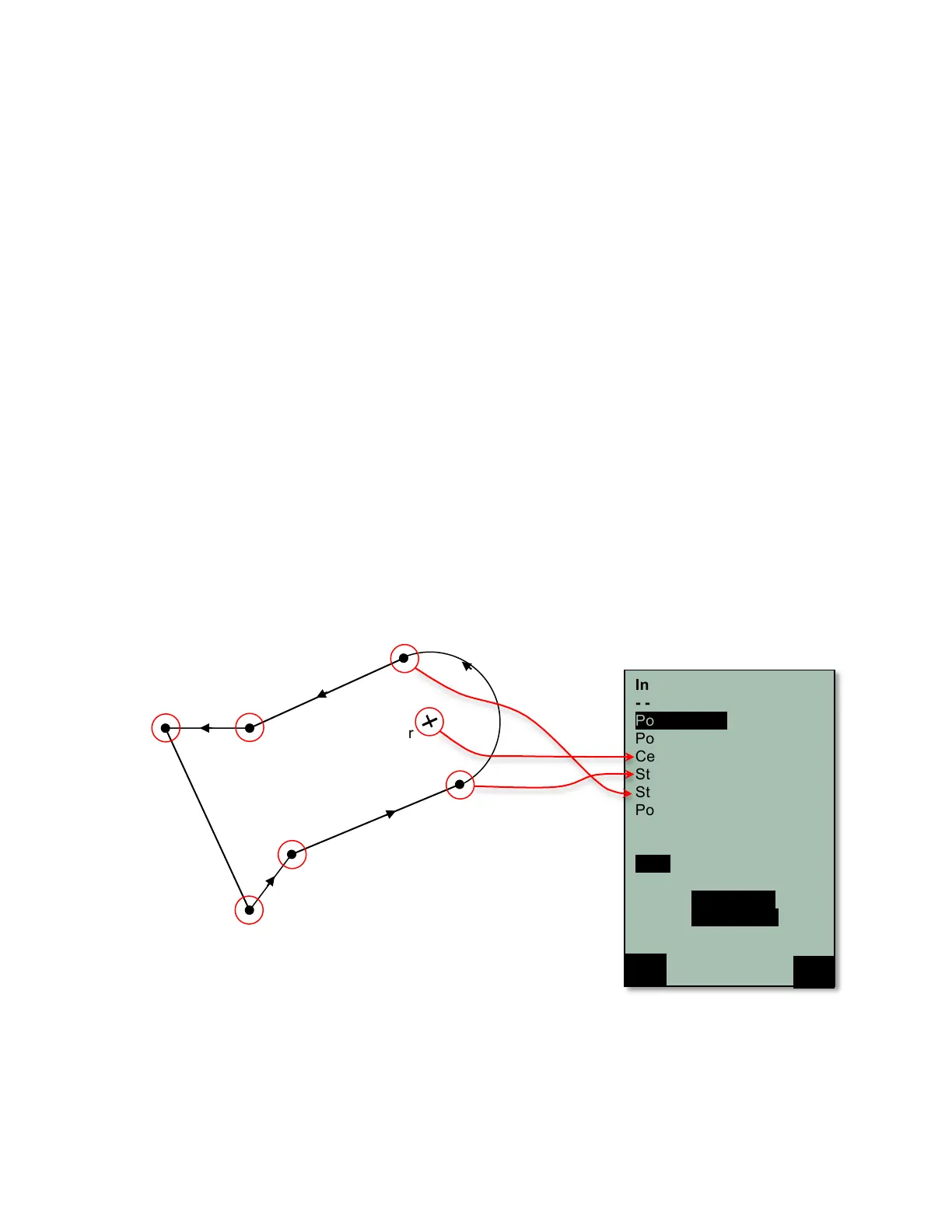
An airspace is defined by a series of elements consisting of end points of lines and arc segments, or by the
center and radius of a circle. Each element must have its GPS coordinates and must be entered exactly in
sequential order (clockwise or counter-clockwise). The instrument will automatically connect the last point
entered to the first point, so it is unnecessary to repeat the first point at the end of the string. For mathematical
reasons the distance between two points in an airspace should not be too far apart. The accuracy of the
distance calculation will be increased if an intermediate point is inserted between two distant end points. The
types of elements are:
Point: End point of a line or arc
Center: Center of an arc
Startborder: Start point of an arc (+ clockwise/ - counter-clockwise)
Stopborder: End point of an arc (+ clockwise/ - counter-clockwise)
Circle: Center of the circle with radius in meters
When entering arc segments, observe the following parameters: Lat/Long of the arc center, Lat/Long of the start
point of the arc segment, Lat/Long of the end point of arc segment, and rotational direction (+ for clockwise and
– for counter-clockwise). When entering circles, the Lat/Long of the center and the radius in kilometers are
sufficient.
Example:
Counter-Clockwise



 To Next Page