6. Select the General radio button and click Finish.
7. Select the New sheet radio button and click OK.
8. The data will now be visible in the spreadsheet. Several of the first lines of the IGC file are non-flight
data and the column breaks set above will not appropriate. The text in these lines can be reformatted
or deleted. Alternatively, these lines can be excluded from the import in Step 4 above.
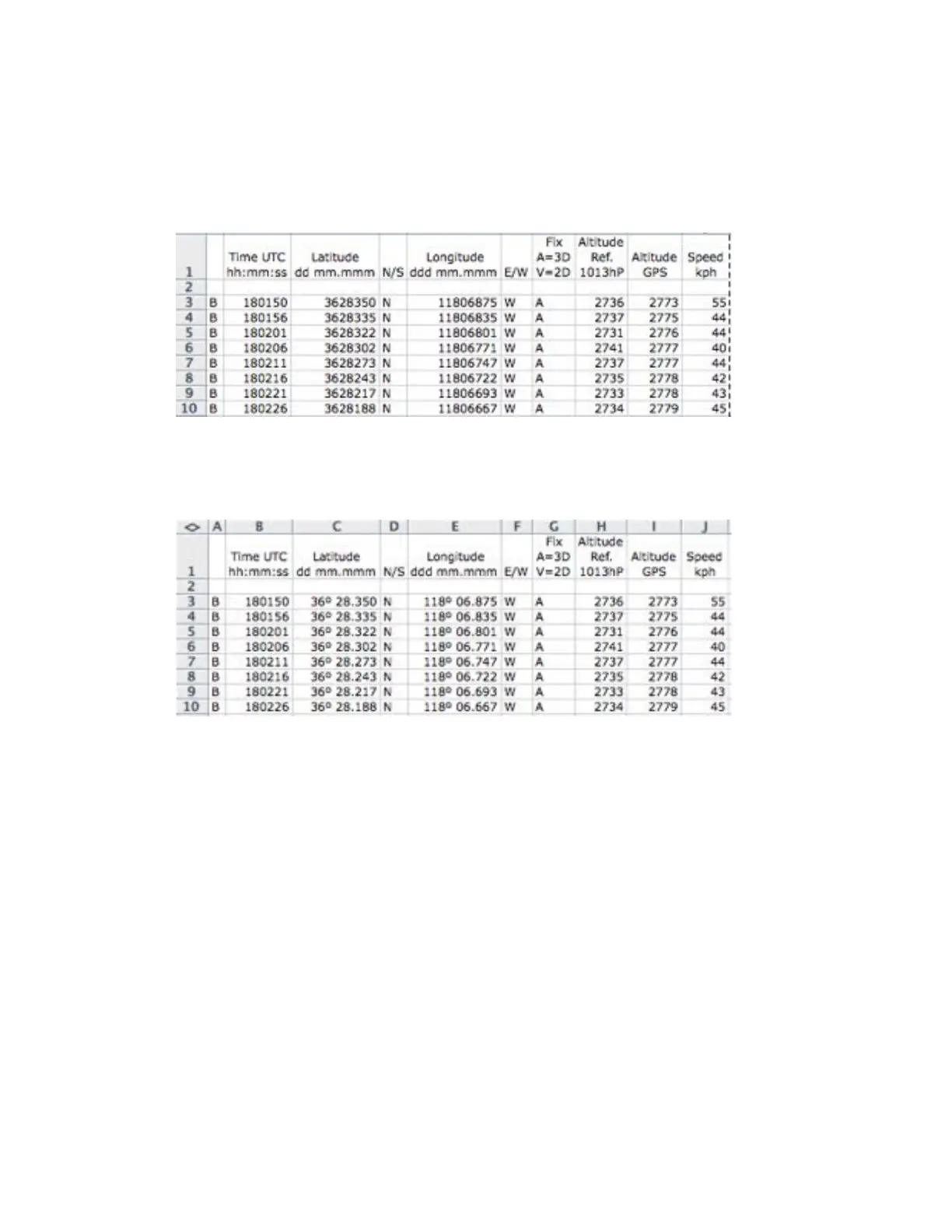
9. The headings shown in the figure can be added and the column widths can be adjusted:
10. The latitude and longitude values are in the XX°XX.XXX’ format. For space reasons, the degree and
decimal symbols are omitted from the IGC file. For example, the latitude value 3628350 above should
be read as 36º 28.350’. Using the number format code ##"º" ##"."### in Excel for the latitude and
longitude columns, the coordinate data can be expressed in the XX°XX.XXX’ format.



 To Next Page