104
14 ADDITIONAL TOPICS
OPTIONAL OFM9G LAYOUTS
Many who use the Fractal Audio FM3 with an FC-6 enjoy a special set of custom layouts cheekily called “OMG9”.
We created a special FM9 version of this system called “OFM9G” and it can be installed using these simple steps.
Loading OFM9G will overwrite your current footswitch layouts. If you’re
using the Factory Default layouts, those can be reinstalled easily using
using SETUP: FC Controllers: Reset. If you are using customized layouts,
you can back them up by choosing “Export All Layouts” in FM9-Edit.
AUTOMATIC INSTALLATION
On the FM9, select SETUP: FC Controllers: Reset: Load “OFMG9” Footswitch Layouts Layouts & Settings
THE BASIC IDEA
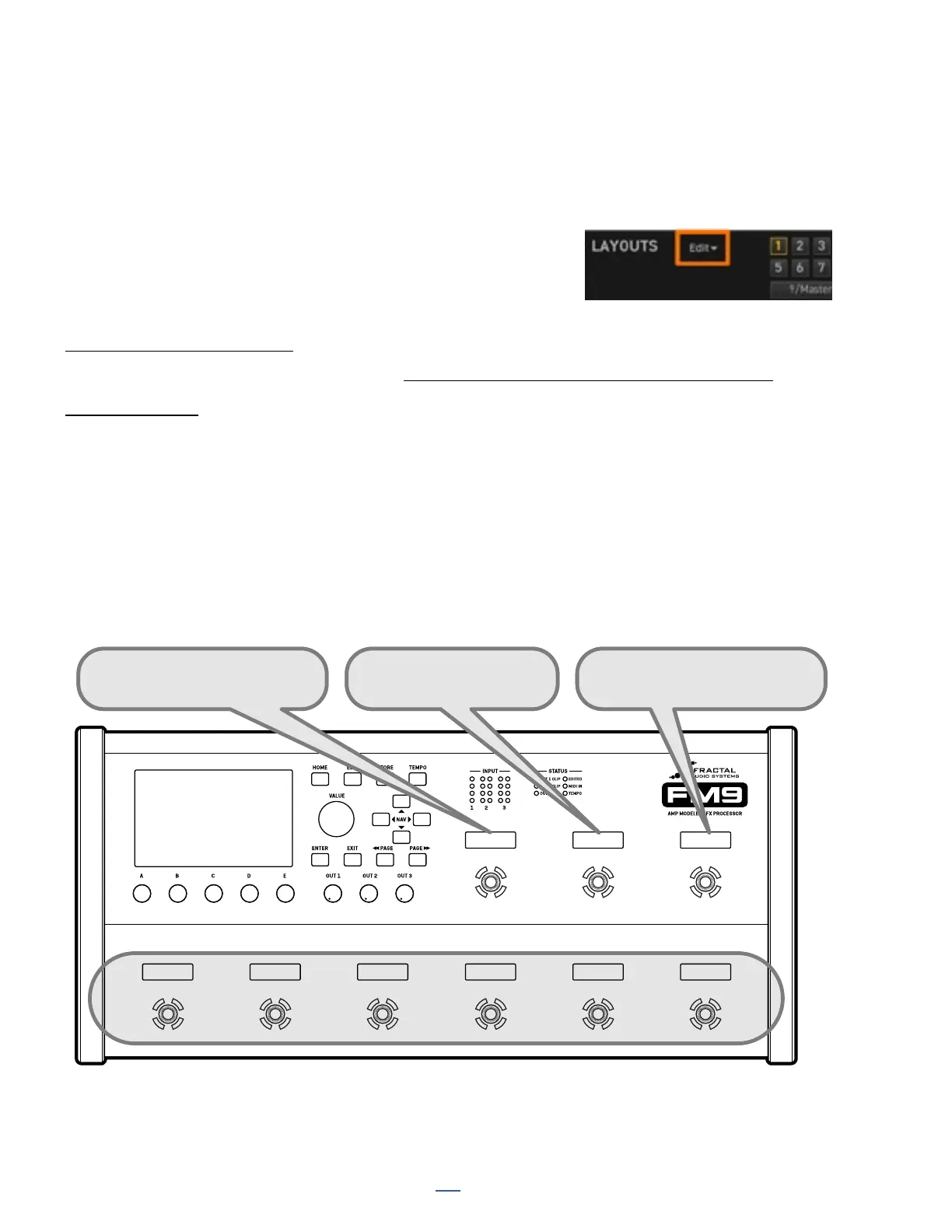
The basic idea behind the OMG9 and this FM9 version is that the footswitches are divided into two “zones.”
In OFM9G, the top three footswitches are used to change the functions of the bottom six footswitches. The
Master Layout Menu is not used: OFMG9 is entirely self-contained. Despite all of its power, it is very simple to
use. There are almost no “press and hold” functions, so there’s less to remember, and sound changes re on the
switch “downstroke” for tight musical timing. The use of color reduces the need to read. In other words, this is a
setup for those who live by the dictum, “Don’t make me think!”
The basic idea is illustrated below, and individual layouts used are shown on the next page.
SCENES MODE
EFFECTS MODE
PRESETS MODE
Hold for LOOPER
Hold for PER-PRESET
Press THESE three switches...
...to change what THESE six switches do.



 To Next Page