71
10 LAYOUTS & SWITCHES
FACTORY DEFAULT LAYOUTS
Factory default settings for the FM9 include various predened layouts: one for selecting presets, one for
changing scenes, one for the looper, and so on. These are illustrated on the following page.
The Factory default layouts are designed to be very simple. The idea was that they should require almost no
explanation, so someone using the FM9 for the rst time could easily understand its capabilities. In fact there is
no such thing as an ideal layout—no “one-size-ts-all” solution. Those who desire to make changes will nd it is
very easy to change any switch on any layout to perform any function. See the new Footswitch Functions Guide
for a complete reference covering all available functions.
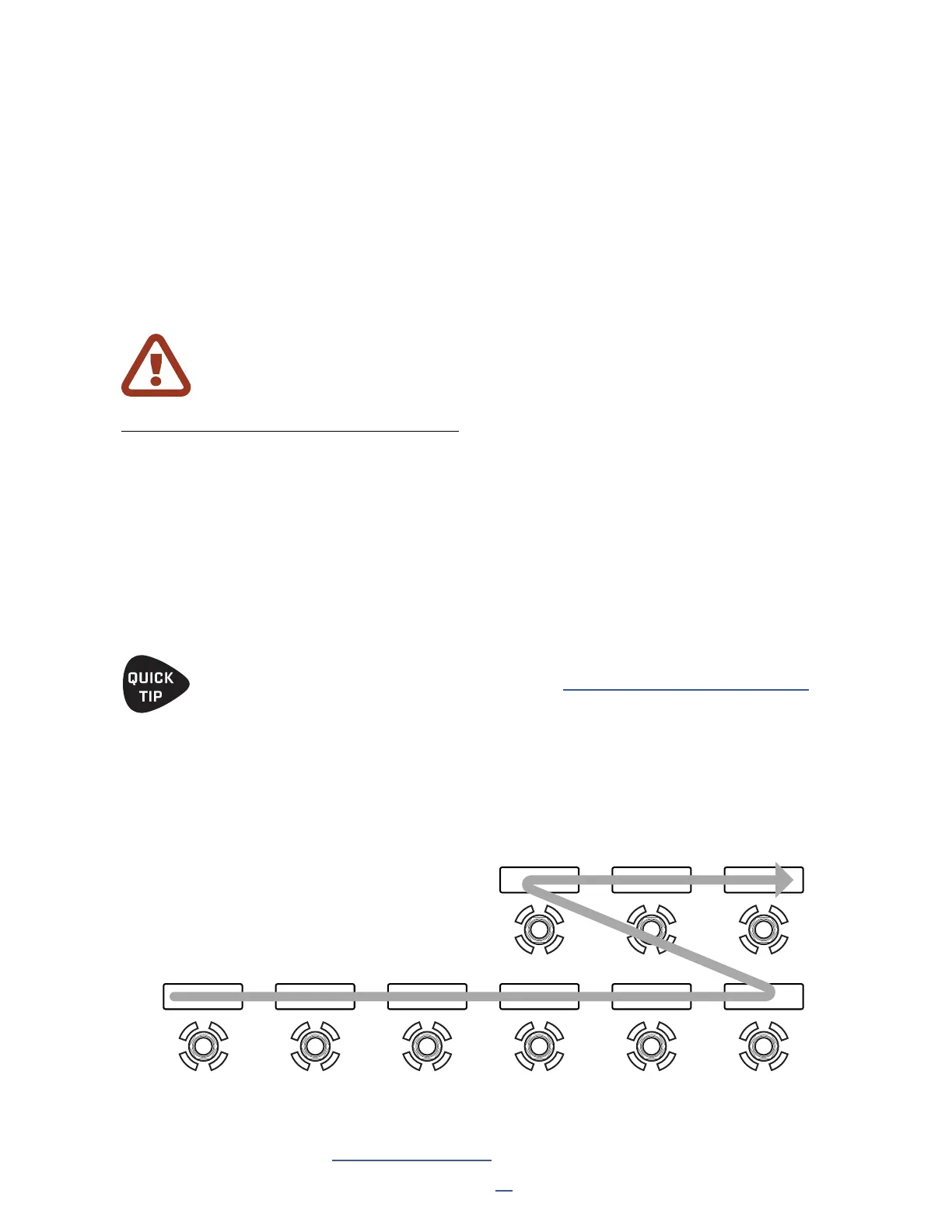
SWITCH FLOW
Footswitches are not numbered, but the switch denitions in layouts are. The numbers flow is from left to right,
bottom to top, as shown below.
RESETTING THE FACTORY LAYOUTS
The FM9 includes a utility to reset the Factory Default Layouts to their default settings. To do this:
Open SETUP: FC Controllers/Onboard Switches.
Page to the RESET page.
Select the desired option and press ENTER to Load FM9 Factory Default Layouts.
Press ENTER again to conrm.
Press HOME to exit.
WARNING! When you perform Reset System Parameters under SETUP: Utilities
this clears all of your Footswitch layouts too!
While the FM9 has NINE onboard switches, you will notice that each layout actually contains TWELVE switch
denitions. The extra denitions can be accessed when you connect an FC-12, or when you use the FM9 or an
FC-6 and change the View. See “Layout Views” on p. 81 for additional information.
1 2 3 4 5 6
7 8 9
As a bonus, the FM9 also includes an alternate set of layouts based on the popular “OMG9” layouts
used with the Fractal Audio FM3 and FC-6. Learn more “Optional OFM9G Layouts” on p. 104



 To Next Page